
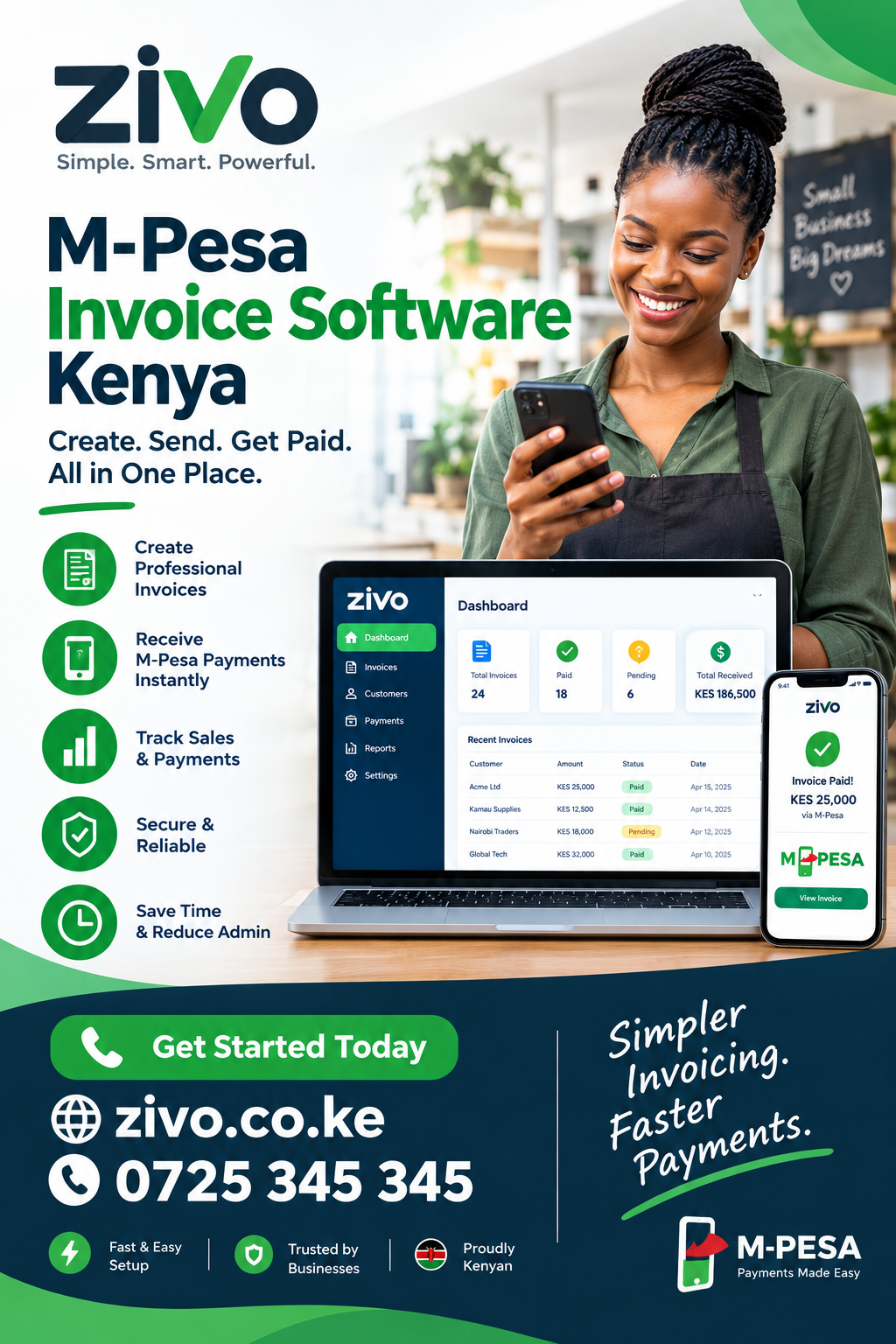
M-Pesa Invoice Software Kenya: Complete Guide to Faster Invoicing and Payments
For a Kenyan business, getting an invoice paid should not require several WhatsApp messages, a screenshot from the customer, manual confirmation, and a spreadsheet update. M-Pesa Invoice Software Kenya brings invoicing and payment collection closer together, helping businesses create professional invoices, send them to customers, receive M-Pesa payments, and keep clearer records. This guide explains how the technology works, which businesses can benefit from it, the features to look for, how M-Pesa reconciliation works, and how to choose a solution that fits your operations.
What Is M-Pesa Invoice Software?
M-Pesa Invoice Software Kenya refers to invoicing software designed around the way Kenyan businesses collect payments through M-Pesa. Instead of treating an invoice and a payment as two completely separate activities, the software connects the amount owed with the payment record.
Traditional invoicing can involve several steps:
- Create an invoice in Word or Excel.
- Save it as a PDF.
- Send it through WhatsApp or email.
- Ask the customer to pay.
- Wait for an M-Pesa confirmation message.
- Ask for a screenshot if payment cannot immediately be verified.
- Manually mark the invoice as paid.
- Update a spreadsheet or accounting record.
- Follow up later if the payment was partial or missed.
A connected invoicing platform can reduce many of these manual steps.
With M-Pesa Invoice Software Kenya, the invoice becomes more than a document showing what a customer owes. It can become part of a wider workflow covering customers, payment requests, receipts, statements, cash flow, and follow-up.
That distinction matters for growing businesses. When there are only five or ten invoices a month, manual administration may seem manageable. Once a company handles dozens or hundreds of invoices, small administrative tasks consume significant time and create opportunities for mistakes.
The difference between ordinary invoicing and connected invoicing
Ordinary invoicing software may create a professional document but leave payment collection outside the system.
A connected solution can bring together:
- Customer information
- Invoice creation
- Payment requests
- M-Pesa collection
- Payment confirmation
- Receipts
- Customer balances
- Statements
- Expense records
- Cash-flow information
- Payment reconciliation
The objective is not simply to produce attractive invoices. The objective is to create a reliable record of what was sold, what was billed, what was paid, and what remains outstanding.
Why M-Pesa Matters to Kenyan Businesses
M-Pesa Invoice Software Kenya is particularly relevant because M-Pesa is deeply integrated into everyday commercial activity in Kenya.
A customer may place an order through WhatsApp, visit a physical shop, request a service over the phone, or receive an invoice by email. In each case, the customer may expect to pay using M-Pesa.
That creates an operational question for the business: how do you connect the customer’s invoice with the payment?
Without a connected process, a business may have:
- One record for the invoice.
- Another record in an M-Pesa statement.
- A WhatsApp conversation with the customer.
- A payment screenshot.
- A spreadsheet showing outstanding balances.
- A separate receipt book.
The more systems involved, the harder it becomes to know which information is current.
A good M-Pesa Invoice Software Kenya solution aims to bring these records closer together.
For example, imagine a CCTV installation company that sends a KES 25,000 invoice to a customer. The customer pays KES 15,000 through M-Pesa and promises to settle the balance after installation.
A good system should make it easy to see:
| Item | Amount |
|---|---|
| Invoice total | KES 25,000 |
| Payment received | KES 15,000 |
| Outstanding balance | KES 10,000 |
| Payment status | Partially paid |
| Customer | Recorded |
| Invoice | Recorded |
That is much clearer than searching through messages and M-Pesa notifications.
Who Needs M-Pesa Invoice Software?
M-Pesa Invoice Software Kenya can be useful for many types of businesses, not only companies that describe themselves as accounting-heavy organisations.
Service businesses
Service companies often invoice after receiving an enquiry or completing a job.
Examples include:
- Cleaning companies
- CCTV installers
- Plumbers
- Electricians
- IT support companies
- Marketing agencies
- Consultants
- Repair businesses
- Freelancers
- Training providers
For these companies, an invoice can be linked to the customer and the service being delivered.
Retail and wholesale businesses
Retailers and wholesalers may need invoices for larger customer orders, recurring buyers, institutions, or corporate clients.
An invoicing system can help sales teams produce consistent documents while finance teams monitor payments.
Schools and training businesses
Schools, tutors, training centres, and education businesses often have recurring payments.
A system can help maintain customer or student records, issue invoices, track balances, and identify unpaid accounts.
Property-related businesses
Landlords and property managers deal with recurring charges, tenant balances, deposits, utilities, and other payments.
A connected system can make it easier to distinguish between invoices that are paid, partially paid, overdue, or still pending.
Subscription businesses
Businesses that bill customers monthly can benefit from recurring invoice functionality.
Instead of recreating the same invoice every month, recurring billing can create a more structured process.
Core Features to Look For
When comparing M-Pesa Invoice Software Kenya solutions, look beyond the ability to create a PDF invoice.
The most useful systems connect invoicing to the rest of the payment process.
1. Professional invoice creation
The software should allow you to create invoices with:
- Business name
- Customer details
- Invoice number
- Invoice date
- Due date
- Product or service description
- Quantity
- Unit price
- Taxes where applicable
- Discounts where applicable
- Payment instructions
- Total amount
A consistent invoice format helps customers understand exactly what they are being asked to pay.
2. Customer database
M-Pesa Invoice Software Kenya should ideally store customer information rather than forcing staff to enter the same details repeatedly.
Useful customer records can include:
- Customer name
- Phone number
- Email address
- Previous invoices
- Payment history
- Outstanding balance
- Notes
- Statements
This is particularly helpful for repeat customers.
3. M-Pesa payment collection
The central feature is the ability to connect the invoice with M-Pesa payment collection.
Depending on the software and payment setup, customers may receive a payment link or an M-Pesa STK prompt.
The advantage is straightforward: the customer can pay while the invoice is still in front of them.
4. Payment status tracking
M-Pesa Invoice Software Kenya should make payment status easy to understand.
Common statuses include:
- Unpaid
- Pending
- Paid
- Partially paid
- Failed
- Cancelled
- Expired
- Refunded
This prevents staff from treating every invoice as either simply “paid” or “unpaid.”
5. Receipts
After payment is confirmed, the system should make it possible to issue a receipt or maintain a clear payment record.
A receipt provides the customer with evidence of payment and gives the business a record for its own accounts.
6. Customer statements
Statements are especially useful for customers who make multiple purchases.
Instead of sending individual invoices whenever a customer asks what they owe, the business can provide a consolidated view of transactions and balances.
How M-Pesa Invoice Software Can Improve Cash Collection
M-Pesa Invoice Software Kenya can improve the collection process by reducing friction between billing and payment.
Consider two workflows.
Manual workflow
A customer receives an invoice.
The business sends:
“Please pay through M-Pesa and send the confirmation.”
The customer pays.
The business waits for the message.
Someone checks the M-Pesa account.
Someone finds the invoice.
The invoice is marked as paid.
A spreadsheet is updated.
The customer asks for a receipt.
Another document is prepared.
This is manageable at small scale but becomes increasingly inefficient as transaction volume increases.
Connected workflow
The business creates the invoice.
The customer receives a payment option.
The customer completes the payment.
The payment status is recorded against the invoice.
The business issues or provides the receipt.
The customer balance is updated.
The finance team can review the transaction later.
The second workflow reduces the number of places where information has to be entered manually.
M-Pesa Reconciliation: Why It Matters
M-Pesa Invoice Software Kenya is particularly valuable when reconciliation is considered.
Reconciliation means matching money received with the transaction that generated it.
Suppose a business receives 30 M-Pesa payments in one day. The finance employee needs to determine:
- Who paid?
- Which invoice did they pay?
- How much did they pay?
- Was it the full amount?
- Was it a deposit?
- Was it an old outstanding balance?
- Was the transaction duplicated?
- Was the money received but the invoice left open?
Manual reconciliation becomes harder when customers use different phone numbers, payment references, or payment amounts.
A connected system can provide a transaction history that makes exceptions easier to investigate.
Handling partial payments
Partial payments are common in many Kenyan businesses.
A contractor may require a deposit before starting work.
A customer may pay part of an outstanding invoice.
A school or organisation may receive instalments.
The software should therefore support partial payments instead of assuming every invoice is paid in one transaction.
For example:
Invoice: KES 60,000
First payment: KES 20,000
Second payment: KES 25,000
Balance: KES 15,000
That customer should remain visible as owing KES 15,000 rather than being incorrectly marked as fully paid.
WhatsApp and M-Pesa Invoicing
M-Pesa Invoice Software Kenya becomes even more useful when connected to WhatsApp-based sales.
Many Kenyan SMEs receive enquiries through WhatsApp. A typical conversation may begin with:
“How much is your CCTV installation?”
The business responds with a quotation.
The customer accepts.
The business creates an invoice.
The customer needs a payment option.
This sequence can be handled more efficiently when the sales conversation, invoice, and payment record are connected.
Zivo’s current product information describes a workflow where businesses can create quotes or invoices, send a hosted checkout, trigger M-Pesa STK, record payment attempts, issue receipts, and connect paid work to subsequent jobs.
For a small business, this can remove unnecessary movement between different applications.
The Role of Payment Links
M-Pesa Invoice Software Kenya can also use hosted payment links to simplify collection.
A payment link can be included in:
- WhatsApp messages
- Emails
- SMS messages
- Customer portals
- Digital quotations
- Online orders
The customer opens the link and follows the available payment instructions.
This can be useful when the customer is not physically present at the business premises.
For example, a Nairobi-based service company can send an invoice to a customer in Kisumu without requiring the customer to visit an office.
The same approach can work for businesses serving customers across different counties.
M-Pesa STK Push and Invoicing
M-Pesa Invoice Software Kenya can support workflows where the customer receives an STK prompt on the phone number being used for payment.
The attraction of STK is convenience.
Instead of asking the customer to:
- Open the M-Pesa menu.
- Select the correct payment option.
- Enter the business details.
- Enter an account reference.
- Enter the amount.
- Confirm payment.
- Send a screenshot.
The business can initiate an appropriate payment request where the payment infrastructure supports it.
The exact implementation depends on the payment integration, account configuration, and provider setup.
For businesses evaluating software, it is important to ask what payment functionality is actually included rather than assuming every invoicing platform provides STK functionality.
Invoicing and eTIMS in Kenya
M-Pesa Invoice Software Kenya should also be evaluated alongside Kenya’s electronic invoicing requirements.
The Kenya Revenue Authority states that persons engaged in business are required to onboard eTIMS and issue electronic tax invoices, subject to the applicable rules and specific circumstances.
This means businesses should not choose invoicing software based only on appearance or payment convenience.
They should also investigate how their invoicing process fits their tax compliance obligations.
KRA provides different eTIMS options and has also provided system-to-system integration for businesses whose invoicing or ERP systems need to connect with eTIMS through an API.
Before adopting a solution, ask:
- Does it support the invoicing workflow your business requires?
- How does it handle electronic tax invoices?
- Is eTIMS integration available?
- Who is responsible for onboarding?
- What information must the business provide?
- Does the integration cover the transactions you process?
These questions are more important than choosing software simply because it has a modern interface.
Expense Tracking and Cash Flow
M-Pesa Invoice Software Kenya becomes more useful when incoming payments are considered alongside business expenses.
Knowing that KES 500,000 was invoiced does not mean the business has KES 500,000 available.
Some invoices may remain unpaid.
At the same time, the business may have expenses for:
- Stock
- Salaries
- Transport
- Rent
- Utilities
- Supplier payments
- Advertising
- Equipment
- Taxes
- Professional services
A connected finance workflow helps the owner distinguish between revenue billed and cash actually received.
Zivo describes its finance functionality as connecting invoices, payments, receipts, expenses, customer statements, cash flow, and profit reporting within the same workspace.
That distinction can help business owners make decisions using a more complete picture of their finances.
Reporting and Business Visibility
M-Pesa Invoice Software Kenya should provide useful reporting rather than simply storing invoices.
Useful reports may include:
| Report | What it helps you understand |
|---|---|
| Outstanding invoices | Who still owes money |
| Payment history | What customers have paid |
| Customer statements | Individual account activity |
| Sales report | How much has been invoiced |
| Cash-flow report | Money entering and leaving |
| Expense report | Where money is being spent |
| Profit report | Financial performance |
| Payment exceptions | Transactions requiring investigation |
The most useful reports are the ones that answer practical questions.
For example:
Which customers owe us money today?
How much did we collect this week?
Which invoices are overdue?
Which payments need investigation?
How much cash came in compared with expenses?
These questions matter more than having dozens of complicated dashboards.
Choosing the Right Software for a Small Business
M-Pesa Invoice Software Kenya should be selected based on the actual workflow of the business.
A good evaluation process starts with the problem rather than the software brand.
Step 1: Identify your invoicing volume
Count approximately how many invoices your business creates each month.
A company creating ten invoices has different needs from one creating 2,000.
Step 2: Understand how customers pay
Do customers mainly use:
- M-Pesa?
- Bank transfers?
- Cash?
- Cards?
- Multiple methods?
If M-Pesa represents a large share of collections, payment integration becomes more important.
Step 3: Check recurring billing needs
If customers pay monthly, ask whether the software supports recurring invoices and reminders.
Step 4: Check reporting requirements
Determine which reports the owner and finance team actually need.
Step 5: Examine user access
If several employees use the system, check whether roles and permissions are available.
Step 6: Consider integrations
Look at whether the platform connects with the tools your business already uses.
Questions to Ask a Software Provider
M-Pesa Invoice Software Kenya providers should be able to explain their payment and invoicing workflow clearly.
Ask these questions before signing up:
- Can I create invoices from a phone?
- Can customers pay directly from the invoice?
- Does the system support M-Pesa STK?
- Can I track failed payment attempts?
- Can I handle partial payments?
- Are receipts generated automatically?
- Can customers receive statements?
- Can I track overdue invoices?
- Can multiple staff members use the system?
- Are staff permissions available?
- How are backups handled?
- Can I export my business data?
- Does the platform support recurring invoices?
- Does it integrate with eTIMS where required?
- What happens if an M-Pesa payment fails?
- How are payment exceptions handled?
- Are transaction charges separate from the software subscription?
- What support is included?
- Can the system grow with my business?
- Can I test the workflow before committing?
The answers will reveal more about the suitability of the platform than a feature list alone.
Common Mistakes Businesses Make
M-Pesa Invoice Software Kenya can solve many administrative problems, but software alone does not guarantee good financial management.
Several mistakes are common.
Using invoices without customer records
If invoices are created without maintaining customer information, it becomes harder to understand historical transactions.
Treating payment screenshots as accounting records
Screenshots can be useful as supporting evidence, but they should not become the primary method for tracking the entire payment process.
Failing to reconcile
Receiving money is only one part of the process.
The business should still know which invoice the payment belongs to.
Ignoring partial payments
An invoice should not automatically be considered settled simply because some money was received.
Giving everyone administrator access
Staff should have appropriate access based on their responsibilities.
Choosing software based only on price
The cheapest system may become expensive if employees spend hours correcting data manually.
How Much Does M-Pesa Invoice Software Cost?
M-Pesa Invoice Software Kenya can come in different pricing models.
Some platforms charge monthly subscriptions.
Others may have:
- Free plans
- Per-user charges
- Transaction fees
- Payment processing fees
- Setup charges
- Integration charges
- Premium reporting fees
- Support packages
The correct way to compare pricing is to calculate the total cost of running the invoicing workflow.
For example, suppose a business spends ten hours each month manually reconciling payments. If software reduces that workload significantly, the business gains time even before considering other benefits.
Zivo currently describes a free starting plan for invoices and expenses, with paid functionality for workflows such as WhatsApp and M-Pesa automation. Its published pricing page should be checked for the current commercial terms before purchase.
Why Free Invoicing Can Be Useful
M-Pesa Invoice Software Kenya does not necessarily need to be expensive to provide value.
For a small business that is still moving away from paper invoices and spreadsheets, starting with basic invoicing can be a sensible way to establish better records.
A free or low-cost plan can help the business learn:
- How many invoices it creates.
- Which customers pay on time.
- Which invoices remain outstanding.
- How much money is being collected.
- Which processes still require manual work.
Once the business understands its requirements, it can decide whether advanced features are worth paying for.
Security and Access Control
M-Pesa Invoice Software Kenya should also be evaluated from a security perspective.
Financial information should not be accessible to every employee without restrictions.
Look for features such as:
- Role-based permissions
- Secure login
- Activity records
- Controlled invoice access
- Secure payment pages
- Data backups
- Export options
- Account recovery procedures
Businesses should also avoid sharing passwords between employees.
Each user should ideally have an appropriate account so the organisation can identify who performed a particular action.
Mobile Access for Kenyan Businesses
M-Pesa Invoice Software Kenya should work well for businesses that are not always sitting behind a desktop computer.
A business owner may be:
- Visiting a customer
- Supervising a site
- Travelling between branches
- Working from home
- Attending a supplier meeting
- Selling at an event
Being able to create an invoice, check a balance, or confirm payment from a mobile device can make the system more practical.
Mobile access is particularly relevant for field-service businesses.
A technician can complete a job, the office can issue the invoice, and the customer can make payment without waiting for the team to return to the office.
Automation and Follow-Ups
M-Pesa Invoice Software Kenya can also reduce the amount of repetitive follow-up work.
Automation can be applied to tasks such as:
- Recurring invoices
- Payment reminders
- Receipts
- Payment status updates
- Customer statements
- Internal notifications
- Follow-up lists
The objective should not be to automate every customer interaction.
Some customers need personal communication.
Instead, automation should handle predictable administrative tasks while employees focus on situations that require judgment.
A Practical Example: Service Company
Consider a Kenyan electrical installation company.
A customer contacts the company through WhatsApp and requests an installation.
The sales employee prepares a quotation.
The customer approves it.
The business converts the quotation into an invoice.
The customer receives the invoice and payment option.
The customer pays a deposit through M-Pesa.
The payment is recorded against the invoice.
The installation team receives the job details.
After completion, the remaining amount becomes due.
The customer pays the balance.
The invoice is fully settled.
The company can then review the transaction history.
This is a much cleaner process than keeping the quotation in WhatsApp, the invoice in Excel, the payment in an M-Pesa statement, and the job details on a separate paper form.
A Practical Example: Recurring Customer
Imagine a cleaning company serving an office every month.
The company charges KES 30,000 monthly.
Instead of recreating the invoice manually every month, the business can use recurring billing where supported.
The workflow can be:
- Customer profile is created.
- Recurring service is configured.
- Monthly invoice is generated.
- Customer receives the invoice.
- Customer pays through the available M-Pesa method.
- Payment is matched to the invoice.
- Receipt is recorded.
- Next billing cycle is prepared.
This reduces repetitive administrative work while creating a consistent transaction history.
A Practical Example: Wholesaler
M-Pesa Invoice Software Kenya can also help wholesalers that deal with repeat customers.
A wholesaler may have restaurants, shops, institutions, and other businesses purchasing goods regularly.
Each customer may have:
- Different prices
- Different payment terms
- Different order sizes
- Different outstanding balances
The invoicing system should help staff distinguish these accounts.
A customer statement can show previous invoices, payments, and the remaining balance.
This makes conversations about outstanding amounts easier because both parties can work from the same transaction history.
Integrating Invoicing With Operations
M-Pesa Invoice Software Kenya becomes more valuable when the invoice is connected to what happens after payment.
For a delivery business, payment may need to trigger order fulfilment.
For an installer, payment may need to create a job.
For a retailer, payment may need to update stock.
For a school, payment may update a student’s account.
For a property manager, payment may update a tenant balance.
This is why businesses should consider the entire workflow instead of purchasing invoicing software as an isolated tool.
Zivo’s published workflow, for example, describes the ability to keep paid work visible as assigned delivery, installation, repair, or service jobs.
What Makes an Invoice Professional?
M-Pesa Invoice Software Kenya should make it easy to produce invoices that customers can understand.
A professional invoice should answer five basic questions:
Who is charging me?
The business identity should be clear.
What am I paying for?
Products or services should be described clearly.
How much do I owe?
The amount should be easy to identify.
When should I pay?
Payment terms should be visible.
How do I pay?
The payment instructions should be straightforward.
When these details are clear, customers spend less time asking basic questions before making payment.
M-Pesa Invoice Software vs Excel
M-Pesa Invoice Software Kenya and Excel solve different problems.
Excel is flexible and useful for many businesses.
However, spreadsheets generally require users to maintain formulas, customer information, payment records, and status updates manually.
Dedicated software can provide structured workflows around those activities.
| Area | Spreadsheet | Connected invoicing system |
|---|---|---|
| Invoice creation | Manual | Structured |
| Customer records | Manual | Centralised |
| M-Pesa integration | Usually separate | May be integrated |
| Payment status | Manual | Automated or connected |
| Receipts | Manual | Can be generated |
| Statements | Manual | Usually built in |
| User permissions | Limited | Often available |
| Reporting | Requires setup | Built into workflow |
| Recurring invoices | Manual setup | Often supported |
| Reconciliation | Manual | Can be automated |
Excel remains useful for analysis and specialised calculations.
The issue is not that spreadsheets are bad. The issue is whether they remain efficient when transaction volume increases.
How to Implement New Invoicing Software
M-Pesa Invoice Software Kenya should be introduced systematically.
Start with your customer data
Clean the customer list before importing it.
Remove duplicates and correct incorrect phone numbers.
Define invoice categories
Decide how your products and services should appear.
Set payment terms
Determine when invoices are due.
Connect payment methods
Configure the appropriate M-Pesa collection process.
Train staff
Show employees how to create invoices, record payments, issue receipts, and investigate exceptions.
Test the workflow
Before using the system for every customer, run several test transactions.
Monitor the first month
Look for:
- Missing payments
- Duplicate customers
- Incorrect invoice amounts
- Failed payment requests
- Unreconciled transactions
- Staff access problems
The first month should be treated as a learning period.
How to Measure Whether the Software Is Working
M-Pesa Invoice Software Kenya should produce measurable operational improvements.
Track indicators such as:
Invoice turnaround time
How long does it take to create and send an invoice after a sale?
Payment collection time
How long does it typically take customers to settle invoices?
Outstanding balance
How much money remains unpaid?
Reconciliation time
How many hours does the finance team spend matching payments?
Error rate
How frequently do staff need to correct invoices or payment records?
Customer response time
How quickly can staff answer questions about an account?
These measures give the business a clearer picture of whether the software is actually improving operations.
Frequently Asked Questions
What is M-Pesa Invoice Software Kenya?
M-Pesa Invoice Software Kenya is invoicing software designed to connect customer invoices with M-Pesa-based payment collection and related financial records. Depending on the platform, it may also include receipts, statements, payment reconciliation, reminders, expenses, and reporting.
Can small businesses use M-Pesa invoice software?
M-Pesa Invoice Software Kenya can be suitable for small businesses because the main objective is to reduce manual invoicing and payment administration. A small business should select a plan based on its invoice volume, number of users, payment requirements, and reporting needs.
Can customers pay directly from an invoice?
M-Pesa Invoice Software Kenya may allow customers to use a payment link or M-Pesa checkout option associated with an invoice. The exact payment methods depend on the software and its payment integration.
Does M-Pesa invoice software support partial payments?
M-Pesa Invoice Software Kenya can support partial-payment workflows when the platform allows multiple payments to be matched against one invoice. This is useful for deposits, instalments, and customers who settle balances in stages.
Is M-Pesa invoice software the same as accounting software?
M-Pesa Invoice Software Kenya is not necessarily the same as a full accounting system. Some invoicing platforms include expenses, cash-flow reporting, statements, VAT information, journals, and other accounting features, while others focus mainly on billing and payment collection.
Can M-Pesa invoice software help with eTIMS?
M-Pesa Invoice Software Kenya may support workflows that connect invoicing with eTIMS, but businesses should verify the specific integration and compliance capabilities of each provider. KRA provides official guidance on eTIMS onboarding and system-to-system integration.
Can I use invoicing software from my phone?
M-Pesa Invoice Software Kenya can be particularly useful for mobile-first businesses when the platform provides a responsive web interface or mobile application. Before subscribing, test invoice creation and payment tracking from the device your team actually uses.
Is it better than using Excel?
M-Pesa Invoice Software Kenya may be more practical when a business needs integrated customers, invoices, payment collection, receipts, statements, and reconciliation. Excel can remain useful for analysis, but businesses should assess whether manual processes are becoming a bottleneck.
How much does M-Pesa invoice software cost?
M-Pesa Invoice Software Kenya pricing varies between providers. Some offer free plans, while advanced plans may charge monthly subscriptions or additional transaction and integration fees. Compare total operating costs rather than looking only at the advertised monthly price.
What should I check before buying?
M-Pesa Invoice Software Kenya should be evaluated according to your actual workflow. Check invoicing, M-Pesa collection, payment status, reconciliation, receipts, customer statements, user permissions, reporting, data export, integrations, support, and scalability.
Final Checklist Before Choosing an Invoicing Platform
M-Pesa Invoice Software Kenya should make everyday business administration simpler rather than introducing another complicated system.
Before choosing a platform, confirm that it can handle the following:
- Professional invoices
- Customer records
- M-Pesa payments
- Payment status
- Partial payments
- Receipts
- Customer statements
- Outstanding balances
- Payment reconciliation
- Recurring billing
- Expense tracking
- Cash-flow visibility
- Staff access
- Reporting
- Data export
- Security controls
- Mobile access
- Relevant integrations
- Appropriate support
Do not select software simply because it has the longest feature list.
The better question is whether the system solves the specific problems your business experiences every week.
Why Connected Invoicing Is Becoming More Practical for SMEs
M-Pesa Invoice Software Kenya addresses a simple business reality: invoicing, payment collection, and financial records are closely related activities.
When those activities are separated, employees spend time transferring information from one place to another.
When they are connected, the business can create a clearer chain:
Customer → Quote → Invoice → M-Pesa Payment → Receipt → Balance → Report
That chain becomes especially valuable as the business grows.
A company with ten customers can survive with informal processes.
A company with 500 customers needs stronger systems.
The objective is not to eliminate human involvement. It is to ensure employees spend their time handling customers, solving exceptions, and making decisions rather than repeatedly copying payment information between spreadsheets and messages.
Getting Started With Zivo
M-Pesa Invoice Software Kenya can be approached as part of a broader business workflow rather than as an isolated invoice generator.
Zivo’s published product information describes a starting plan for invoices, expenses, balances, and essential cash-flow visibility, with additional functionality available for businesses that need WhatsApp and M-Pesa automation. Its ZivoPay workflow includes hosted checkout, M-Pesa STK requests, payment attempt history, receipts, statements, and payment matching.
For businesses that sell through WhatsApp, the connection between conversation, quotation, invoice, payment, and fulfilment can be particularly useful.
A practical implementation can begin with the basics:
- Create the business workspace.
- Add customers.
- Set up products or services.
- Create invoices.
- Monitor outstanding balances.
- Introduce M-Pesa collection.
- Review payment records.
- Add reporting and other workflows as the business grows.
That gradual approach avoids paying for complicated features before the business understands what it actually needs.
Conclusion
M-Pesa Invoice Software Kenya can help Kenyan businesses bring invoicing and M-Pesa collections into a more organised workflow. Instead of treating invoices, payment confirmations, receipts, customer balances, and financial reports as separate tasks, businesses can connect them into one process.
The most important benefits are not simply the ability to generate an attractive invoice. A useful platform should help answer practical questions: Who owes the business money? Which invoices have been paid? Which payments need investigation? How much cash has actually been collected? Which customers have outstanding balances? What happened after a payment was received?
When evaluating software, focus on those questions.
Look for reliable invoice creation, customer records, M-Pesa collection, payment tracking, reconciliation, receipts, statements, reporting, appropriate security, and integrations that match the way your business operates.
For a small Kenyan business, starting with a simple invoicing workflow and gradually adding payment automation can be more practical than attempting to change every process at once.
The right M-Pesa Invoice Software Kenya solution should ultimately give the business something valuable: a clearer connection between the work sold, the invoice issued, the M-Pesa payment received, and the money available to run the business.
M-Pesa Invoice Software Kenya
M-Pesa Invoice Software Kenya