
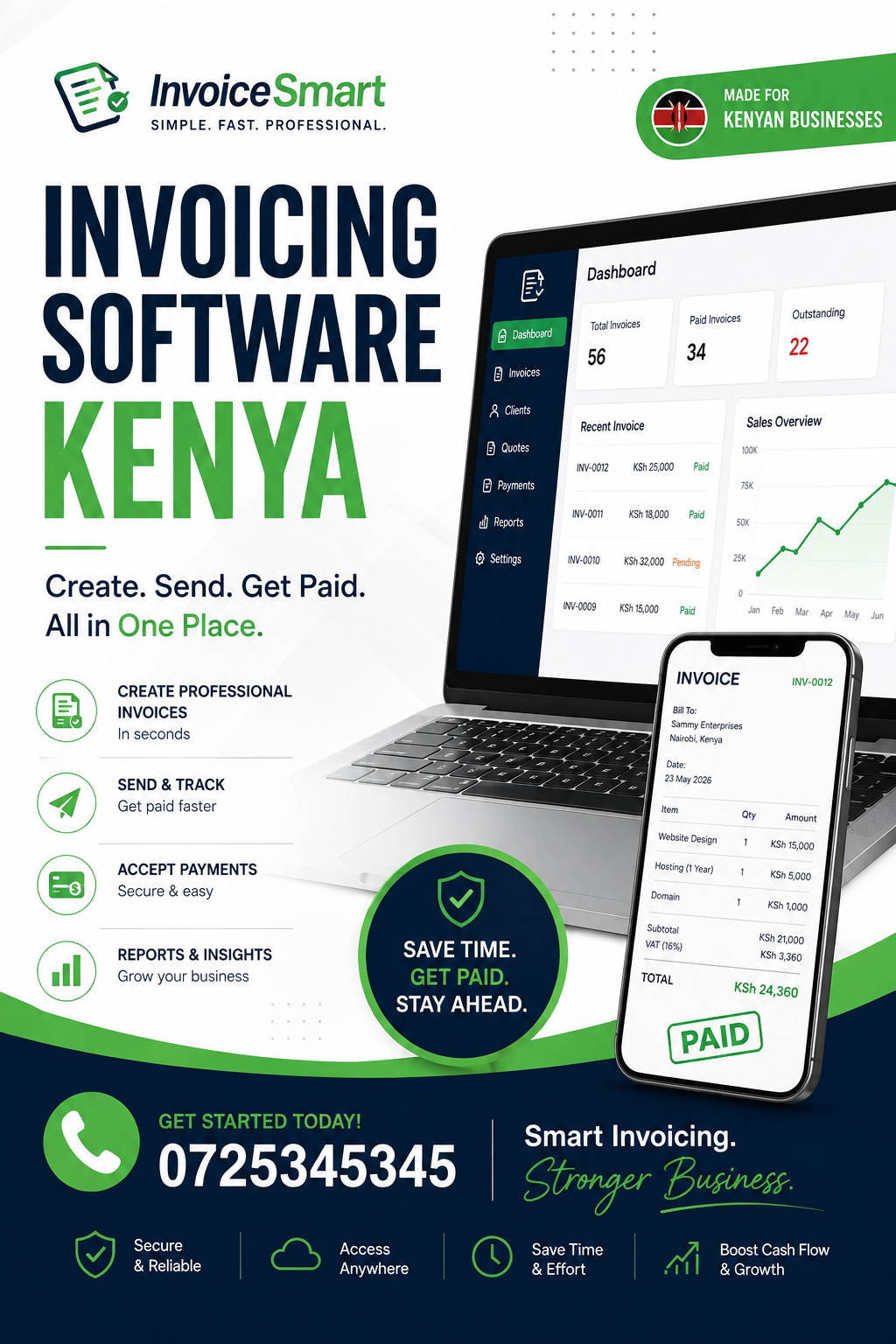
Invoicing Software Kenya: Complete Guide to Faster, Smarter Business Billing
For many businesses, getting paid on time starts with getting invoicing right. A poorly prepared invoice, a forgotten bill, or an unclear payment record can create unnecessary delays and confusion. Invoicing Software Kenya gives businesses a more organized way to create invoices, send them to customers, monitor outstanding balances, record payments, and maintain accurate billing records. Whether you run a small shop, professional services company, agency, consultancy, construction business, distributor, or growing enterprise, this guide explains how invoicing software works, the features that matter, the benefits for Kenyan businesses, and what to consider before choosing a system.
What Is Invoicing Software?
Invoicing Software Kenya is a digital solution that helps businesses create, issue, manage, and track invoices electronically. Instead of preparing every invoice manually using Word documents, spreadsheets, or handwritten books, a business can use software to standardize the billing process.
A typical invoicing system can help a business:
- Create professional invoices
- Store customer information
- Add products or services
- Calculate invoice totals
- Apply discounts where applicable
- Track invoice status
- Record payments
- Monitor unpaid invoices
- Send payment reminders
- Generate billing reports
- Maintain transaction histories
The exact capabilities depend on the software provider.
For a business owner, the biggest advantage is having billing information organized in one place. Instead of asking an employee to search through emails to determine whether a customer has paid, management can check the customer’s account within the system.
This becomes increasingly important as transaction volumes grow.
A business issuing ten invoices per month can potentially manage them manually. A company issuing hundreds of invoices every month faces a very different administrative challenge.
Why Invoicing Matters to Kenyan Businesses
Invoicing Software Kenya is particularly useful when a company handles frequent customer transactions, recurring billing, credit sales, or multiple payment methods.
Invoicing is more than simply requesting money from a customer. An invoice creates an important business record showing what was sold, who purchased it, how much was charged, and what amount remains payable.
A well-managed invoicing process can help businesses maintain better visibility over accounts receivable.
For example, imagine a Nairobi-based cleaning company serving offices on monthly contracts. The business may have dozens of customers receiving invoices at different times of the month.
Without a structured system, employees may have to maintain separate spreadsheets, manually prepare invoices, send them by email or messaging platforms, and later search for payment confirmations.
A dedicated billing system can bring these activities together.
This can make it easier to identify:
- Customers who have paid
- Customers who have not paid
- Invoice amounts
- Overdue accounts
- Recurring customers
- Monthly revenue
- Outstanding balances
How Invoicing Software Changes the Billing Process
Invoicing Software Kenya can turn invoicing from a repetitive administrative activity into a structured workflow.
A traditional manual process may look like this:
- Open a spreadsheet or document.
- Enter customer details.
- Enter products or services.
- Calculate the total.
- Check the calculations.
- Save the document.
- Export or print the invoice.
- Send it to the customer.
- Record the invoice somewhere else.
- Follow up later for payment.
The process becomes increasingly difficult when the number of customers increases.
A software-based workflow can be more organized:
- Select the customer.
- Add the products or services.
- Confirm the quantities and prices.
- Generate the invoice.
- Send it to the customer.
- Monitor the invoice status.
- Record the payment.
- Update the customer’s balance.
- Include the transaction in reports.
The exact workflow varies between platforms, but the principle is the same: reduce unnecessary duplication.
Key Features to Look For
Invoicing Software Kenya should be evaluated according to the actual billing problems a business needs to solve.
A system with a long feature list is not necessarily better than a simpler platform that handles essential processes extremely well.
Here are some important features to consider.
Professional Invoice Creation
The system should make it easy to create clear invoices containing relevant information.
Depending on the business, this can include:
- Business name
- Business contact details
- Customer details
- Invoice number
- Invoice date
- Due date
- Products or services
- Quantities
- Unit prices
- Discounts
- Taxes where applicable
- Total amount
- Payment instructions
Professional invoices make it easier for customers to understand what they are being charged for.
Automatic Invoice Numbering
Invoicing Software Kenya can help businesses maintain organized invoice numbers.
Manually assigning invoice numbers can lead to duplicate or missing numbers, especially when several employees prepare invoices.
A system can automatically generate sequential invoice numbers according to its configuration.
This makes invoices easier to identify when discussing payments with customers.
For example, instead of saying, “the invoice I sent you last week,” an employee can refer to a specific invoice number.
That is a small change, but it can improve communication considerably.
Customer Records
A good invoicing platform should allow businesses to save customer information.
This can eliminate the need to repeatedly type the same details every time an invoice is created.
Customer records may contain:
- Name
- Phone number
- Email address
- Business name
- Billing information
- Previous invoices
- Payment history
- Outstanding balance
When the customer returns, staff can select the existing record rather than starting from scratch.
Tracking Outstanding Invoices
Invoicing Software Kenya can provide visibility into unpaid invoices.
This is one of the most important functions for businesses selling on credit.
A company may have a healthy level of sales but still experience cash-flow problems because customers have not paid.
For example, a company could issue KSh 1 million worth of invoices during a month but collect significantly less during that same period.
Sales and cash collection are therefore not always the same thing.
An invoicing system can help management distinguish between:
- Invoices issued
- Invoices paid
- Invoices partially paid
- Invoices overdue
- Outstanding customer balances
This information helps the business prioritize follow-ups.
Automated Payment Reminders
Invoicing Software Kenya may allow businesses to send payment reminders automatically or semi-automatically.
Instead of an employee checking every invoice manually, the system can identify invoices approaching or passing their due dates.
Depending on the platform, reminders may be sent through email, SMS, or other supported communication channels.
A simple reminder can be enough to prompt a customer who simply forgot about an invoice.
This can reduce the amount of time employees spend manually following up.
However, businesses should configure reminders carefully. Customers should not receive excessive or inappropriate messages.
M-Pesa and Digital Payments
Invoicing Software Kenya can be especially useful when connected to payment methods commonly used by Kenyan customers.
M-Pesa is an important consideration for many Kenyan businesses. Safaricom’s Daraja platform provides APIs that developers can use to integrate M-PESA services into applications and websites.
Businesses considering payment integration should confirm exactly which M-Pesa functionality their selected invoicing system supports.
For example, an integration might support a payment request, payment confirmation, transaction recording, or reconciliation workflow.
The exact capabilities depend on the provider and integration.
A useful billing process could therefore look like:
Invoice created → Customer receives invoice → Customer pays → Payment recorded → Invoice marked as paid
When these stages are connected properly, employees do not have to maintain completely separate records.
Payment Reconciliation
Invoicing Software Kenya can also help businesses reconcile invoices with received payments.
Reconciliation means comparing records to confirm that transactions match.
Suppose a company has 100 outstanding invoices. Several customers make payments during the week.
Employees need to determine which payments correspond to which invoices.
A well-designed system can make this process easier by associating payment records with customer accounts and invoices.
This is particularly valuable for businesses handling frequent payments.
The system does not eliminate the need for financial controls, but it can make the administrative side of reconciliation more manageable.
Recurring Invoices
Invoicing Software Kenya is useful for businesses that charge customers regularly.
Examples include:
- Cleaning services
- Security services
- Software subscriptions
- Maintenance contracts
- Consulting retainers
- Property-related services
- Internet services
- Professional memberships
If a customer is billed the same way every month, creating a new invoice manually each time can be unnecessary work.
Recurring invoicing features can automate the creation of scheduled invoices, depending on the platform.
This reduces the chance of forgetting to bill a customer.
Quotes and Estimates
Invoicing Software Kenya may also support quotations before a sale is finalized.
A quotation allows the customer to understand the expected cost before committing.
For example, a construction company may prepare a quotation covering:
- Materials
- Labour
- Transport
- Installation
- Other services
If the customer accepts the quotation, some systems can convert it into an invoice.
This reduces duplicate data entry.
The business can move from:
Quotation → Approved order → Invoice → Payment
rather than recreating the same information several times.
Managing Taxes on Invoices
Invoicing Software Kenya can help organize tax-related information included in invoices, but businesses should ensure that their invoicing processes comply with applicable Kenyan tax requirements.
Tax rules can change, and the appropriate treatment depends on the business and transaction.
Where tax compliance is involved, businesses should verify requirements with the Kenya Revenue Authority or a qualified tax professional.
Software should support compliance; it should not be treated as a substitute for professional tax advice.
Businesses should also verify whether their invoicing system supports the relevant electronic invoicing requirements applicable to them.
Electronic Invoicing in Kenya
Invoicing Software Kenya is increasingly relevant as businesses move away from paper-based records.
Kenya’s tax administration includes electronic systems and requirements that businesses need to understand.
The Kenya Revenue Authority provides official information concerning eTIMS and electronic tax invoicing.
Businesses should therefore check current KRA requirements rather than relying on outdated information from software vendors or online articles.
When selecting invoicing software, ask whether it supports the applicable e-invoicing requirements for your business.
That question should be part of the evaluation process, especially for businesses that need to issue compliant electronic tax invoices.
Invoicing for Small Businesses
Invoicing Software Kenya can be valuable even when a business has only a few employees.
Small businesses often operate with limited administrative staff. The owner may handle sales, customer service, purchasing, finance, and invoicing personally.
Time spent manually creating and tracking invoices can therefore take attention away from revenue-generating activities.
A small consultancy, for example, may have ten recurring clients.
Every month, the owner needs to:
- Create ten invoices
- Send them
- Monitor payment
- Follow up on overdue accounts
- Maintain records
- Prepare financial information
A billing system can organize these activities and reduce repetitive work.
Invoicing for Medium-Sized Businesses
Invoicing Software Kenya becomes even more useful as transaction volumes increase.
A medium-sized company may have several salespeople, finance employees, branches, or departments.
Multiple people may need to create or review invoices.
Without proper controls, this can create problems such as:
- Duplicate invoices
- Incorrect prices
- Missing customer information
- Inconsistent invoice numbering
- Delayed billing
- Poor visibility over outstanding balances
Centralized software can establish standardized processes.
Multi-User Access and Permissions
Invoicing Software Kenya should provide appropriate user controls where multiple employees access the system.
Not every employee should necessarily have permission to modify financial records.
For example:
Sales staff may create quotations and invoices.
Finance staff may record payments and review balances.
Managers may view reports and approve certain actions.
Administrators may manage users and system settings.
Role-based permissions can reduce unauthorized changes and improve accountability.
Businesses should review permissions regularly, particularly when employees change roles or leave the organization.
Sales and Invoicing Integration
Invoicing Software Kenya becomes more powerful when invoicing is connected to sales management.
Consider a business selling products.
The customer places an order.
The system records the sale.
The invoice is generated.
Payment is received.
The customer’s account is updated.
Inventory may also be reduced.
Management can then see the transaction in sales and financial reports.
When these activities are disconnected, employees may need to enter the same information several times.
Integration can reduce this duplication.
Inventory and Invoicing
Invoicing Software Kenya may also connect billing with inventory management.
For businesses selling physical products, this is useful because sales and stock levels are closely related.
Suppose a retailer sells 20 units of a particular product.
The invoice records the sale.
If the system is connected to inventory, stock quantities can also be updated according to the configured workflow.
This gives management a better understanding of available stock.
Inventory integration can be particularly helpful for:
- Retail shops
- Wholesalers
- Distributors
- Pharmacies
- Electronics businesses
- Hardware stores
- Clothing businesses
Again, the specific functionality depends on the software.
Expense and Revenue Visibility
Invoicing Software Kenya primarily focuses on billing, but businesses can gain greater financial visibility when invoicing is connected with other financial processes.
Revenue information can be compared with expenses to understand business performance.
For example, management may discover that sales are increasing but operating costs are increasing even faster.
That information can lead to questions about:
- Pricing
- Supplier costs
- Staffing
- Transport
- Marketing
- Rent
- Operational efficiency
Good financial information supports better management decisions.
Reducing Invoice Errors
Invoicing Software Kenya can reduce some common manual errors by standardizing calculations and customer information.
Common invoicing mistakes include:
- Incorrect quantities
- Wrong prices
- Duplicate invoices
- Incorrect totals
- Missing customer details
- Incorrect invoice dates
- Forgotten invoices
Software does not guarantee that mistakes will disappear. Employees can still enter incorrect information.
However, automated calculations, saved customer records, standardized templates, and controlled workflows can reduce certain types of errors.
Businesses should still establish review procedures.
Improving Cash Flow
Invoicing Software Kenya can support better cash-flow management by making outstanding customer balances easier to monitor.
Cash flow matters because a profitable business can still struggle if money arrives too slowly to cover immediate obligations.
A business needs funds for:
- Salaries
- Rent
- Suppliers
- Utilities
- Transport
- Taxes
- Equipment
- Other operating costs
When invoices are issued promptly and overdue accounts are identified quickly, management has better information for managing incoming cash.
Software cannot force a customer to pay, but it can make the collection process more organized.
Reporting and Analytics
Invoicing Software Kenya should ideally provide useful billing reports.
Examples include:
- Total invoiced amount
- Paid invoices
- Unpaid invoices
- Overdue invoices
- Revenue by customer
- Revenue by period
- Payment history
- Outstanding balances
Reports should help answer real management questions.
For example:
How much remains unpaid this month?
Which customers have overdue balances?
How much was invoiced last quarter?
Which customers generate the highest billing value?
How quickly are invoices being paid?
These insights can help management make more informed decisions.
Invoicing and Customer Service
Invoicing Software Kenya can improve customer service when employees can quickly answer billing questions.
Imagine a customer calls and says:
“I paid this invoice two weeks ago. Why am I still receiving reminders?”
Without centralized records, the employee may have to search through payment messages and spreadsheets.
With a properly maintained invoicing system, the employee can check the customer’s account and determine what happened.
Fast access to accurate information improves the customer experience.
Sending Invoices Digitally
Invoicing Software Kenya can allow businesses to deliver invoices electronically.
Digital invoices can be sent through channels supported by the software, such as email or other communication methods.
This can reduce reliance on printing and physical delivery.
It also allows customers to receive billing documents more quickly.
However, businesses should ensure that invoices are delivered through appropriate channels and that sensitive information is handled responsibly.
Mobile-Friendly Invoicing
Invoicing Software Kenya can be especially useful when it is accessible from mobile devices.
Many business owners and salespeople do not spend their entire day at a desk.
A salesperson may meet a customer in Nairobi, Kiambu, Nakuru, Mombasa, or another location and need to create an invoice immediately after completing a sale.
Mobile-friendly software can make this possible where the platform supports it.
The user experience matters, though. A mobile interface should be simple enough to use without creating unnecessary mistakes.
Cloud-Based Invoicing
Invoicing Software Kenya may be cloud-based, allowing authorized users to access billing information through an internet connection.
This can be useful for businesses with:
- Remote employees
- Multiple branches
- Mobile sales teams
- Traveling managers
- Distributed operations
A cloud system can also make it easier for authorized employees to work from different locations.
Businesses should still investigate the provider’s security, backups, access controls, reliability, and data-handling practices.
Cloud access should not be confused with guaranteed security.
Data Security
Invoicing Software Kenya stores financially important information, making security a major consideration.
Businesses may store:
- Customer names
- Phone numbers
- Email addresses
- Invoice details
- Payment information
- Transaction history
- Business financial records
Appropriate access controls should therefore be implemented.
Kenya’s Data Protection Act, 2019 provides a framework for the protection and processing of personal data. Businesses handling personal information should understand their responsibilities and consider applicable guidance from the Office of the Data Protection Commissioner.
When evaluating software, ask:
- How is information protected?
- Who can access invoices?
- Are user permissions available?
- Are backups maintained?
- Can access be removed when an employee leaves?
- How are security incidents handled?
- Can data be exported?
These questions can help businesses make more informed technology decisions.
Choosing the Right Invoicing System
Invoicing Software Kenya should be selected based on business requirements rather than popularity alone.
Start by listing your current billing challenges.
For example:
| Problem | Desired Solution |
|---|---|
| Manual invoices | Automated invoice creation |
| Missing payments | Payment tracking |
| Overdue customers | Aging and reminder tools |
| Duplicate data | Centralized customer records |
| Slow reports | Automated reporting |
| Payment confusion | Reconciliation tools |
| Repetitive billing | Recurring invoices |
| Multiple employees | User permissions |
This approach makes it easier to compare different systems objectively.
Questions to Ask a Software Provider
Invoicing Software Kenya should be evaluated through practical questions.
Before purchasing, ask the provider:
- Can I create customized invoices?
- Can I manage multiple customers?
- Can the system track unpaid invoices?
- Does it support recurring invoices?
- Can payments be recorded?
- Does it integrate with M-Pesa?
- Does it support applicable KRA electronic invoicing requirements?
- Can multiple employees use it?
- Can user permissions be configured?
- Are reports available?
- Can existing customer data be imported?
- What support is provided?
- How is data backed up?
- Can information be exported?
- What are the total costs?
The answers will help determine whether the platform is suitable.
Common Invoicing Mistakes to Avoid
Invoicing Software Kenya can reduce administrative problems, but businesses should also improve their internal invoicing practices.
Delaying Invoices
Do not wait unnecessarily before billing customers.
If a service has been completed or a product has been delivered, follow the agreed billing process promptly.
Incorrect Customer Details
Always verify the customer’s name and billing information.
An invoice addressed incorrectly can create confusion and delay payment.
Unclear Descriptions
Customers should be able to understand what they are paying for.
Instead of writing simply “services,” provide a meaningful description where appropriate.
Missing Due Dates
Invoices should clearly communicate when payment is expected according to the agreed terms.
Failing to Follow Up
An invoice that has been sent is not necessarily an invoice that has been paid.
Businesses need a structured receivables process.
How to Implement Invoicing Software
Invoicing Software Kenya should be implemented carefully rather than introduced without preparation.
Step 1: Review Current Processes
Document how invoices are currently created, sent, paid, and recorded.
Step 2: Identify Problems
Look for bottlenecks.
Where are invoices delayed?
Where do errors happen?
Where is information duplicated?
Where do employees spend unnecessary time?
Step 3: Clean Existing Data
Before importing customers into a new system, review the data.
Remove duplicate records and correct obvious errors.
Step 4: Configure the System
Set up:
- Business details
- Invoice templates
- Numbering
- Products
- Services
- Customers
- Users
- Permissions
- Payment methods
Step 5: Train Employees
Employees should understand how to create invoices, record payments, correct errors, and generate reports.
Step 6: Monitor Results
After implementation, measure whether the system is improving operations.
Useful indicators include:
- Time spent creating invoices
- Number of invoice errors
- Average collection time
- Number of overdue invoices
- Administrative workload
How Much Does Invoicing Software Cost?
Invoicing Software Kenya does not have one fixed price.
Pricing can depend on:
- Number of users
- Number of customers
- Number of invoices
- Features
- Payment integrations
- Customization
- Support
- Data migration
- Additional modules
Some systems charge monthly subscriptions. Others may use annual plans, transaction-based pricing, one-time licensing, or customized pricing.
Businesses should calculate the total cost rather than focusing only on the advertised starting price.
A useful question is:
What will the software cost compared with the time, errors, and administrative work it can potentially save?
Is Invoicing Software Worth It?
Invoicing Software Kenya can be worth the investment when manual billing is consuming significant time or creating financial management problems.
A company should consider adopting software when:
- Invoice volumes are increasing
- Customers are frequently overdue
- Billing records are difficult to find
- Employees duplicate work
- Payment reconciliation takes too long
- Management lacks clear receivables reports
- The business has multiple billing employees
- Recurring invoices are difficult to manage
A very small business with only a handful of simple transactions may not need a sophisticated system.
The goal should always be to choose technology that matches the actual complexity of the business.
Invoicing Software and Business Growth
Invoicing Software Kenya can become more important as a company grows.
Growth means more customers, more invoices, more payments, and more records.
A manual process that works at a small scale can become a bottleneck later.
For example, a business may start with 20 customers and eventually grow to 500.
If the invoicing process remains completely manual, administrative workload can increase significantly.
A scalable billing system can help the company handle higher volumes without increasing administrative work at exactly the same rate.
Integrating Invoicing With Other Business Systems
Invoicing Software Kenya can provide greater value when connected to other business functions.
Possible integrations include:
- Accounting
- Inventory
- Customer management
- Point-of-sale systems
- E-commerce
- Payment gateways
- M-Pesa
- SMS
- Business reporting
Integration can create a smoother information flow.
For example:
Customer order → Sales record → Invoice → Payment → Accounting record → Management report
When the systems communicate effectively, employees do not have to repeat the same information at every stage.
What Should a Good Invoice Contain?
Invoicing Software Kenya should make it easy to produce invoices containing the information customers need.
Depending on the nature of the transaction and applicable requirements, an invoice may include:
- Supplier or seller details
- Customer details
- Invoice number
- Invoice date
- Description of goods or services
- Quantities
- Prices
- Applicable taxes
- Total amount
- Payment information
- Relevant identification or compliance information
Businesses should verify the exact requirements applicable to their industry and tax status.
Managing Credit Customers
Invoicing Software Kenya can be particularly useful for businesses that allow customers to purchase on credit.
Credit sales create accounts receivable.
The business needs to know:
- Who owes money?
- How much do they owe?
- When was the invoice issued?
- When was payment due?
- How long has the invoice been outstanding?
- Has the customer made a partial payment?
An accounts receivable report can help answer these questions.
This makes it easier for management to prioritize collection efforts.
Improving Accountability
Invoicing Software Kenya can improve accountability when user activity is appropriately recorded.
If multiple employees can create, edit, or manage invoices, management may need to know who performed specific actions.
User accounts and permissions can help create a clearer audit trail, depending on the system.
This can be particularly important when handling financial information.
Employees should also have individual accounts rather than sharing passwords.
Invoicing for Service Businesses
Invoicing Software Kenya is useful for service businesses that charge clients based on projects, retainers, hours, milestones, or recurring contracts.
Examples include:
- IT companies
- Marketing agencies
- Consultants
- Designers
- Lawyers
- Accountants
- Cleaning companies
- Maintenance providers
Service businesses may need to include detailed descriptions of work performed.
Some may also need project tracking or time tracking before an invoice can be generated.
The software should therefore match the company’s billing model.
Invoicing for Product Businesses
Invoicing Software Kenya can help product-based companies manage sales invoices and customer payments.
A product business may need to connect invoices with:
- Product catalogues
- Inventory
- Warehouses
- Suppliers
- Sales orders
- Customer accounts
This is particularly useful where a large number of products are sold regularly.
The more closely these functions are integrated, the less manual data entry may be required.
A Simple Checklist for Kenyan Businesses
Invoicing Software Kenya should ideally pass a practical checklist before a business commits to it.
Ask whether the system provides:
- Professional invoices
- Customer management
- Invoice numbering
- Payment tracking
- Outstanding balance monitoring
- Recurring billing
- Reporting
- User permissions
- Data backups
- Mobile access
- M-Pesa or other required payment integration
- Applicable electronic invoicing support
- Customer support
- Data export
Not every business needs every feature.
The purpose of the checklist is to identify what is important to your particular operation.
Frequently Asked Questions
What is invoicing software?
Invoicing Software Kenya is a digital system that helps businesses create and manage invoices, track payments, monitor outstanding balances, maintain customer billing records, and generate reports.
Can invoicing software help a small business?
Yes. Invoicing Software Kenya can help small businesses reduce repetitive billing work, organize customer records, monitor unpaid invoices, and maintain more consistent financial records.
Can invoicing software work with M-Pesa?
Some systems support M-Pesa integrations. Invoicing Software Kenya businesses should confirm the exact payment functionality offered by their chosen provider and whether the integration meets their operational requirements.
Does invoicing software automatically make a business tax compliant?
No. Invoicing Software Kenya can support certain compliance workflows, but businesses remain responsible for understanding and meeting applicable tax requirements. Businesses should verify current requirements directly with KRA or a qualified professional.
Can I send invoices electronically?
Yes. Invoicing Software Kenya can support digital invoice delivery depending on the platform and communication channels it provides.
Can invoicing software track unpaid customers?
Yes. Invoicing Software Kenya can provide outstanding invoice and customer balance information where those features are included.
Is cloud invoicing better than spreadsheets?
For growing businesses, Invoicing Software Kenya can provide advantages such as centralized records, automated calculations, payment tracking, user permissions, and reporting. However, the best choice depends on the company’s needs and processes.
Can multiple employees use one invoicing system?
Yes. Invoicing Software Kenya can support multiple users when the platform provides multi-user functionality. Businesses should configure appropriate permissions so employees only access functions relevant to their roles.
What should I look for when choosing invoicing software?
Invoicing Software Kenya should be evaluated based on invoicing features, payment tracking, reporting, integrations, security, ease of use, support, scalability, and total cost.
How can invoicing software improve cash flow?
Invoicing Software Kenya can help businesses issue invoices promptly, monitor outstanding balances, identify overdue accounts, and organize payment follow-ups. These processes can improve visibility over receivables, although software cannot guarantee that customers will pay on time.
Final Thoughts
Invoicing Software Kenya is more than a digital replacement for a paper invoice. When properly implemented, it can become an important part of a company’s financial and operational workflow.
The right system can help businesses create professional invoices, organize customer records, monitor outstanding balances, record payments, automate recurring billing, produce useful reports, and connect invoicing with other business processes.
For Kenyan businesses, additional considerations such as M-Pesa integration, electronic invoicing requirements, data protection, mobile accessibility, and local support can make the software selection process even more important.
Invoicing Software Kenya should therefore be chosen based on actual business requirements rather than simply selecting the platform with the longest list of features.
Start by reviewing your current invoicing process.
How much time does your team spend creating invoices?
How often are invoices sent late?
How difficult is it to determine which customers owe money?
How are payments reconciled?
Can management quickly see outstanding balances?
The answers will reveal whether your existing process is still suitable for your business.
Invoicing Software Kenya can provide a structured solution when manual billing becomes difficult to manage. By centralizing invoices, customers, payments, and reports, businesses can create a more organized billing process and gain better visibility over money coming into the organization.
The best time to improve an invoicing process is before billing problems begin affecting customers and cash flow. Identify your biggest billing challenges, define the features you need, compare suitable solutions, test the workflows, train your staff, and monitor the results.
Invoicing Software Kenya can then become part of a broader strategy for improving efficiency, financial visibility, and business growth.