
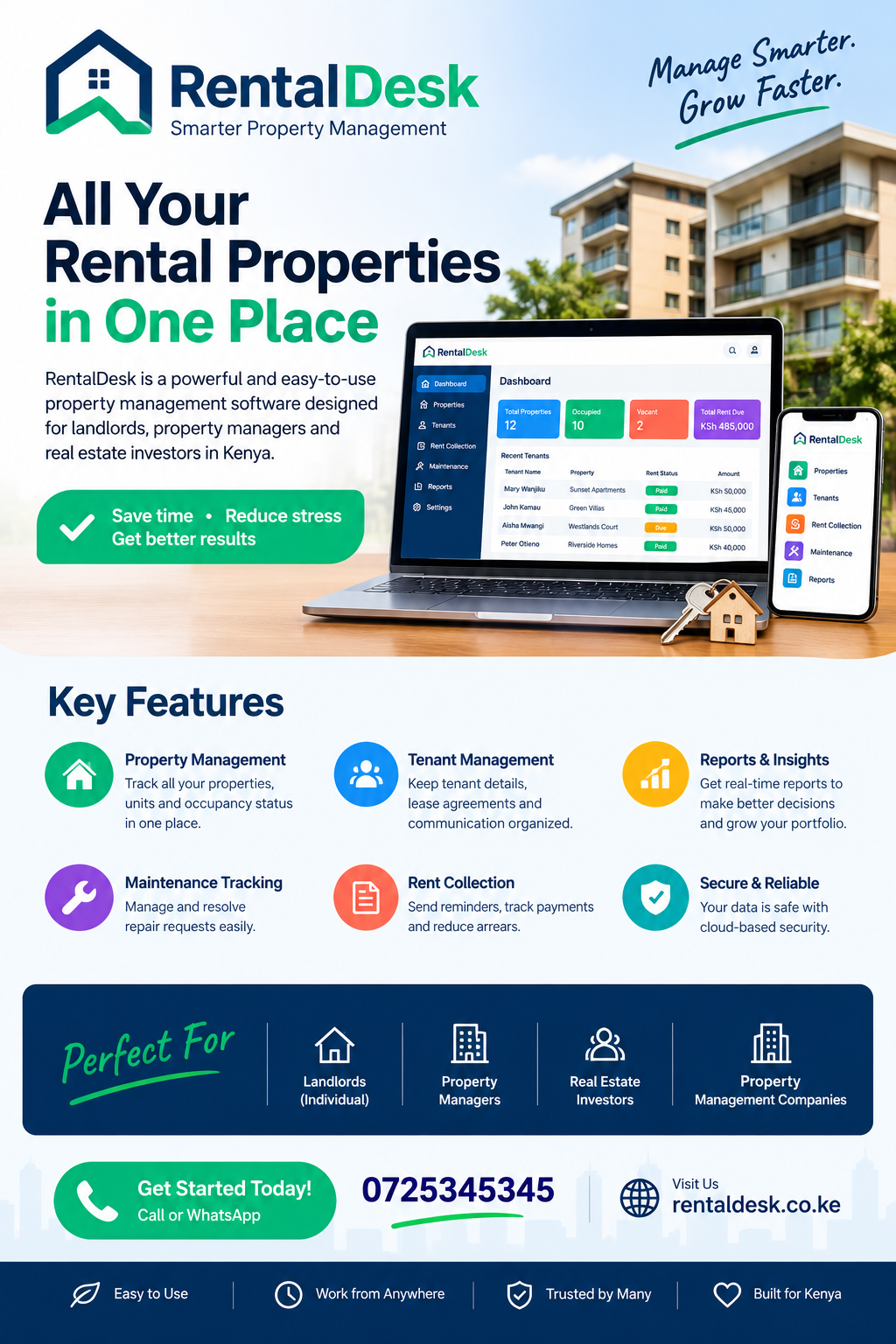
Purchase Order Management Software Kenya: A Complete Guide to Smarter Business Purchasing
Purchasing is one of the most important activities in any business, yet it is also an area where money can easily be wasted through unplanned spending, duplicate orders, supplier misunderstandings, and poor recordkeeping. For Kenyan businesses that purchase stock, office supplies, equipment, ingredients, packaging, or professional services, Purchase Order Management Software Kenya offers a practical way to organize procurement, improve accountability, and maintain better control over business expenses. Understanding how purchasing software works can help business owners, procurement officers, finance teams, retailers, wholesalers, restaurants, and growing enterprises make informed decisions about their purchasing processes.
The purchasing process involves much more than contacting a supplier and paying an invoice. Businesses must identify what they need, confirm available budgets, obtain approvals, communicate order details, receive goods, compare invoices, and retain accurate records. When these activities happen through disconnected spreadsheets, paper forms, telephone calls, and messaging applications, important information can be overlooked. A structured digital purchasing process brings these activities together and makes it easier to understand what has been requested, approved, ordered, delivered, and paid for.
This guide explains how purchase order systems work, why they matter to Kenyan businesses, which features to consider, how they support inventory and financial management, and how to evaluate a suitable solution for your organization. It also examines implementation, supplier relationships, common procurement mistakes, cost considerations, and practical examples that demonstrate how better purchasing controls can improve everyday operations.
1. Understanding Purchase Order Management
What is a purchase order?
A purchase order, commonly called a PO, is a formal document issued by a buyer to a supplier to request specific goods or services under agreed conditions. It normally identifies the items being purchased, their quantities, prices, delivery requirements, payment terms, and other relevant details.
For example, a Nairobi retailer that needs 100 cartons of packaged goods can issue a purchase order stating the product descriptions, quantities, agreed unit prices, delivery location, and expected delivery date. The supplier can use the document to confirm the order and prepare the requested items.
A purchase order also establishes a record of what the business intended to buy. When the goods arrive, employees can compare the delivery against the approved order instead of relying on memory or informal messages.
What is purchase order management?
Purchase order management refers to the process of creating, reviewing, approving, issuing, tracking, and closing purchase orders. It also involves maintaining records that connect purchasing decisions with supplier invoices, goods received, budgets, and payments.
Businesses using Purchase Order Management Software Kenya can organize these activities within a structured digital workflow rather than handling every stage separately. Depending on the system, users may be able to create orders, assign approvers, monitor outstanding requests, store supplier details, and generate purchasing reports.
The purpose is not simply to replace paper documents with electronic forms. A good purchasing process establishes who can request items, who approves spending, how orders are communicated, and how deliveries are checked.
How the software works
A typical digital purchasing workflow follows several stages:
- An employee identifies a purchasing need.
- The employee submits a purchase request with the required details.
- The responsible manager checks the request and available budget.
- An authorized person approves or rejects the request.
- The approved request becomes a purchase order.
- The purchase order is sent to the supplier.
- The receiving team records the goods or services delivered.
- Finance compares the order, delivery records, and supplier invoice.
- The transaction is recorded for reporting and payment processing.
- The order is closed when the relevant requirements are satisfied.
A digital system can make each stage easier to follow. It may also retain approval histories and timestamps, helping managers investigate delays and understand why particular purchasing decisions were made.
2. Why Kenyan Businesses Need Better Purchasing Controls
Kenyan businesses operate across different industries and purchasing environments. A small shop may replenish stock every week, while a restaurant purchases fresh ingredients daily. A construction company may order materials in stages, and an office may purchase stationery, internet equipment, furniture, and maintenance services throughout the year.
These organizations have different procurement needs, but they share a common challenge: purchasing decisions affect cash flow, profitability, operational continuity, and customer satisfaction.
Using Purchase Order Management Software Kenya can help organizations establish consistent procedures without relying entirely on individual employees to remember every order or approval.
Reducing uncontrolled spending
Unplanned purchases can gradually consume working capital. Employees might order items that are already available, select unnecessarily expensive suppliers, or purchase products that do not meet the business’s actual needs.
A formal purchase request process encourages employees to explain what they need and why. Managers can review the request before money is committed, allowing the organization to prioritize essential purchases and identify unnecessary expenditure.
Improving accountability
When purchasing records are scattered across emails, paper files, and messaging applications, it can be difficult to determine who authorized an expense.
A centralized system can connect requests with the employees who submitted, reviewed, and approved them. This creates a clearer audit trail and supports more responsible financial management.
Preventing operational delays
A missing purchase order can delay a supplier delivery. A request that remains in someone’s inbox may prevent a restaurant from replenishing packaging or a retailer from restocking a popular product.
Digital status tracking allows employees to identify pending approvals and overdue deliveries earlier, giving managers an opportunity to resolve problems before they interrupt operations.
3. Key Features to Look for in Purchasing Software
Not every business needs a complicated procurement platform. A small enterprise may need straightforward order creation and approval, while a larger organization may require several departments, multiple branches, detailed reporting, and integrations with accounting and inventory applications.
When evaluating Purchase Order Management Software Kenya, begin by identifying the functions that directly address your current purchasing challenges.
Purchase request creation
Employees should be able to submit requests with clear descriptions, quantities, estimated costs, required dates, and business reasons. Depending on the organization, requests may also need project codes, department names, budget categories, or supporting quotations.
A standardized form reduces the likelihood of receiving incomplete requests. It also makes different requests easier to compare.
Custom approval workflows
Approval requirements should reflect the organization’s size, spending limits, and internal policies.
For example, a business could allow department supervisors to approve small purchases while requiring a director or finance manager to review larger commitments. The exact limits should be established by management rather than assumed by the software provider.
A suitable system should make these rules understandable and manageable.
Purchase order generation
Once a request has been approved, the system should help users produce a clear purchase order containing the relevant supplier and item information.
Useful details include:
- Purchase order number.
- Supplier name and contact information.
- Product or service descriptions.
- Quantity and unit price.
- Applicable taxes and other charges.
- Delivery location and expected date.
- Payment terms.
- Authorized approval details.
Consistent documentation reduces misunderstandings and makes subsequent invoice verification easier.
Order tracking
Users should be able to distinguish between draft, submitted, approved, issued, partially delivered, completed, cancelled, and overdue orders where these statuses apply.
This visibility helps procurement teams answer everyday questions without manually reviewing multiple files.
Supplier records
A supplier directory can hold business names, contacts, product categories, agreed terms, quotations, and relevant documentation. Keeping these details together makes repeat purchases more efficient.
Businesses should also establish procedures for verifying supplier information and updating outdated records.
4. Benefits of Digitizing Purchase Orders
The main advantage of digital purchasing is improved control over information and decisions. The value becomes more noticeable as transaction volumes increase or several employees become involved in procurement.
Faster purchasing workflows
Paper-based requests may move slowly between departments. A manager may be away from the office, an approval form may be misplaced, or an employee may not know who should authorize a purchase.
Digital workflows can direct requests to the appropriate approver and make their status visible. Notifications, where supported, can remind responsible employees about pending decisions.
For businesses evaluating Purchase Order Management Software Kenya, workflow speed should be assessed alongside approval quality. The goal is to reduce unnecessary waiting without removing the controls that protect company funds.
Fewer documentation errors
Manually retyping supplier details, product descriptions, quantities, and prices creates opportunities for mistakes. A centralized system may allow approved supplier information and product records to be reused.
This reduces repetitive data entry and helps employees maintain consistent documentation.
Better financial visibility
A purchase order represents an intended commitment to spend money. Tracking approved and outstanding orders helps managers understand upcoming obligations before supplier invoices arrive.
This information can improve cash-flow planning, especially when a business has several simultaneous orders or suppliers with different payment terms.
More reliable reporting
Purchasing reports can show which suppliers receive the most orders, which categories account for significant spending, and where approval delays occur.
Managers can use these insights to investigate unusual expenditure, compare purchasing patterns, and improve internal procedures.
Easier record retrieval
Searching for a specific transaction becomes easier when orders have unique identifiers and consistent supplier information. Employees can retrieve the relevant document when answering a supplier question, preparing accounts, or reviewing a previous purchase.
5. Purchase Orders and Inventory Management
Inventory management and procurement are closely connected. A business needs to understand what it already owns before deciding what to purchase next.
For retailers, wholesalers, distributors, pharmacies, hardware stores, and restaurants, ordering too much can tie up cash in excess stock. Ordering too little can cause lost sales, production interruptions, or disappointed customers.
A purchasing system that connects with inventory records can support better replenishment decisions.
Checking stock before ordering
Before raising a purchase request, employees should check available quantities and expected demand. Some systems can display current stock levels or integrate with inventory software to provide this information.
Suppose a shop sells cooking oil and has 30 units remaining. If another 100 units are already on order, a new purchase request may be unnecessary unless sales forecasts indicate a genuine shortage.
The appropriate reorder quantity depends on sales patterns, supplier lead times, storage capacity, and the business’s cash position.
Recording goods received
Receiving employees should compare delivered items against the purchase order and record any differences.
For example, an order might specify 50 boxes of packaging, but the supplier delivers only 45. Recording the partial delivery helps purchasing and finance teams avoid treating the order as fully completed.
Damaged items, incorrect products, and unexpected substitutions should also be documented.
Avoiding duplicate orders
Duplicate purchases occur when different employees order the same items without knowing that another request has already been approved.
Using Purchase Order Management Software Kenya as part of a coordinated procurement process can improve visibility into existing orders and reduce unnecessary duplication, depending on the system’s capabilities.
Businesses should still define who can create orders and how staff should check existing commitments before submitting new requests.
Planning replenishment
Historical purchasing and sales records can help managers estimate future needs. Seasonal demand, supplier lead times, promotions, and changing customer preferences should also inform replenishment decisions.
Automated reorder alerts can be helpful, but they work best when inventory records are accurate and someone is responsible for reviewing the suggested quantities.
6. Supplier Management and Stronger Business Relationships
Suppliers play an important role in the continuity of business operations. Late deliveries, inconsistent product quality, unclear prices, and disputed invoices can affect both costs and customer service.
A well-organized procurement process makes expectations clearer for both parties.
Maintaining accurate supplier information
Supplier records should include verified contact details, delivery locations, relevant product information, payment terms, and any required business documentation.
For recurring purchases, businesses may also record agreed prices and quotation validity periods. This makes it easier to determine whether a new quotation matches previously negotiated terms.
Comparing quotations fairly
Obtaining quotations from multiple suppliers can help businesses evaluate value, availability, quality, and delivery conditions.
The lowest quoted price is not always the best option. A supplier may charge less but deliver late, provide inconsistent quality, or require costly transport arrangements.
A structured comparison should consider the total cost of obtaining acceptable goods or services.
When using Purchase Order Management Software Kenya, businesses should look for ways to preserve quotations and link the selected supplier to the approved purchase. This provides useful evidence of how the decision was reached.
Tracking delivery performance
Useful supplier performance indicators include:
- Percentage of orders delivered on time.
- Frequency of incomplete deliveries.
- Number of quality-related complaints.
- Accuracy of invoices.
- Responsiveness to queries.
- Compliance with agreed terms.
These measures should be interpreted in context. A supplier experiencing a documented temporary disruption may require a different response from one that repeatedly fails to meet agreed requirements.
Resolving supplier disputes
When an invoice differs from an order, employees need access to the original purchase order and the receiving record. These documents help establish whether the difference relates to pricing, quantity, delivery charges, tax treatment, or an approved change.
Clear documentation makes conversations more factual and reduces unnecessary disputes.
7. Purchase Order Management for Small and Medium-Sized Enterprises
Small and medium-sized enterprises often operate with limited administrative staff. One person may handle ordering, receive deliveries, maintain stock records, and prepare information for the accountant.
Although a small business may not require a large procurement department, it still benefits from clear purchasing rules.
Start with essential controls
A smaller business can begin with a simple process that requires employees to document requests, identify suppliers, obtain approval, and confirm delivery.
The level of documentation should be proportionate to the value and risk of the purchase. Buying routine stationery does not necessarily require the same review as committing to expensive equipment.
Separate responsibilities where possible
Ideally, the employee requesting a purchase should not independently authorize every transaction, receive the goods without checks, and approve the supplier’s invoice.
Small businesses may not have enough employees for complete separation of duties. In that case, an owner or independent reviewer can perform periodic checks and review unusual transactions.
Establish practical spending limits
Management should define approval limits based on business needs and financial capacity. The policy should explain who approves routine purchases, who handles exceptions, and what documentation is required.
Limits should be reviewed when the organization grows or changes its operations.
Keep implementation manageable
A business adopting Purchase Order Management Software Kenya should prioritize the features it needs immediately. Simple forms, clear approvals, searchable records, and useful reports may provide more value than advanced features that employees rarely use.
The objective is to make good purchasing habits easier to follow, not to create unnecessary administration.
8. Using Purchase Order Software in Retail and Wholesale Businesses
Retail and wholesale businesses frequently purchase products from several suppliers. Their procurement decisions affect product availability, stock turnover, and the ability to fulfil customer orders.
Supporting regular stock replenishment
A retailer can use sales records and inventory reports to identify products that need replenishment. Purchase requests can then be created based on expected demand and available stock.
For seasonal items, managers should consider historical sales, current trends, supplier lead times, and the risk of unsold inventory.
Managing different suppliers
A shop may buy beverages from one distributor, cleaning products from another, and electronics accessories from several wholesalers. Consistent supplier records help employees compare prices and identify the correct supplier for each product category.
Connecting purchases with sales
When procurement decisions are informed by sales data, businesses can reduce the risk of repeatedly ordering slow-moving items while overlooking popular products.
Integration between purchasing, inventory, and point-of-sale systems can make this process more efficient. However, businesses should verify that the relevant applications actually support the required integration.
Practical retail example
Consider a small electronics retailer in Thika. The owner reviews weekly sales and discovers that phone chargers sell consistently, while several older accessories remain unsold.
Rather than ordering equal quantities of every product, the owner prioritizes faster-moving items and reviews the existing stock before placing an order.
A structured process using Purchase Order Management Software Kenya can help record the selected products, approved quantities, supplier prices, and expected delivery date. When the shipment arrives, staff compare the delivery with the order and update inventory records.
The business gains a clearer purchasing history and can use that information when planning future orders.
9. Purchase Order Management in Restaurants and Hospitality
Restaurants, cafés, caterers, and hotels purchase ingredients, beverages, packaging, cleaning supplies, equipment, and maintenance services. Their procurement needs may change quickly because of customer demand, menu changes, and product shelf life.
Managing frequent orders
Restaurants often make repeated purchases from several suppliers. A standardized ordering process helps kitchen managers communicate quantities and delivery requirements clearly.
The system should make it easy to distinguish routine replenishment from urgent purchases and major equipment requests.
Controlling food costs
Food purchasing requires attention to portion sizes, menu demand, storage conditions, spoilage, and supplier quality.
Ordering more ingredients than the kitchen can use may result in waste. Ordering too little may force the restaurant to remove popular dishes from the menu.
Purchasing decisions should therefore reflect menu forecasts, stock on hand, expected bookings, and the shelf life of ingredients.
Verifying deliveries
Kitchen or receiving staff should check quantities, product condition, and relevant expiry information where applicable. Differences should be recorded promptly so the supplier can be contacted.
The purchase order and delivery record also help finance employees verify supplier invoices.
Supporting hospitality operations
For a restaurant with multiple branches, centralized purchasing rules can improve consistency while allowing managers to order according to local demand.
A solution such as Purchase Order Management Software Kenya may form part of a broader digital operations process, provided its actual features meet the restaurant’s requirements.
Businesses should confirm whether the system supports branch-level permissions, inventory integration, supplier records, and consolidated reporting before selecting it.
10. Budget Control and Financial Planning
Purchasing decisions have a direct relationship with a company’s financial position. Even when an order is operationally necessary, its timing and size can affect available cash.
Tracking committed expenditure
An approved purchase order may indicate that a business intends to spend money before a supplier submits an invoice.
Managers who review these commitments can estimate upcoming cash requirements more accurately than managers who consider only invoices that have already arrived.
The report should distinguish between requested, approved, issued, received, invoiced, and paid amounts where possible. These categories represent different stages and should not be treated as interchangeable.
Comparing spending against budgets
Departments may receive budgets for stationery, transport, repairs, marketing, stock, or other operating expenses.
A purchasing system can help compare approved orders with the relevant budget allocation, particularly when integrated with accounting or financial management software.
If a department approaches its spending limit, managers can review priorities before approving further discretionary expenditure.
Identifying unusual purchasing patterns
Reports may reveal that a department repeatedly purchases the same items, that a particular category is becoming more expensive, or that urgent orders are increasing.
These findings do not automatically indicate misconduct. Prices, demand, inflation, supplier availability, and operational changes may explain the pattern.
Managers should investigate the underlying reasons before deciding what corrective action is appropriate.
Improving cash-flow decisions
A company that understands its upcoming purchasing commitments can plan supplier payments alongside rent, salaries, utilities, tax obligations, and other expenses.
It may also negotiate delivery schedules or payment arrangements where suppliers permit them.
Using Purchase Order Management Software Kenya can support this visibility when the system records accurate order information and produces reports relevant to management decisions.
11. Purchase Orders, Invoices, and Payment Verification
A purchase order is not the same as a supplier invoice. Each document serves a different purpose.
The purchase order records what the buyer authorized. A goods-received record documents what was delivered. The invoice requests payment for the goods or services supplied.
Comparing these documents helps businesses detect discrepancies before processing payments.
Understanding three-way matching
Three-way matching involves comparing:
- The approved purchase order.
- The goods-received note or equivalent delivery evidence.
- The supplier invoice.
Suppose a business orders 20 office chairs at an agreed price. The supplier delivers 18 chairs but invoices the business for all 20.
The receiving record identifies the shortage, while the purchase order confirms the original quantity. Finance can investigate the difference before approving the invoice for payment.
The exact handling of partial deliveries depends on the business’s policy and supplier agreement.
Handling price differences
An invoice may include a price that differs from the purchase order. The difference might result from a legitimate approved change, an expired quotation, a data-entry mistake, or an unauthorized charge.
Staff should verify the agreed terms and any approved amendments rather than automatically accepting or rejecting every difference.
Avoiding duplicate payments
Duplicate invoices can occur when suppliers resend documents or different employees submit the same invoice through separate channels.
Invoice numbering, supplier records, and payment controls can help identify duplicates. Purchasing software may support these checks directly or through integration with accounting software.
Businesses should verify which controls are included before assuming that a purchase order system prevents duplicate payments automatically.
12. Approval Workflows and Internal Controls
An effective approval process balances speed with appropriate oversight. Too few controls can expose the business to unauthorized spending, while excessive approvals can delay essential purchases.
Design approval rules around risk
The organization should consider transaction value, purchase category, operational urgency, and the possibility of conflicts of interest when establishing its rules.
For example, routine low-value purchases may require one approval, while significant equipment purchases may require budget confirmation and senior management authorization.
Purchases that exceed an approved budget may need additional review regardless of their nominal value.
Prevent unauthorized changes
Once an order has been approved, changes to quantities, prices, delivery terms, or suppliers should be documented.
A substantial change may require renewed approval. The system should ideally preserve the original order and the history of amendments rather than silently replacing previous information.
Maintain an audit trail
An audit trail records important actions, such as who created a request, who approved it, and when an order was changed.
These records support internal reviews and help managers understand the sequence of events surrounding a transaction.
For organizations considering Purchase Order Management Software Kenya, it is important to ask whether audit records are available, how long they are retained, and which authorized users can access them.
Manage emergency purchases
Emergencies may require goods or services before the normal approval process can be completed. A good policy should explain when an exception is permitted, who can authorize it, what evidence is required, and how the transaction will be reviewed afterward.
Emergency procedures should not become a routine way of bypassing controls.
13. Reporting and Procurement Performance
Reports transform purchasing records into information that managers can use to improve decisions. The most useful reports answer specific operational questions rather than merely displaying large volumes of data.
Essential procurement reports
Depending on the business and software, useful reports may include:
- Total purchase orders issued during a selected period.
- Spending by department or product category.
- Outstanding and overdue purchase orders.
- Orders awaiting approval.
- Supplier delivery performance.
- Partial deliveries and order discrepancies.
- Purchases by supplier.
- Orders exceeding approved budgets.
- Average approval turnaround time.
- Variations between quoted and invoiced prices.
Reports should use consistent definitions and reliable data. A dashboard cannot compensate for inaccurate supplier records or incomplete delivery updates.
Measuring approval efficiency
A company can track the time between submission and approval. If requests consistently remain pending for several days, management can investigate whether the cause is unclear responsibility, excessive approval stages, missing information, or unavailable approvers.
The goal should be to remove avoidable delays while maintaining appropriate oversight.
Monitoring supplier concentration
If most purchases come from one supplier, the business may benefit from understanding the reasons. The supplier might offer superior quality or favorable terms, or the organization may have limited alternatives.
Concentration is not automatically a problem, but it can expose the business to disruption if the supplier becomes unavailable.
Reviewing results regularly
Small businesses may review procurement reports monthly, while businesses with higher transaction volumes may need more frequent monitoring.
Managers should assign responsibility for reviewing findings and documenting decisions. Otherwise, reports may be generated without producing meaningful operational improvements.
14. Cloud-Based Purchasing and Remote Access
Cloud-based systems allow authorized users to access information through supported internet-connected devices. This can be useful for businesses whose managers, procurement employees, and receiving teams work from different locations.
Supporting multiple branches
A business operating in Nairobi, Mombasa, Kisumu, or Nakuru may need visibility into purchasing activity across several branches.
Centralized records can make it easier to apply common procedures while allowing branch managers to submit requests for their specific needs.
The system must support the required organizational structure and access permissions.
Accessing records outside the office
Managers may need to review an order while visiting a supplier or checking a delivery at another location. Remote access can make this possible without requiring staff to carry physical files.
However, mobile access, offline functionality, and device compatibility vary between products and should be confirmed before purchase.
Protecting sensitive information
Purchasing records may contain supplier contacts, commercial terms, order values, and internal budget information.
Businesses should evaluate authentication, role-based permissions, backups, encryption practices, security updates, and the provider’s data-handling policies.
Using Purchase Order Management Software Kenya should involve more than checking whether the application is accessible online. Management should understand how the service protects information and what happens if access is interrupted.
15. Integrating Purchasing With Other Business Systems
A purchase order platform is most useful when it fits the organization’s existing processes. Some businesses need a standalone procurement tool, while others benefit from connecting purchasing with inventory, accounting, sales, or enterprise resource planning software.
Accounting integration
An accounting integration may transfer approved purchase information into the financial system, reducing duplicate entry.
Businesses should establish how the integration handles taxes, supplier records, transaction references, credit notes, and changes to approved orders.
They should also determine which application is the authoritative source for each type of information.
Inventory integration
Inventory integration can connect purchase orders with expected deliveries and actual stock receipts.
When configured correctly, it may help employees identify outstanding stock, record partial deliveries, and avoid ordering items that are already available.
Businesses should test how the systems handle damaged goods, returns, substitutions, and stock adjustments.
Point-of-sale integration
Retailers and restaurants may use point-of-sale information to understand product demand. Combining these records with stock information can help managers plan purchases.
The quality of the result depends on accurate product identifiers, reliable sales records, and suitable replenishment rules.
Integration questions to ask
Before selecting Purchase Order Management Software Kenya, businesses should establish:
- Which systems can be integrated?
- Is the connection built in or dependent on additional development?
- Are there extra licensing or setup costs?
- How frequently does information synchronize?
- What happens when a connection fails?
- Who is responsible for resolving integration errors?
- Can users reconcile differences between systems?
Integration should solve a defined business problem rather than be adopted simply because it is available.
16. Data Security, Access Rights, and Business Continuity
Procurement software stores information that can affect supplier relationships and financial decisions. Appropriate security practices help reduce the risk of unauthorized changes, accidental loss, and unnecessary disclosure.
Role-based access
Employees should receive access according to their responsibilities. A requester may need to submit orders without having permission to approve their own requests or view every department’s spending.
Finance staff may need invoice-related information, while receiving staff may only need access to delivery records.
Permissions should be reviewed when employees change roles or leave the organization.
Backup and recovery
Businesses should ask how often records are backed up, how long backups are retained, and whether restoration procedures are tested.
They should also understand how to retrieve important records if the provider experiences downtime or the business changes software.
A backup policy is only useful if the organization can restore information when needed.
Staff awareness
Employees should use strong passwords, protect devices, avoid sharing accounts, and verify unexpected supplier payment-change requests through trusted channels.
Software cannot eliminate risks caused by fraudulent emails, compromised accounts, or employees bypassing established procedures.
Data retention
The organization should define how long purchase orders, invoices, quotations, and supporting documents must be retained. Retention decisions should reflect applicable legal obligations, accounting requirements, contractual commitments, and business needs.
For Kenyan organizations, tax and recordkeeping requirements should be confirmed with a qualified accountant or relevant authority rather than assumed to be identical for every business.
17. How to Choose the Right Purchasing Software
Selecting software requires a clear understanding of the problems the business wants to solve. The most expensive product is not automatically the best, and the simplest product may become inadequate as transaction volumes grow.
Step 1: Map the current process
Document how requests are raised, approved, sent to suppliers, received, invoiced, and paid.
Identify where delays occur, which records are difficult to find, and which tasks require repetitive manual entry.
Step 2: Identify essential requirements
Separate essential functions from optional features.
A small business may prioritize supplier records, order creation, approvals, and reports. A larger enterprise may also require multi-branch workflows, budget controls, advanced permissions, and accounting integration.
Step 3: Evaluate usability
Ask employees who will use the system to test realistic tasks. Can they submit a request without assistance? Can a manager find pending approvals? Can receiving staff record a partial delivery?
A system that looks impressive during a demonstration may still be difficult to use in everyday operations.
Step 4: Review the supplier
Ask about implementation support, training, updates, backups, security, data ownership, service availability, and customer support arrangements.
Request clear documentation of what is included in the proposed package.
Step 5: Compare total costs
Evaluate subscription fees, setup charges, training, migration, integrations, additional users, support, and future expansion.
Step 6: Run a practical pilot
Test the proposed system with a limited group of users and real purchasing scenarios. Include routine orders, partial deliveries, rejected requests, amended orders, and invoice discrepancies.
A pilot helps reveal weaknesses before the system becomes central to daily operations.
18. Understanding the Cost of Purchase Order Software
Software costs vary according to the provider, deployment model, number of users, available modules, transaction volume, support arrangements, and integration requirements.
It would be misleading to assume that every purchasing system in Kenya follows one standard price.
Subscription and licensing fees
Some providers charge recurring subscriptions, while others use different licensing arrangements. Businesses should confirm the billing frequency, number of included users, and conditions for increasing capacity.
Setup and customization
Initial setup may involve configuring approval limits, supplier records, departments, product categories, and reporting requirements.
Custom development may increase the total cost and make future updates more complicated. Businesses should determine whether standard features can meet their needs before requesting extensive customization.
Training and ongoing support
Employees may need training to use the new process correctly. The business should establish who will train users, answer questions, manage access, and resolve technical issues.
Support response times and service coverage should be confirmed in writing where they are important to operations.
Evaluating value
The value of purchasing software should be assessed against measurable improvements, such as fewer duplicate orders, reduced administrative effort, better stock availability, faster approvals, and fewer invoice discrepancies.
A simple evaluation can compare the total cost of the system with the financial and operational benefits reasonably attributable to it.
19. Common Purchase Order Management Mistakes
Software cannot deliver reliable results when the underlying purchasing process is poorly designed. Businesses should address common mistakes during implementation.
Creating unnecessary approval stages
Requiring too many people to approve routine purchases can delay operations. Approval levels should reflect transaction value and risk, with clear responsibility for each decision.
Allowing incomplete purchase requests
Requests without quantities, specifications, delivery dates, or budget information may require repeated clarification.
Standard forms and mandatory fields can help ensure that approvers receive the information needed to make a decision.
Failing to update delivery records
If staff receive goods but fail to record the delivery, the system may continue showing an order as outstanding. This can lead to duplicate purchases and inaccurate reporting.
Receiving procedures should be simple enough to follow consistently.
Ignoring supplier performance
A supplier may repeatedly deliver late or provide incorrect quantities even when prices appear attractive.
Businesses should review delivery reliability, quality, communication, and total cost rather than selecting suppliers on price alone.
Using shared user accounts
Shared accounts make it difficult to establish who performed an action and can weaken security.
Each user should have an appropriate individual account wherever the system supports it.
Failing to train employees
Staff may continue using old spreadsheets or informal messages if they do not understand the new workflow.
Training should explain both how to use the software and why the purchasing policy matters.
Neglecting regular reviews
Purchasing requirements change as a business grows. Approval limits, supplier arrangements, inventory thresholds, and reporting needs should be reviewed periodically.
20. A Practical Implementation Plan for Kenyan Businesses
A phased implementation can help a business adopt digital purchasing without disrupting its daily operations.
Phase one: Preparation
Management should document current purchasing procedures, identify recurring problems, appoint a project owner, and agree on the outcomes the business expects.
Relevant employees should participate so that the proposed process reflects real operational requirements.
Phase two: Configuration
The business establishes user accounts, approval rules, supplier records, purchase categories, and reporting requirements.
Existing records should be cleaned before migration. Duplicate suppliers and outdated contact details can undermine the quality of the new system.
Phase three: Testing
The project team tests common and exceptional transactions. It should confirm that approvals reach the right people, documents contain correct information, and reports match recorded transactions.
Errors should be corrected before the system is introduced across the organization.
Phase four: Training and launch
Employees receive practical training based on their responsibilities. The business should provide clear instructions explaining how to submit requests, approve orders, record deliveries, and report problems.
A named contact should handle questions during the early stages.
Phase five: Monitoring and improvement
Management compares results with the original objectives. It can review approval times, missing documents, order discrepancies, and employee feedback.
Using Purchase Order Management Software Kenya effectively requires consistent processes and ongoing review, not simply activating a new account and expecting every problem to disappear.
21. Practical Example: A Kenyan Distributor Improving Procurement
Consider a fictional distributor in Nairobi that supplies household products to shops. It buys goods from several suppliers and serves customers across different areas.
Before introducing a structured purchasing process, employees send requests through messages and telephone calls. Some requests are approved verbally, while others are recorded in spreadsheets. Receiving staff occasionally discover that a delivery does not match the original request.
The finance team also struggles to identify which manager approved certain purchases.
Identifying the problems
Management reviews recent purchasing activity and identifies four priorities:
- All purchases should have a documented request.
- Orders above defined limits require appropriate approval.
- Receiving staff must record actual quantities delivered.
- Finance must compare invoices with orders and delivery evidence.
These rules establish a consistent process without requiring every transaction to go through the same level of scrutiny.
Introducing a digital workflow
The distributor configures supplier records, purchase categories, approval responsibilities, and order statuses in its selected system.
Employees begin submitting requests through the designated process. Managers review quantities and budgets before authorizing purchases.
When suppliers deliver goods, receiving staff record accepted quantities and flag discrepancies for investigation.
Reviewing the results
After implementation, management compares the new process with its previous approach. It reviews whether orders are easier to locate, whether fewer duplicate requests occur, and whether invoice discrepancies are resolved more quickly.
The company does not assume that the software alone caused every improvement. It also considers staff training, revised procedures, supplier changes, and variations in purchasing volumes.
This example illustrates an important principle: digital purchasing creates the greatest value when technology and sound management practices work together.
22. Frequently Asked Questions
1. What is purchase order management software?
Purchase order management software helps businesses create, approve, issue, track, and maintain purchase orders. Depending on the product, it may also support supplier records, delivery tracking, budget visibility, reporting, and integration with inventory or accounting systems.
2. Why do Kenyan businesses need purchasing software?
Kenyan businesses can use purchasing software to improve documentation, control expenditure, track supplier orders, reduce repetitive administrative work, and maintain clearer records. The benefits depend on the organization’s needs, the software’s capabilities, and how consistently employees follow the purchasing process.
3. Is purchase order software suitable for small businesses?
Yes. A small business may benefit from a straightforward system that records requests, supports approvals, maintains supplier information, and tracks deliveries. It should select a solution that matches its current transaction volume and anticipated growth rather than paying for unnecessary complexity.
4. Can purchase order software help manage stock?
It can, particularly when it includes inventory features or integrates with an existing stock management system. Businesses can use stock information and purchasing records to make more informed replenishment decisions. Accurate stock records remain essential.
5. Can purchase order software integrate with accounting systems?
Some products support accounting integration, but the available functions vary. Before purchasing, confirm whether the proposed system can transfer supplier, order, invoice, tax, and transaction information in the format your accounting process requires.
6. Does purchase order software support M-Pesa payments?
M-Pesa integration depends on the software and the payment workflow being used. A purchase order system does not automatically provide payment processing simply because it is used in Kenya. Ask the provider whether the specific integration is available, what it does, and whether additional setup is required.
7. How does purchase order management prevent fraud?
Approval workflows, role-based access, documented changes, supplier verification, and audit trails can make unauthorized transactions easier to detect and investigate. However, no software guarantees that fraud will be eliminated. Effective controls and responsible oversight remain necessary.
8. What is the difference between a purchase order and an invoice?
A purchase order records what a buyer has authorized. An invoice is a supplier’s request for payment for goods or services supplied. A delivery record documents what was actually received. Comparing these documents helps businesses identify differences before approving payment.
9. How much does purchase order management software cost in Kenya?
The price depends on the provider, user count, functionality, setup requirements, support, and integrations. Request a detailed quotation and compare the total cost of ownership rather than looking only at the advertised subscription fee.
10. How can a business choose the right system?
Start by documenting the current procurement process and identifying its biggest weaknesses. Then compare essential features, usability, security, reporting, integration options, implementation support, and total cost. Test realistic transactions before committing to a full rollout.
23. Building a More Efficient Purchasing Process
Reliable procurement depends on clear information, sensible approval rules, dependable suppliers, and accurate financial records. Businesses that improve these areas are better positioned to control expenditure, maintain stock availability, and respond to changing operational needs.
A structured purchasing system helps connect requests, approvals, orders, deliveries, and invoices. It gives managers greater visibility into purchasing commitments and allows employees to find relevant information without searching through disconnected records.
For Kenyan retailers, wholesalers, restaurants, service providers, distributors, and growing enterprises, the right solution should match the organization’s actual workflow. Before making a decision, businesses should examine their purchasing challenges, identify essential requirements, compare providers carefully, and confirm the security and integration arrangements.
Ultimately, Purchase Order Management Software Kenya should be evaluated as part of a broader effort to improve purchasing discipline, not as a replacement for responsible management. When supported by accurate records, trained employees, and regular performance reviews, a well-designed purchasing process can help a business make better decisions, strengthen supplier relationships, and use its financial resources more effectively.
Purchase Order Management Software Kenya
Purchase Order Management Software Kenya
Purchase Order Management Software Kenya
Purchase Order Management Software Kenya
Purchase Order Management Software Kenya
Purchase Order Management Software Kenya
Purchase Order Management Software Kenya
Purchase Order Management Software Kenya
Purchase Order Management Software Kenya
Purchase Order Management Software Kenya
Purchase Order Management Software Kenya
Purchase Order Management Software Kenya
Purchase Order Management Software Kenya
Purchase Order Management Software Kenya
Purchase Order Management Software Kenya
Purchase Order Management Software Kenya
Purchase Order Management Software Kenya
Purchase Order Management Software Kenya
Purchase Order Management Software Kenya
Purchase Order Management Software Kenya
Purchase Order Management Software Kenya
Purchase Order Management Software Kenya
Purchase Order Management Software Kenya
Purchase Order Management Software Kenya
Purchase Order Management Software Kenya
Purchase Order Management Software Kenya
Purchase Order Management Software Kenya
Purchase Order Management Software Kenya
Purchase Order Management Software Kenya
Purchase Order Management Software Kenya
Purchase Order Management Software Kenya
Purchase Order Management Software Kenya
Purchase Order Management Software Kenya
Purchase Order Management Software Kenya
Purchase Order Management Software Kenya
Purchase Order Management Software Kenya
Purchase Order Management Software Kenya
Purchase Order Management Software Kenya
Purchase Order Management Software Kenya
Purchase Order Management Software Kenya
Purchase Order Management Software Kenya
Purchase Order Management Software Kenya
Purchase Order Management Software Kenya
Purchase Order Management Software Kenya
Purchase Order Management Software Kenya
Purchase Order Management Software Kenya
Purchase Order Management Software Kenya
Purchase Order Management Software Kenya
Purchase Order Management Software Kenya
Purchase Order Management Software Kenya
Purchase Order Management Software Kenya
Purchase Order Management Software Kenya
Purchase Order Management Software Kenya
Purchase Order Management Software Kenya
Purchase Order Management Software Kenya