
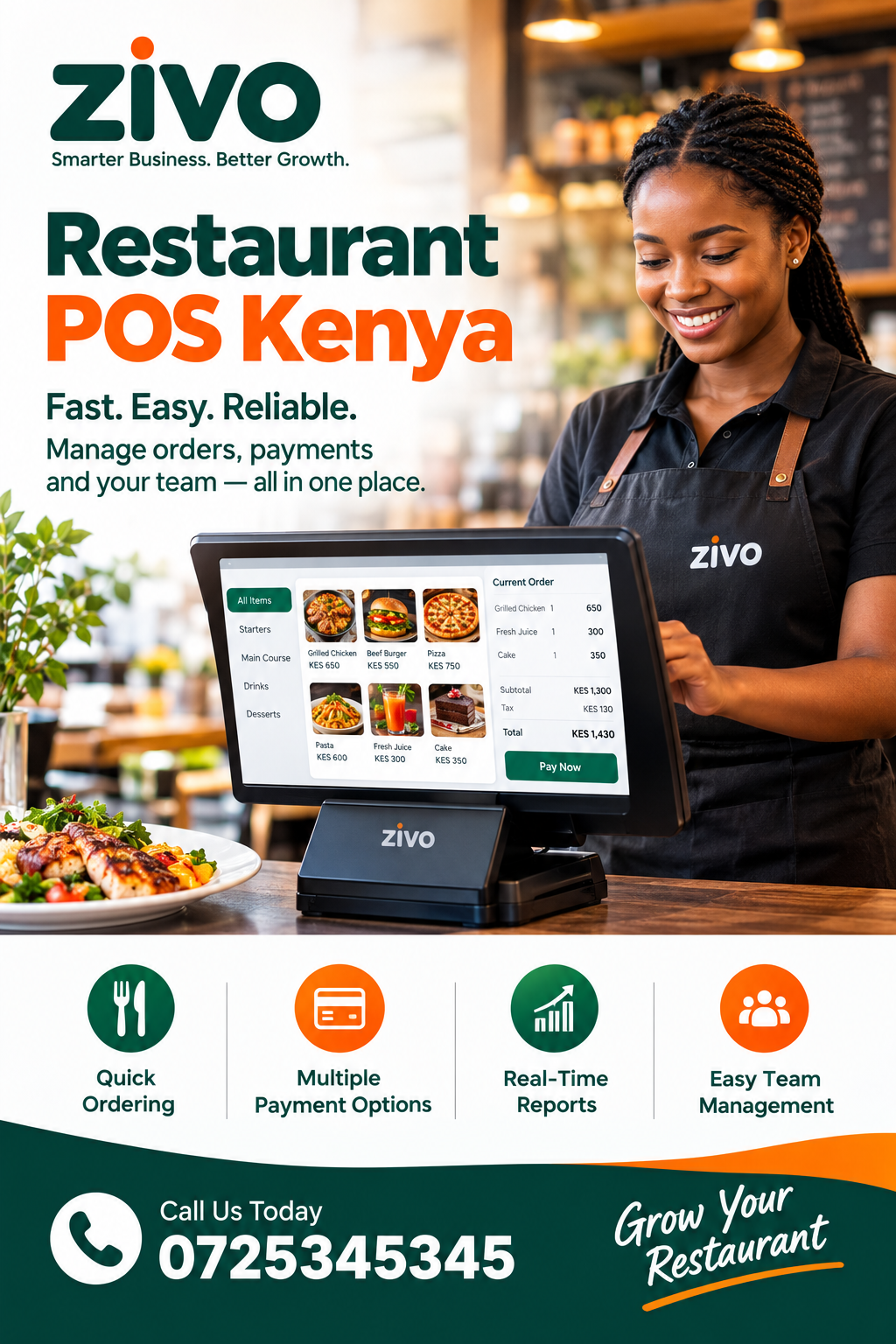
Restaurant POS Kenya: Complete Guide to Choosing the Right Restaurant Point of Sale System
Running a restaurant involves much more than preparing good food. Staff need to record orders accurately, customers expect fast service, managers need reliable sales information, and owners need to know whether the business is actually making money. A modern Restaurant POS Kenya solution can bring these activities into one organised workflow, helping restaurants manage orders, payments, stock and sales information more efficiently. This guide explains what restaurant owners, managers and hospitality teams should look for, how a POS system works, how it can support M-Pesa payments, and how to choose a solution that fits a Kenyan restaurant.
What Is a Restaurant POS System?
A restaurant point of sale system is the technology used to record and manage transactions when customers purchase meals, drinks or other products. Unlike a simple cash register, a modern Restaurant POS Kenya platform can connect sales with menus, inventory, customer orders, payments and reports.
For a small café, the system may primarily be used to enter orders and issue receipts. For a busy restaurant, it can become the central operational record connecting the front counter, waiters, kitchen, cashier, manager and accounts team.
A well-configured Restaurant POS Kenya system can help answer practical questions such as:
- How much did the restaurant sell today?
- Which menu items sold the most?
- Which payment methods were used?
- How much stock was consumed?
- Which orders are still pending?
- How much money was collected through M-Pesa?
- Which staff member recorded a particular transaction?
- How did today’s sales compare with previous periods?
These questions matter because restaurant profitability depends on controlling many small operational details. A few missing orders, incorrect prices or unrecorded payments can gradually become a significant business problem.
Why Restaurants in Kenya Need Better Sales Management
Restaurants operate in an environment where speed, accuracy and payment convenience matter. A customer may order at a table, at a counter, through WhatsApp, by phone or through a delivery channel. The restaurant still needs a reliable record of what was ordered, what was paid and what remains to be fulfilled.
A Restaurant POS Kenya solution provides a structured way to capture these transactions instead of depending entirely on handwritten notebooks or disconnected spreadsheets.
The value becomes clearer during busy periods. Imagine a restaurant in Nairobi serving dozens of customers during lunchtime. Several waiters are taking orders while the cashier receives payments and kitchen staff prepare meals. If orders are written on loose paper, staff may have to clarify handwriting, confirm prices manually or search through multiple documents.
With a properly designed Restaurant POS Kenya workflow, the transaction can be recorded digitally from the beginning. The order can carry the selected items, quantities and prices, while the payment record can remain connected to the sale.
This does not mean technology automatically solves every restaurant problem. Staff still need proper training, menu prices need to be maintained, and management needs clear procedures. The purpose of POS software is to make those procedures easier to follow and easier to monitor.
Key Features to Look For
Not every POS system is built for restaurants. Some systems are designed mainly for general retail, while others support restaurant-specific workflows.
When comparing Restaurant POS Kenya options, consider the features below.
1. Menu Management
Restaurant menus change frequently. Prices may change, new meals may be introduced, and certain products may only be available at particular times.
A useful POS should allow authorised users to maintain:
- Food items
- Drinks
- Add-ons
- Meal combinations
- Different prices
- Product categories
- Service charges where applicable
- Available and unavailable items
Menu management should be simple enough that staff do not need technical knowledge every time a price changes.
2. Order Management
A restaurant needs to know exactly what the customer ordered.
A Restaurant POS Kenya platform should make it easy to create, update and complete orders. Depending on the restaurant’s operating model, orders may need to be associated with tables, takeaway customers, delivery requests or counter sales.
Order visibility is especially useful when several employees are involved. The person taking the order should not have to explain the entire transaction verbally to the cashier or manager.
3. Fast Checkout
Speed matters at the point of payment.
A Restaurant POS Kenya system should make it straightforward for a cashier to review the bill, confirm the amount and record payment.
The interface should minimise unnecessary steps. If employees have to navigate through complicated menus for every sale, the system can slow down service instead of improving it.
Restaurant Orders, Tables and Service Flow
Restaurants have different service models. A small takeaway may only need a counter order workflow, while a full-service restaurant may need table management.
For a restaurant with table service, Restaurant POS Kenya software can help organise orders around table numbers or service areas.
A typical process might look like this:
- The customer is assigned a table.
- The waiter records the order.
- Food and drinks are added to the order.
- The kitchen receives the required information.
- Additional items can be added later.
- The bill is generated when the customer is ready.
- Payment is recorded.
- The transaction is completed.
The exact workflow will depend on the restaurant.
A Restaurant POS Kenya system should therefore be flexible rather than forcing every restaurant into the same process.
Handling Takeaway Orders
Takeaway businesses have different requirements. The system needs to identify the customer’s order, collect payment and ensure that the correct food is prepared.
Useful information can include:
- Customer name
- Phone number
- Order number
- Items purchased
- Quantity
- Payment status
- Collection status
- Special instructions
Keeping these details together can reduce confusion during busy periods.
Delivery Orders
Restaurants offering delivery need another layer of visibility.
A Restaurant POS Kenya solution can help keep the order record connected to payment and fulfilment. Managers can then distinguish between orders that have been paid, orders being prepared and orders that have already been delivered.
This is important because a restaurant’s responsibility does not necessarily end when payment is received.
M-Pesa and Restaurant Payments
M-Pesa is an important consideration when selecting payment software for a Kenyan restaurant. Customers may want to pay using mobile money, while restaurants need reliable records showing whether a transaction was actually completed.
A Restaurant POS Kenya solution that supports connected payment workflows can reduce the need to manually compare payment messages with sales records.
Zivo currently describes its payment workflow as supporting invoices, payment links, M-Pesa STK requests, payment attempt history, receipts and statements. It also describes the ability to connect payment activity with operational workflows.
For a restaurant, the principle is straightforward: the payment record should be connected to the correct transaction whenever possible.
A Restaurant POS Kenya system should also make failed, pending or cancelled payments distinguishable from successful payments. Staff should not treat a customer as having paid simply because an attempted payment was initiated.
Why Payment Reconciliation Matters
Payment reconciliation is the process of matching transactions with the money actually received.
Without proper reconciliation, a restaurant can encounter questions such as:
- Was this order actually paid?
- Which order does this payment belong to?
- Was the payment duplicated?
- Was a payment cancelled?
- Did the cashier record the correct amount?
A Restaurant POS Kenya platform can help create a clearer audit trail when sales and payment information remain connected.
Inventory Management for Restaurants
Food businesses have a special relationship with inventory. Stock is purchased, stored, prepared, consumed and sold. Some ingredients can also expire or become unusable.
A Restaurant POS Kenya system can support inventory management by connecting sales activity with product and stock information.
Restaurant inventory may include:
- Meat
- Vegetables
- Fruits
- Cooking oil
- Flour
- Rice
- Spices
- Soft drinks
- Bottled water
- Packaging materials
- Cleaning supplies
Not every restaurant needs the same level of inventory control. A small café may monitor finished products, while a larger restaurant may need ingredient-level tracking.
The important question is whether the POS system matches the restaurant’s actual operating model.
Reducing Stock Loss
Stock losses can come from many sources. Food may expire, portions may be larger than planned, products may be wasted during preparation, or items may leave the business without being recorded.
A Restaurant POS Kenya platform does not automatically eliminate these issues, but it can give managers better transaction records to investigate unusual differences.
For example, if sales records show that 100 units of a particular drink were sold but stock counts suggest a different number, management has a starting point for investigating the discrepancy.
Sales Reports and Restaurant Decision-Making
A restaurant owner should not have to depend entirely on memory to understand performance.
A Restaurant POS Kenya system can generate useful information about sales activity, depending on the reporting capabilities available.
Common reports include:
- Daily sales
- Weekly sales
- Monthly sales
- Sales by product
- Sales by category
- Payment methods
- Staff activity
- Discounts
- Refunds
- Stock movement
Reports become more useful when management can interpret them in context.
For example, a restaurant may notice that one meal sells significantly more than another. That information could influence menu placement, purchasing decisions or promotional activity.
A Restaurant POS Kenya platform can therefore serve as more than a checkout tool. It can become a source of operational information.
Staff Management and Accountability
Restaurant operations often involve several employees working different shifts. Owners need a reasonable level of accountability without creating an unnecessarily complicated workplace.
A Restaurant POS Kenya system can support role-based workflows by giving employees access to the functions they need.
For example:
- Waiters can record orders.
- Cashiers can process payments.
- Managers can review transactions.
- Stock staff can monitor inventory.
- Owners can review reports.
Zivo states that its workspaces use role-based access so staff can see the areas relevant to their responsibilities.
A Restaurant POS Kenya solution should also provide transaction history where appropriate. If a transaction is changed, refunded or cancelled, management should have enough information to understand what happened.
Avoiding Shared Credentials
Restaurants should avoid giving every employee the same username and password where individual access is available.
Individual accounts can make it easier to determine:
- Who recorded an order
- Who processed a refund
- Who changed a price
- Who completed a transaction
- Who made a correction
This is useful for accountability and training.
Restaurant Accounting and Financial Visibility
Sales information is only one part of restaurant management. Owners also need to understand expenses, supplier payments, cash flow and profitability.
A Restaurant POS Kenya workflow becomes more useful when transaction information can feed into broader business records.
For example, Zivo describes a connected workspace covering customers, invoices, M-Pesa collections, expenses, operations and reporting. Its retail/POS offering includes POS sales, product catalogues, stock, sales orders, M-Pesa payments and reporting.
The objective should be to reduce duplicate data entry.
A Restaurant POS Kenya system should make it easier for management to move from the question “How much did we sell?” to more useful questions such as “What did we sell, what did customers pay, what stock moved and what costs were incurred?”
Invoicing and Electronic Tax Records
Restaurants also need to consider invoicing and tax-related requirements when choosing business software.
The Kenya Revenue Authority states that eTIMS is an electronic Tax Invoice Management System and that persons engaged in business are required to onboard eTIMS and issue electronic tax invoices. Businesses should check the latest KRA guidance and confirm how their chosen software handles applicable requirements.
A Restaurant POS Kenya system should therefore be evaluated not only for attractive checkout screens but also for how it fits into the restaurant’s wider financial and compliance processes.
Ask vendors whether their solution:
- Supports the required invoicing workflow
- Integrates with relevant tax systems
- Produces appropriate records
- Keeps transaction information accessible
- Supports exports when needed
The restaurant remains responsible for understanding its own tax obligations.
Data Security and Customer Information
Restaurant software may contain customer names, phone numbers, payment references, employee information and transaction histories.
A Restaurant POS Kenya platform should therefore be evaluated for access control, authentication, backups and data handling.
Kenya’s Data Protection Act provides a framework for the processing of personal data, while the Office of the Data Protection Commissioner oversees data protection compliance. The ODPC explains the roles of data controllers and processors and provides guidance on registration and compliance.
Restaurants should ask software providers:
- What customer information is stored?
- Who can access it?
- How are staff accounts controlled?
- How is data protected?
- What happens if an employee leaves?
- Can records be exported?
- What happens when the restaurant stops using the software?
A Restaurant POS Kenya solution should be part of a broader data-management policy rather than treated as an isolated technology purchase.
Cloud-Based POS vs Traditional Systems
Traditional POS installations may store information on local computers or servers inside the restaurant. Cloud-based systems generally allow authorised users to access information through an internet-connected application.
Neither approach should be selected purely because it sounds modern.
A Restaurant POS Kenya solution should be assessed based on reliability, security, accessibility, support and the restaurant’s actual needs.
Advantages of Cloud-Based Systems
Potential advantages include:
- Access from multiple locations
- Centralised records
- Easier updates
- Remote reporting
- Easier multi-branch management
- Reduced dependence on a single physical computer
What About Internet Problems?
Restaurants should still consider connectivity.
If the internet connection becomes unavailable, the business needs to know whether the POS can continue operating, what happens to queued transactions and how those transactions synchronise later.
A Restaurant POS Kenya provider should explain its offline and recovery procedures clearly rather than leaving the restaurant to discover them during a busy service period.
Multi-Branch Restaurant Management
Restaurants with several branches face additional challenges.
An owner may need to compare sales between locations, monitor stock transfers, review staff activity and understand which branches are performing differently.
A Restaurant POS Kenya platform can provide a centralised approach when multi-location capabilities are available.
However, businesses should ask detailed questions before purchasing.
Can the system:
- Separate branches?
- Give managers branch-specific access?
- Consolidate reports?
- Track stock by location?
- Transfer products between branches?
- Maintain separate cash records?
- Compare sales across branches?
A Restaurant POS Kenya solution should support the restaurant’s structure rather than forcing managers to maintain separate spreadsheets for every location.
How Much Does Restaurant POS Software Cost?
There is no single price that applies to every restaurant POS system.
Costs can vary depending on:
- Number of users
- Number of branches
- POS terminals
- Hardware
- Software subscriptions
- Payment integrations
- Inventory functionality
- Reporting
- Support
- Setup and onboarding
- Custom integrations
A Restaurant POS Kenya buyer should calculate the total cost rather than looking only at the advertised monthly subscription.
For example, a cheap system that requires significant manual work may cost more operationally than a slightly more expensive system that saves staff time and improves transaction accuracy.
Zivo currently offers different plans, including a free starting plan and paid plans with additional capabilities. Its published pricing should be checked directly because software plans and limits can change.
How to Choose the Right Restaurant POS
Choosing software becomes easier when the restaurant defines its requirements first.
A Restaurant POS Kenya solution should be evaluated against actual workflows rather than a long list of impressive features.
Start by documenting how the restaurant currently operates.
Step 1: Map the Customer Journey
Write down what happens from the moment a customer places an order until payment is completed.
Step 2: Identify Manual Problems
Look for areas where staff currently:
- Rewrite information
- Calculate totals manually
- Search through notebooks
- Match payments manually
- Count stock without records
- Prepare reports by hand
Step 3: Prioritise Features
A Restaurant POS Kenya system should solve the most important problems first.
Essential features may include:
- Order entry
- Menu management
- Payment recording
- Receipt generation
- Sales reports
- Inventory
- User management
Additional features can be added based on business requirements.
Step 4: Test the Workflow
Do not only watch a sales demonstration.
Ask the vendor to demonstrate a realistic restaurant transaction from order to payment and reporting.
Common Mistakes When Buying Restaurant POS Software
Restaurants can make expensive mistakes when purchasing software.
One common mistake is choosing a system solely because it has many features. A restaurant may end up paying for capabilities that staff never use.
Another mistake is ignoring ease of use.
A Restaurant POS Kenya system may technically contain everything a restaurant needs but still fail operationally if employees find it difficult to use.
Other mistakes include:
- Failing to test the system
- Ignoring payment workflows
- Not checking support availability
- Overlooking data export
- Forgetting multi-branch requirements
- Buying incompatible hardware
- Not planning staff training
- Assuming all POS systems work offline
- Ignoring integration requirements
A Restaurant POS Kenya platform should be judged by how well it fits the restaurant’s actual workflow.
Training Restaurant Staff
Software implementation is partly a people-management project.
Even an excellent system can fail if employees do not understand how to use it.
A Restaurant POS Kenya rollout should include practical training.
Training can cover:
- Logging in
- Finding menu items
- Creating orders
- Editing orders
- Processing payments
- Issuing receipts
- Handling cancellations
- Correcting mistakes
- Checking transaction history
- Closing a shift
Use realistic examples during training.
For example, have staff practise an ordinary dine-in order, a takeaway order, an M-Pesa payment, a cancelled item and a corrected transaction.
A Restaurant POS Kenya system becomes more useful when employees understand why each step matters rather than simply memorising buttons.
Restaurant POS and Customer Experience
Customers may never know which POS software a restaurant uses. They do, however, experience the results.
A well-organised system can contribute to:
- Faster checkout
- Fewer pricing mistakes
- More accurate orders
- Clearer receipts
- Better payment confirmation
- Better order visibility
A Restaurant POS Kenya solution should therefore be evaluated partly from the customer’s perspective.
Ask whether the technology makes the customer journey easier.
For example, if customers have to wait several minutes because the cashier must manually search for a transaction, the system is not serving its intended purpose.
A Restaurant POS Kenya platform should help employees work efficiently without making the customer experience unnecessarily complicated.
Using POS Data to Improve the Menu
Restaurant data can reveal patterns that are difficult to see from memory.
A Restaurant POS Kenya system can provide sales information that management can use when reviewing the menu.
For example, managers can examine:
- Best-selling meals
- Slow-moving products
- Peak sales periods
- Popular drinks
- Frequently purchased combinations
- Discount usage
- Refund patterns
This information does not automatically tell the restaurant what decision to make. It provides evidence that management can consider alongside food costs, customer feedback and operational capacity.
A Restaurant POS Kenya system can therefore become part of a restaurant’s planning process.
Managing Discounts, Refunds and Voids
Discounts and refunds need careful control.
Without clear procedures, a restaurant may lose money through excessive discounts or incorrectly recorded refunds.
A Restaurant POS Kenya system should provide appropriate controls around these transactions.
For example, management may decide that:
- Small discounts can be handled by cashiers.
- Larger discounts require manager approval.
- Refunds require a reason.
- Voided transactions remain visible in reports.
The exact rules should be determined by the restaurant.
The objective is not to prevent legitimate corrections. It is to create an accountable process.
A Restaurant POS Kenya platform with transaction history can make it easier to investigate unusual patterns.
What a Good Daily Restaurant Workflow Looks Like
A strong POS implementation should simplify the working day.
A typical restaurant workflow might begin with opening procedures.
Staff verify the system, check relevant stock, confirm menu availability and prepare the service area.
During service, employees record orders and process transactions. Managers monitor unusual issues and help staff resolve problems.
At the end of the shift, the restaurant reviews sales, payments and outstanding transactions.
A Restaurant POS Kenya system can help structure these activities around a single transaction record.
A practical closing checklist might include:
- Confirm completed orders
- Review cash payments
- Review mobile payments
- Check refunds
- Check voided transactions
- Review discounts
- Confirm stock issues
- Generate daily sales reports
A Restaurant POS Kenya system should make these tasks easier rather than create another administrative burden.
Why Integration Matters
The real value of business software often comes from connected workflows.
If a restaurant records an order in one system, payment in another, stock in a spreadsheet and accounting information somewhere else, staff may spend considerable time moving information between tools.
A Restaurant POS Kenya platform can be more useful when sales, products, payments and reports are connected.
Zivo’s current retail/POS description specifically combines POS sales, product catalogues, stock and warehouses, sales orders, M-Pesa payments and retail reporting.
For restaurants, the exact available workflow should be confirmed during a demonstration.
A Restaurant POS Kenya buyer should ask which integrations are native, which require configuration and which are unavailable.
Restaurant POS for Small Cafés
Small cafés do not necessarily need the same system as large restaurant chains.
A café may have:
- One location
- A small team
- A limited menu
- Counter service
- Simple stock requirements
For such a business, simplicity may be more important than advanced functionality.
A Restaurant POS Kenya solution should be affordable, easy to learn and capable of producing reliable sales records.
The owner should not need to hire a specialist simply to make ordinary menu changes.
At the same time, it is useful to consider future growth. A café that expects to add delivery, more staff or another location may prefer a system that can grow with it.
Restaurant POS for Busy Restaurants
A larger restaurant may need more sophisticated capabilities.
A Restaurant POS Kenya solution for a busy operation may need:
- Multiple users
- Role-based access
- Detailed sales reports
- Inventory management
- Multiple payment methods
- Table management
- Branch management
- Delivery workflows
- Customer records
- Strong transaction history
The more complex the restaurant becomes, the more important workflow design becomes.
Software should reduce complexity rather than hide it.
A Restaurant POS Kenya platform should help managers see what is happening without requiring them to manually consolidate information from several systems.
Questions to Ask a POS Provider
Before signing up, restaurant owners should prepare a list of questions.
Ask:
- Does the system support restaurant orders?
- Can we manage menu items and prices?
- Does it support M-Pesa?
- How are failed payments handled?
- Can we track inventory?
- Can staff have individual accounts?
- Can managers control permissions?
- Can we generate daily sales reports?
- Does it support multiple branches?
- Can data be exported?
- What happens if the internet goes down?
- What support is available?
- What hardware is required?
- Are there setup fees?
- Are integrations charged separately?
A Restaurant POS Kenya provider should answer these questions clearly before implementation.
The goal is not simply to buy software. It is to understand how the software will fit into the restaurant.
Implementation Checklist
Once a restaurant selects its system, implementation should be planned carefully.
A Restaurant POS Kenya implementation can follow a simple sequence.
Before Launch
Prepare:
- Menu items
- Prices
- Categories
- User accounts
- Payment settings
- Opening stock
- Branch information
- Tax configuration where applicable
During Testing
Test:
- New orders
- Edited orders
- Cancelled orders
- Payments
- Receipts
- Refunds
- Reports
- Stock movement
Before Going Live
Train employees and assign responsibility for system administration.
A Restaurant POS Kenya solution should be tested with real-world scenarios before the first busy service.
Do not wait until customers are standing at the counter to discover that an important workflow has not been configured.
Frequently Asked Questions
1. What is Restaurant POS Kenya software?
Restaurant POS Kenya software is a point-of-sale solution designed to help restaurants record orders, process payments, manage products and review sales information. The exact features vary by provider.
2. Can a restaurant POS system support M-Pesa?
Yes, some systems support M-Pesa-related payment workflows. Zivo, for example, currently describes M-Pesa STK requests, payment attempt tracking, receipts and payment reconciliation capabilities.
A restaurant should confirm the exact integration, payment flow and settlement arrangement before implementation.
3. Can Restaurant POS Kenya software manage stock?
Restaurant POS Kenya software can support inventory management when the provider includes stock functionality. Depending on the system, this may include product catalogues, stock movement, warehouses, low-stock visibility or other inventory controls.
Restaurants should confirm whether the system supports finished products only or more detailed ingredient-level tracking.
4. Is POS software useful for a small restaurant?
Yes. A small restaurant can benefit from accurate sales records, faster checkout and clearer payment information. However, the system should be proportionate to the restaurant’s size.
A small café may need a simpler setup than a large multi-branch restaurant.
5. Can a POS system help reduce restaurant errors?
Restaurant POS Kenya software can reduce some manual entry and calculation errors by standardising products, prices and transaction records. It cannot eliminate every error because staff still need to enter correct information and follow procedures.
6. Should restaurants choose cloud-based POS software?
Cloud-based software can be useful when a restaurant wants centralised access and reporting. However, restaurants should understand internet requirements, backup procedures and offline functionality before choosing a cloud system.
7. How much does restaurant POS software cost in Kenya?
Restaurant POS Kenya pricing varies significantly depending on software features, users, hardware, branches, support and integrations. Restaurants should compare total ownership costs rather than subscription price alone.
8. Can restaurant POS software support multiple branches?
Some systems support multiple locations, although the exact capabilities differ. A restaurant with several branches should ask about branch-specific access, consolidated reports, stock transfers and central administration.
9. Does restaurant software need to consider data protection?
Yes. Restaurants may process personal information belonging to customers and employees. The ODPC provides guidance on data controllers, processors and data protection obligations in Kenya.
10. What should I test before buying?
Restaurant POS Kenya software should be tested using the restaurant’s actual workflows. Create sample orders, process different payments, test corrections and refunds, review reports and check how staff permissions work.
Final Checklist for Restaurant Owners
Before choosing a POS system, review the following:
| Requirement | What to Check |
|---|---|
| Orders | Can staff create and update orders quickly? |
| Menu | Can authorised users manage items and prices? |
| Payments | Does it support the payment methods customers use? |
| M-Pesa | Is the payment workflow suitable for your business? |
| Inventory | Can you track the stock that matters to your restaurant? |
| Reports | Can managers access useful sales information? |
| Staff | Are users and permissions manageable? |
| Branches | Can the system grow with your business? |
| Security | Are access and data controls clearly explained? |
| Support | Is help available when problems occur? |
| Integration | Can it connect with relevant business tools? |
| Cost | Is the total cost reasonable for the operation? |
The purpose of this checklist is to keep the buying decision focused on business requirements rather than marketing claims.
Conclusion
Choosing restaurant software is ultimately about improving the flow of information through the business. Orders should be recorded accurately, payments should be identifiable, stock should be visible, staff responsibilities should be clear and managers should have access to useful reports.
A Restaurant POS Kenya solution can support these goals when it matches the restaurant’s operating model.
For a small café, the priority may be fast checkout and reliable sales records. For a busy restaurant, inventory, staff access, payments, table orders and reporting may be more important. For a growing restaurant group, branch management and central reporting may become essential.
The most important step is to evaluate the entire workflow rather than purchasing software based on one attractive feature.
A Restaurant POS Kenya platform should make daily work clearer, not more complicated. Restaurant owners should test the system, involve staff, understand the pricing, verify payment workflows and check how their data is handled.
For businesses looking for a connected approach, Restaurant POS Kenya software can be considered alongside broader business-management tools that connect sales, payments, inventory and reporting.
Zivo currently positions its POS and retail workspace around connected sales, product catalogues, stock, orders, M-Pesa payments and reporting, while its wider platform connects sales, finance and operational workflows.
The right choice will ultimately depend on the restaurant’s size, service model, payment requirements, stock complexity, number of branches and budget.
A Restaurant POS Kenya system should therefore be selected after reviewing real restaurant scenarios, not simply after watching a sales presentation.
The strongest implementation is one where employees understand the workflow, management can trust the records and customers receive faster, more consistent service.
If your restaurant is replacing notebooks, disconnected spreadsheets or an outdated cash register, this is a good opportunity to map the current process first. Identify where errors occur, where staff lose time and where managers lack visibility.
Then compare systems against those specific problems.
A Restaurant POS Kenya solution should earn its place in the business by making those processes easier to control.
The result should be a restaurant where sales are recorded properly, payments are easier to reconcile, stock information is more accessible and management can make decisions using organised information rather than guesswork.
That is the practical role of modern restaurant POS technology in Kenya.