
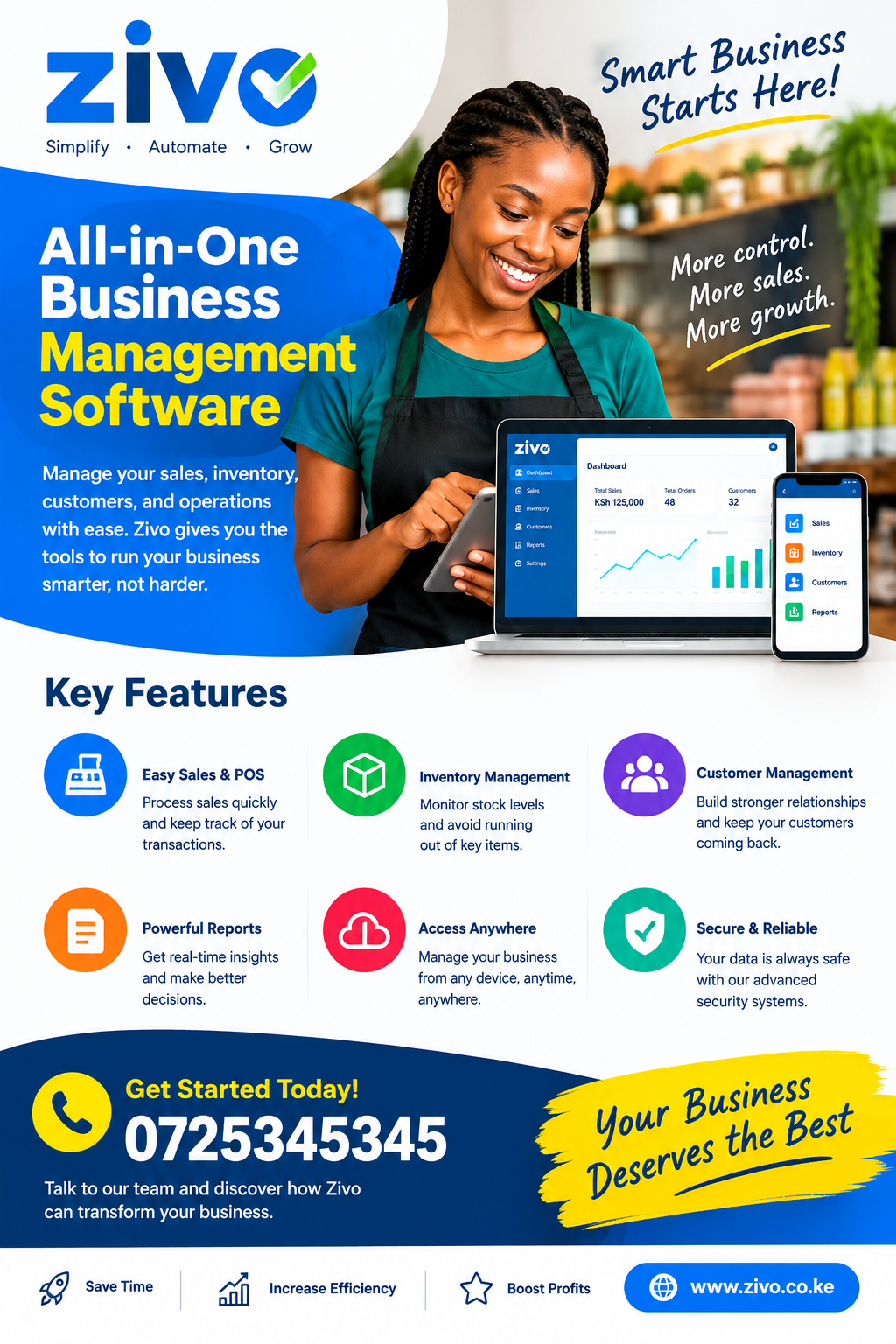
VAT Reporting Software Kenya: A Practical Guide to Accurate Tax Reporting for Businesses
Value Added Tax (VAT) reporting requires careful record-keeping, accurate transaction classification, and timely preparation of tax returns. For businesses handling sales, purchases, supplier invoices, customer payments, and credit notes, VAT Reporting Software Kenya can help organize financial information and make the reporting process more manageable. Instead of relying entirely on spreadsheets and manual calculations, business owners can use digital tools to bring relevant records together, identify discrepancies, and prepare information for review before filing.
VAT reporting affects more than the accounts department. It influences pricing decisions, cash flow planning, purchasing, invoicing, and the quality of financial information available to business managers. When records are incomplete or transactions are incorrectly classified, a company may struggle to establish the correct figures for its VAT return. A structured reporting process helps reduce avoidable mistakes and gives business owners a clearer picture of their tax obligations.
This guide explains how VAT Reporting Software Kenya can support Kenyan businesses, what features to evaluate, how to organize VAT records, and how digital reporting fits into everyday financial management. It also covers eTIMS considerations, invoice reconciliation, input and output VAT, common reporting challenges, implementation steps, and practical questions to ask before choosing a solution.
The aim is to help small and medium-sized enterprises, retailers, wholesalers, service providers, restaurants, distributors, and other organizations make informed decisions about VAT reporting without losing sight of the underlying tax rules.
1. Understanding VAT Reporting in Kenya
Value Added Tax is a consumption tax governed by Kenyan tax legislation and administered by the Kenya Revenue Authority (KRA). Businesses registered for VAT must follow the applicable rules for charging VAT, documenting transactions, accounting for eligible input tax, submitting returns, and paying amounts due.
VAT reporting involves collecting the relevant transaction information and determining the figures that belong in a tax return. These figures may include taxable sales, applicable output VAT, qualifying purchases, eligible input VAT, adjustments, and the resulting amount payable or refundable where permitted.
For many businesses, the difficulty is not simply performing a calculation. It is ensuring that every figure comes from complete, consistent, and appropriately classified records.
A company may issue hundreds of invoices in a month, receive purchases from several suppliers, process refunds, and record transactions through multiple payment channels. Those activities need to be reconciled before the business can rely on its VAT figures.
Using VAT Reporting Software Kenya can help bring transaction records into a more structured reporting workflow. Depending on the system, users may be able to categorize sales, organize purchase records, review tax amounts, and generate summaries for accounting and compliance purposes.
However, software does not replace an understanding of VAT legislation. The business remains responsible for applying the correct treatment, maintaining supporting documents, and confirming that its return is accurate.
What is VAT reporting software?
VAT reporting software is a digital system that helps a business organize, calculate, review, and summarize information required for VAT reporting.
Its capabilities vary by provider. Some products concentrate on accounting and tax summaries, while others combine invoicing, inventory, purchasing, payment reconciliation, and financial reporting.
A suitable solution may help a business:
-
Record sales and purchase transactions.
-
Separate transactions by their applicable tax treatment.
-
Summarize output VAT and eligible input VAT.
-
Identify missing invoices and inconsistent transaction details.
-
Reconcile accounting records with supporting documents.
-
Prepare reports that support VAT return preparation.
-
Retain transaction histories for internal review.
-
Export data for an accountant or other authorized reviewer.
The most important consideration is whether the system supports the business’s actual reporting process, rather than merely displaying tax figures on a dashboard.
Who can benefit from digital VAT reporting?
Businesses that manage frequent taxable transactions often benefit from more organized reporting procedures.
Examples include:
-
Retail shops selling products to individual customers.
-
Wholesalers handling bulk orders and supplier purchases.
-
Restaurants and food businesses recording daily sales.
-
Professional service providers issuing client invoices.
-
Distributors managing sales across multiple branches.
-
Importers and businesses with complex purchase records.
-
Growing SMEs that have outgrown basic spreadsheets.
-
Finance teams preparing monthly management reports.
A business should first establish whether VAT registration is required or applicable to its activities. Software selection comes after understanding those obligations.
2. Why VAT Reporting Matters for Kenyan Businesses
Accurate VAT reporting helps a business meet its obligations while maintaining dependable financial records. It also supports better management decisions because sales, expenses, tax amounts, and outstanding balances can be reviewed together.
A company that postpones reconciliation until the filing deadline may discover missing invoices, duplicate entries, incorrectly classified transactions, or differences between accounting records and payment statements. Correcting those issues under pressure can consume valuable time.
With VAT Reporting Software Kenya, a business can establish a more consistent process for reviewing tax-related transactions throughout the reporting period, provided the system offers the necessary functions and is configured correctly.
Maintaining accurate transaction records
Every reported figure should be traceable to appropriate supporting documentation. Sales invoices, purchase invoices, credit notes, receipts, and accounting entries help explain how the business arrived at its reported totals.
Organized records make it easier to investigate discrepancies and respond to questions from management, auditors, or tax authorities.
Reducing manual calculation errors
Spreadsheets can be useful, particularly for small businesses with limited transaction volumes. However, manual processes become harder to maintain when several employees edit files, tax treatments vary, or transactions are entered more than once.
Automated calculations can reduce repetitive arithmetic, but only when the underlying data and tax settings are correct.
Improving financial visibility
VAT affects cash flow because a business may collect tax on sales while also paying VAT on eligible purchases. Those amounts should be tracked carefully instead of being treated as ordinary business income.
A reliable reporting process helps management understand tax-related balances and plan for upcoming payment obligations.
Supporting timely preparation
A business that reviews its records throughout the month is better positioned to prepare a return than one that starts gathering documents immediately before the deadline.
Software can support regular checks, outstanding-item lists, and period summaries, depending on its functionality.
Strengthening accountability
When records identify who entered, changed, reviewed, or approved transactions, a business can establish clearer responsibility for its financial reporting process. Access controls and audit trails are particularly useful when several employees work on the same accounts.
3. Key Features to Look for in VAT Reporting Software
Not every accounting application offers the same tax-reporting capabilities. Before purchasing a solution, businesses should compare the available functions against their compliance obligations, transaction volume, and existing systems.
A practical evaluation of VAT Reporting Software Kenya should focus on the following features.
Sales and purchase transaction records
The system should make it easy to review sales and purchases within a selected reporting period. Each record should contain the information required for the business’s accounting process, such as transaction date, document reference, supplier or customer details, taxable amount, tax amount, and relevant adjustments.
The precise fields needed will depend on the transaction type and applicable tax rules.
Configurable tax categories
Businesses may deal with standard-rated, zero-rated, exempt, and other specially treated transactions. These categories are not interchangeable.
A reporting system should allow appropriate tax classifications and support the treatment applicable to the transaction. Users should be able to inspect how the system arrived at its calculations rather than relying on unexplained totals.
Output VAT reporting
Output VAT generally refers to VAT accounted for on taxable supplies made by a registered business, subject to the applicable rules.
A useful system summarizes sales and related tax amounts for the relevant period and allows the finance team to investigate unusual changes.
Input VAT tracking
Input VAT is VAT incurred on purchases or expenses. Whether it can be deducted depends on statutory requirements, documentation, the nature of the expense, and other applicable restrictions.
A software dashboard should not automatically imply that every purchase qualifies for a deduction. The business must verify eligibility.
Credit note and adjustment management
Returns, cancellations, discounts, and other adjustments may affect the figures recorded for a reporting period. Credit notes and related documents should be linked to the original transactions where appropriate.
This makes it easier to explain changes between initial invoices and final reported amounts.
Searchable records and audit trails
Users should be able to search by invoice number, date, supplier, customer, or other relevant reference. An audit trail can help authorized reviewers establish when a record was created or modified.
This is especially important when a company needs to correct a previously entered transaction.
Exportable reports
Reports should be available in practical formats that the finance team can review, archive, or share with an authorized accountant. Exports must retain enough detail to support reconciliation and subsequent review.
User permissions
Cashiers, sales staff, accountants, and business owners do not necessarily need identical access. Role-based permissions help limit unnecessary changes to financial records.
4. Understanding Output VAT and Input VAT
Understanding the difference between output VAT and input VAT is essential when preparing a VAT return.
Output VAT relates to relevant taxable sales, while input VAT relates to VAT incurred on purchases that may qualify for deduction under the law. The amount payable is not necessarily equal to all the VAT collected from customers because eligible input tax and other permitted adjustments may affect the calculation.
The actual treatment depends on current legislation, the business’s registration status, the transaction, and supporting documentation.
A simple illustrative example
Suppose a VAT-registered business makes taxable sales with a value of KSh 100,000 before VAT. For illustration, assume a 16% VAT rate applies to those sales.
The output VAT would be:
KSh 100,000 × 16% = KSh 16,000.
Suppose the business also makes qualifying purchases worth KSh 40,000 before VAT, with the same illustrative rate applying and the input VAT fully deductible.
The input VAT would be:
KSh 40,000 × 16% = KSh 6,400.
The simplified difference would be:
KSh 16,000 − KSh 6,400 = KSh 9,600.
This example illustrates the arithmetic only. It is not a determination of a real business’s tax liability. Actual reporting may involve different rates, exempt or zero-rated transactions, disallowed deductions, adjustments, timing rules, and other statutory requirements.
A reporting system should allow the accountant to examine the transactions supporting both sides of the calculation.
Why classification matters
Incorrectly marking an exempt transaction as taxable, or treating an expense as eligible input VAT without checking the relevant rules, can produce inaccurate figures.
Staff should understand that tax classification is a compliance decision, not merely a dropdown selection.
A business should also retain evidence supporting adjustments and review exceptions before a return is approved.
5. How eTIMS Relates to VAT Reporting
Electronic invoicing is an important consideration for Kenyan businesses reviewing their tax processes. The Kenya Revenue Authority operates the Electronic Tax Invoice Management System (eTIMS), which supports electronic invoicing and the management of tax invoice information under the applicable requirements.
Businesses should distinguish between an accounting system that summarizes transactions and an invoicing solution that supports the relevant electronic invoicing requirements. The two may work together, but one should not automatically be assumed to replace the other.
When evaluating VAT Reporting Software Kenya, confirm whether the product supports the eTIMS workflow your business requires, whether it connects to an approved or supported invoicing solution, and how it handles records returned from that process.
What businesses should check about eTIMS
Before choosing a solution, ask the provider:
-
Does the system support the relevant eTIMS invoicing process?
-
Is the integration direct, provided through a third party, or unavailable?
-
What transaction information is exchanged?
-
How are rejected or failed submissions identified?
-
Can staff retrieve invoice references and supporting records?
-
How are corrections, cancellations, and credit notes handled?
-
Who is responsible for maintaining the integration when requirements change?
Obtain clear answers rather than relying on a general claim that the product is tax compliant.
Why electronic invoices matter
Electronic invoice information can help businesses maintain more consistent transaction records. However, electronic invoicing does not eliminate the need to check transaction classification, purchase eligibility, accounting entries, and reporting-period adjustments.
A company should reconcile the invoices it issues against its sales ledger and examine supplier documents before including purchases in its VAT calculations.
Keeping up with regulatory changes
Tax requirements can change through legislation, regulations, official guidance, and administrative updates. A system that was suitable last year may need new configurations or integration updates.
Assign responsibility for monitoring official KRA communications and consulting a qualified tax professional when the implications of a change are unclear.
6. Managing Sales, Purchases, and VAT Records
Accurate reporting starts with accurate underlying records. Even sophisticated software cannot produce dependable results when the source information is incomplete or inconsistent.
For businesses comparing VAT Reporting Software Kenya, the quality of transaction management should be one of the main evaluation criteria.
Organizing sales records
A business should maintain a clear record of its sales, including the documents supporting each transaction and any subsequent adjustments.
A good process includes:
-
Recording each sale using the appropriate invoice or transaction reference.
-
Confirming the customer’s details where required.
-
Checking the transaction date and reporting period.
-
Applying the correct tax treatment.
-
Recording refunds, cancellations, or credit notes appropriately.
-
Reviewing sales totals against the relevant supporting records.
These steps help finance teams identify missing entries before they affect a return.
Organizing supplier invoices
Purchase records need the same attention as sales records. Staff should check supplier details, invoice references, transaction dates, amounts, and the tax information relevant to the purchase.
The business should also determine whether the input VAT is deductible under the applicable rules. A document being available in the system does not automatically make its tax amount claimable.
Managing cash and electronic payments
Kenyan businesses may receive payments through M-Pesa, bank transfers, cards, cash, and other channels. Payment records can help confirm whether sales have been collected, but the payment itself does not always determine the VAT treatment or the reporting date.
A business should reconcile payment settlements with invoices and accounting records without confusing cash collection with the underlying taxable transaction.
Handling duplicate transactions
Duplicates can arise when a transaction is imported from one system and then entered manually. They can also appear when staff resubmit invoices or copy data between spreadsheets.
Use unique references, duplicate checks, and review procedures to identify repeated entries. Do not delete a transaction simply because it looks unusual; first establish whether it is genuinely duplicated or represents a legitimate adjustment.
7. M-Pesa Reconciliation and VAT Reporting
M-Pesa is widely used by Kenyan businesses to collect customer payments and settle transactions. For many SMEs, it is a central part of daily operations.
However, M-Pesa statements and VAT records serve different purposes. A statement shows payment activity, while VAT reporting depends on the nature, timing, and tax treatment of the underlying transactions.
A business evaluating VAT Reporting Software Kenya should establish whether it can reconcile payment records against invoices and accounting entries, either directly or through supported imports.
A practical reconciliation process
Consider a shop that records sales throughout the day. Customers pay using M-Pesa, cash, and bank transfers. At closing time, the manager compares payment totals with the sales records.
The manager may discover that:
-
One customer paid an invoice in two instalments.
-
A customer paid more than the amount invoiced.
-
A payment was received but the invoice reference was omitted.
-
A refund appears in the statement.
-
A transaction was recorded under the wrong payment method.
-
A bank settlement differs from the original customer payment because of fees or timing.
Each difference should be investigated and documented.
What automation can improve
A suitable system may help match payment references, highlight unmatched transactions, summarize receipts, and produce reconciliation reports.
This can reduce manual searching and make it easier to find missing information.
However, automation should not silently force every payment to match an invoice. Unmatched items require review, and the business should preserve an explanation of how each difference was resolved.
Payment reconciliation is not tax classification
A successful payment match does not prove that the transaction was classified correctly for VAT purposes.
The finance team must still check whether the sale is taxable, what rate applies, which period is relevant, and whether any adjustment is required.
8. VAT Reporting for Small and Medium-Sized Enterprises
SMEs often operate with small finance teams and limited time for administrative work. The owner may approve payments, supervise sales, negotiate with suppliers, and review financial statements while also managing tax obligations.
A structured approach supported by VAT Reporting Software Kenya can help SMEs establish repeatable processes without requiring a large accounting department.
Challenges faced by smaller businesses
Common difficulties include:
-
Records spread across notebooks, spreadsheets, and accounting applications.
-
Invoices stored in different folders or email accounts.
-
Inconsistent transaction descriptions.
-
Limited separation between personal and business payments.
-
Late receipt of supplier documents.
-
Manual calculations that are difficult to review.
-
Dependence on one employee who understands the reporting process.
These issues become more serious as transaction volumes increase.
Start with the essentials
A small business does not necessarily need a complicated enterprise platform. It should start by identifying its core requirements.
These may include:
-
Reliable sales and purchase records.
-
Appropriate tax classifications.
-
Accessible invoice documentation.
-
Basic reconciliation tools.
-
Period-based reporting.
-
User permissions and backups.
-
Practical exports for the accountant.
Additional features can be introduced as the business grows.
Establish a monthly routine
A monthly checklist helps distribute the work across the reporting period.
For example, staff can record sales daily, review supplier invoices weekly, reconcile payment records regularly, and complete a full exception review before the return is prepared.
The return should then be checked and approved by an appropriately qualified or authorized person.
9. VAT Reporting for Retailers and Wholesalers
Retailers and wholesalers often handle high transaction volumes, multiple product categories, returns, discounts, and purchases from different suppliers. A small recording error repeated across many transactions can create a substantial reconciliation problem.
When assessing VAT Reporting Software Kenya, retailers should pay attention to sales summaries, product-level tax configuration, credit notes, purchase records, and the ability to reconcile transactions across branches or sales channels.
Managing product tax categories
Products and services may not all have the same VAT treatment. The business should verify the applicable classification for each relevant category and update its product records when the rules or circumstances change.
Do not assume that products with similar names have identical tax treatment.
Handling returns and refunds
When a customer returns goods, the accounting records must reflect the transaction correctly. The business should retain the original invoice and appropriate documentation for any adjustment.
A refund recorded in a payment system should be matched with the underlying sale and the relevant accounting treatment.
Tracking branch transactions
Businesses with several branches need consistent product records, invoice references, and reporting procedures. Management should be able to review branch-level figures and reconcile them with the consolidated records.
Access permissions also matter. Employees should be able to perform their assigned tasks without unnecessarily changing tax settings or approved financial records.
10. VAT Reporting for Restaurants and Service Businesses
Restaurants, consultancies, repair businesses, salons, transport operators, and other service providers may have different transaction patterns, but they share a need for reliable financial records.
A restaurant may record sales through a point-of-sale system, supplier purchases through an accounting application, and customer receipts through several payment channels. A consultant may rely on invoices, milestone payments, expense claims, and credit notes.
A flexible VAT Reporting Software Kenya solution should support the relevant transactions without forcing the business into a reporting process that does not fit its operations.
Restaurant reporting considerations
Restaurants should reconcile daily sales, delivery orders, cash receipts, M-Pesa payments, card transactions, supplier invoices, and documented refunds.
They should also confirm the applicable VAT treatment of each sale and purchase rather than assuming every item on a menu or supplier invoice is treated identically.
Service-provider reporting considerations
Service businesses may invoice customers in stages, receive deposits, issue credit notes, or operate under contracts with specific payment terms.
The business should understand the applicable VAT time-of-supply rules and ensure the software can record the relevant dates and adjustments.
Managing expense documentation
Expense records should contain the documents needed to support the business’s accounting and tax treatment. Employees should submit claims promptly, while finance staff should check whether each expense qualifies for the intended input VAT treatment.
A clear approval process can reduce disputes and prevent unsupported amounts from entering tax reports.
11. Reporting, Dashboards, and Financial Visibility
VAT reports are more useful when they help management understand what is happening across the business. A single total may be sufficient for a narrow task, but it will not always explain why a figure increased or decreased.
For businesses considering VAT Reporting Software Kenya, reporting flexibility is an important factor.
Reports worth reviewing
Depending on the system and the business’s needs, useful reports may include:
-
Sales by reporting period.
-
Purchases by supplier.
-
Output VAT summaries.
-
Input VAT summaries.
-
Credit notes and adjustments.
-
Missing or incomplete invoice records.
-
Unmatched payment transactions.
-
Transactions awaiting approval.
-
Differences between accounting and invoice records.
-
Historical comparisons between reporting periods.
The system should make it possible to investigate the details behind a summary.
Using reports to identify unusual changes
Suppose a business normally records similar sales each month, but its output VAT suddenly increases significantly. The change may be legitimate because sales increased, or it may indicate a data-entry issue, a tax configuration change, or a previously missing batch of invoices.
A comparison report can flag the difference. The finance team must then investigate the reason rather than assuming that the system’s figure is automatically correct.
Management reporting and tax reporting
Management reports help owners understand performance, cash flow, and business operations. Tax reports serve a compliance purpose and must follow the relevant tax rules.
The two sets of reports should be consistent where they use the same underlying transactions, but their purposes are not identical. Clear definitions help prevent managers from confusing sales revenue, tax collected, and cash available for spending.
12. Data Security and Access Control
VAT records may contain sensitive business information, including supplier details, customer information, invoice values, payment references, and commercial transaction histories.
Businesses should evaluate how their reporting system protects that information.
When comparing VAT Reporting Software Kenya, review the provider’s security controls rather than focusing only on the appearance of the dashboard.
Important security considerations
Ask the provider about:
-
Role-based access permissions.
-
Strong authentication options.
-
Data encryption where applicable.
-
Backup frequency and recovery procedures.
-
Audit logs for important changes.
-
Data export and account closure procedures.
-
Data retention arrangements.
-
Support access to business records.
-
Hosting arrangements and relevant contractual protections.
The precise controls available will vary by provider.
Protecting staff accounts
Employees should use individual accounts where possible. Shared credentials make it harder to determine who made a change and can weaken accountability.
Access should be removed promptly when an employee leaves or no longer needs the system.
Preparing for data loss
A backup is useful only if it can be restored. Businesses should understand where backups are stored, how long they are retained, and how the provider handles recovery after accidental deletion or a technical incident.
Maintain appropriate copies of essential accounting records in line with the business’s retention obligations.
13. How to Choose the Right VAT Reporting System
Selecting software is a business decision that should be based on functionality, usability, integration, cost, support, and compliance needs.
Do not choose a product solely because its marketing page promises automatic reporting or complete compliance.
A thorough assessment of VAT Reporting Software Kenya should begin with the problems the business needs to solve.
Step 1: Map your existing process
Document how invoices are issued, how purchases are recorded, how payments are reconciled, who prepares reports, and who approves the final figures.
This reveals which tasks are repetitive and which errors occur most frequently.
Step 2: Define the essential features
Separate must-have functions from optional improvements. For one business, eTIMS support may be essential. Another may prioritize multi-branch reporting, accounting exports, or payment reconciliation.
Step 3: Check integration requirements
List the systems the business already uses, such as point-of-sale applications, accounting tools, inventory systems, bank records, or electronic invoicing services.
Ask which integrations are currently available and whether additional fees apply.
Step 4: Request a realistic demonstration
Provide sample scenarios that reflect everyday transactions, including a sale, a purchase, a credit note, an unmatched payment, and an invoice correction.
The demonstration should show how exceptions are handled, not just how an ideal transaction appears on a dashboard.
Step 5: Assess the provider’s support
Find out how users contact support, what hours are covered, and whether training or onboarding is included.
Ask how software updates are communicated and what happens when a connected system changes.
Step 6: Compare the total cost
Consider the subscription, implementation, staff training, integration, data migration, support, and any transaction-based fees.
A low monthly fee may not represent the lowest overall cost if essential features are sold separately.
Step 7: Test before full adoption
Run the system alongside the existing process for a suitable period. Compare the results and investigate differences before relying on the new reports.
14. VAT Software Costs and Budget Planning
The cost of a reporting solution depends on the provider, package, number of users, transaction volume, integrations, and level of support. Prices should be confirmed directly with vendors because packages and commercial terms can change.
When evaluating VAT Reporting Software Kenya, businesses should compare the full cost of ownership rather than the subscription alone.
Common cost components
| Cost area | Questions to ask |
|---|---|
| Subscription | Is billing monthly or annually? |
| Users | Are additional users charged separately? |
| Implementation | Is initial setup included? |
| Data migration | Is importing existing records chargeable? |
| Integrations | Are accounting or eTIMS connections included? |
| Training | Is staff training part of the package? |
| Support | Are there premium support fees? |
| Reporting | Are exports and advanced reports included? |
| Storage | Are there transaction or document limits? |
Assessing value
Software can reduce time spent on repetitive tasks, but the value depends on actual use. A system that is difficult to configure or requires substantial manual corrections may not deliver the expected savings.
Estimate the time staff currently spend preparing reports, correcting entries, searching for documents, and reconciling payments. After implementation, compare those measures with the new process.
Include accuracy, visibility, and ease of review in the evaluation instead of looking only at staff hours saved.
15. Common VAT Reporting Mistakes and How to Prevent Them
Even when a business uses accounting software, errors can occur if employees misunderstand the tax rules or fail to maintain complete records. A strong reporting process combines appropriate technology, trained staff, documented procedures, and independent review.
A business using VAT Reporting Software Kenya should pay particular attention to the following common mistakes.
Claiming input VAT without adequate checks
A purchase may appear in the accounting system, but that does not establish that its VAT is deductible. Staff should confirm the documentation and eligibility requirements before including the amount in a return.
Prevention: Create a review step for purchase invoices and flag items requiring additional evidence or tax advice.
Recording the wrong tax rate
Incorrect product settings, copied invoice templates, or outdated configurations can result in the wrong tax treatment.
Prevention: Restrict access to tax settings, review configuration changes, and verify rates against current official guidance.
Omitting sales transactions
A sale may be missing because an invoice was never entered, an integration failed, or a branch submitted records late.
Prevention: Reconcile sales records against the relevant source systems and investigate gaps before the reporting period is closed.
Duplicating purchases or invoices
Duplicate entries can distort expense totals and tax summaries.
Prevention: Use unique document references and duplicate-detection procedures. Review suspicious entries instead of automatically deleting them.
Ignoring credit notes
A credit note may affect previously recorded figures. If it is omitted or incorrectly linked to the original invoice, the resulting report may be inconsistent.
Prevention: Maintain a clear procedure for documenting, approving, and reconciling adjustments.
Relying on the dashboard without reviewing details
A dashboard presents information from the records available to it. It cannot establish that every source document is correct or that every legal requirement has been met.
Prevention: Require a documented review of supporting records, unusual changes, and unresolved exceptions before filing.
Missing deadlines
Late preparation can occur when staff wait until the end of the period to request invoices or resolve payment differences.
Prevention: Set internal cut-off dates, assign responsibilities, and schedule a review before the applicable statutory deadline.
16. A Practical Monthly VAT Reporting Workflow
A repeatable monthly workflow helps ensure that records are collected, reviewed, and reconciled before a return is prepared. The following process can be adapted to the size and complexity of a business.
Stage 1: Collect transaction records
Gather sales invoices, purchase invoices, credit notes, relevant payment records, and other documents required for the reporting period.
Confirm that the records cover the full period and that important documents have not been left in individual employees’ email accounts or personal spreadsheets.
Stage 2: Review sales
Compare the sales ledger with the available invoice records and relevant source systems. Investigate missing transactions, duplicate references, unexpected totals, and adjustments.
Stage 3: Review purchases
Check supplier invoices, document references, dates, transaction values, and tax classifications. Identify transactions whose input VAT treatment requires further assessment.
Stage 4: Reconcile payments
Compare cash, M-Pesa, bank, and card records with the relevant invoices and accounting entries. Record explanations for outstanding differences.
Stage 5: Examine exceptions
Create a list of incomplete invoices, unmatched transactions, unusual tax amounts, duplicate records, and other unresolved items.
Assign each issue to a responsible employee and document how it is resolved.
Stage 6: Generate the tax summary
Use the configured reporting system to prepare the period’s figures. Confirm that the report covers the intended dates and uses the correct accounting data.
Stage 7: Obtain independent review
An authorized reviewer should compare the summary with supporting records, check relevant adjustments, and confirm that the intended tax treatment has been applied.
Stage 8: Prepare and file the return
Use the appropriate KRA filing process and confirm that the information entered or transferred matches the approved figures. Filing and payment should be completed within the applicable deadlines.
Stage 9: Save evidence
Retain the filed return, payment confirmation where relevant, supporting documents, reconciliation reports, and approval records according to the applicable retention requirements.
A digital system can make these stages easier to coordinate, but each stage still requires appropriate oversight.
17. Integrating VAT Reporting with Accounting and Invoicing
Businesses often use more than one application to manage their operations. Sales may be recorded in a point-of-sale system, invoices issued through a separate application, payments reconciled through bank statements, and expenses maintained in accounting software.
When evaluating VAT Reporting Software Kenya, determine how the product fits into this existing environment.
Why integration matters
Without a reliable connection between systems, staff may need to enter the same transaction several times. This increases the risk of inconsistent dates, duplicate records, and missing information.
An integration can transfer selected information between applications, but it should be tested to ensure that the receiving system interprets the data correctly.
Questions to ask about integrations
-
Which fields are transferred between systems?
-
How frequently does the transfer occur?
-
Are failed transactions reported to an administrator?
-
How are duplicate records prevented?
-
Can historical data be imported?
-
Are credit notes and adjustments supported?
-
Can users reconcile imported data against the original records?
-
Who maintains the integration when either system changes?
A provider should explain these details before implementation.
Avoiding unnecessary complexity
Not every business needs several separate applications. Sometimes a single accounting platform with the necessary invoicing and reporting features is sufficient.
Other businesses benefit from specialized systems because of their inventory, point-of-sale, branch-management, or industry requirements.
Choose the simplest arrangement that meets the business’s needs while maintaining reliable records and appropriate controls.
18. Implementing VAT Reporting Software Successfully
Buying software is only the beginning. Successful implementation requires clean data, suitable configuration, staff training, and a process for checking the results.
A business adopting VAT Reporting Software Kenya should plan the transition instead of switching systems without testing.
Prepare the existing records
Before migration, remove unnecessary duplicates, standardize supplier and customer references, and identify incomplete historical entries.
Do not discard records simply because they are difficult to import. Establish how the business will retain access to historical documents that remain relevant to its obligations.
Configure tax settings carefully
Tax categories should reflect the transactions the business actually makes and the applicable rules.
Have an appropriately knowledgeable person review the configuration before live reporting begins.
Train employees by role
Sales staff may need training on invoice creation and transaction references. Accounts staff may need to understand reconciliation, purchase eligibility, and report exports. Managers may focus on approvals, exception reviews, and access permissions.
Role-specific training makes the process easier to follow.
Test with real business scenarios
Test ordinary sales, refunds, purchase invoices, credit notes, multiple payment methods, and transactions that require special review.
Compare the results against independently prepared figures before relying on the software for formal reporting.
Monitor performance after launch
During the first reporting periods, review exceptions closely. Record problems, agree on corrective actions, and update procedures when the same issue occurs repeatedly.
A successful implementation should produce more dependable records, not merely a new interface.
19. The Role of Accountants in Automated VAT Reporting
Automation can reduce repetitive work, but tax interpretation and professional judgment remain important.
An accountant or qualified tax adviser can help determine the appropriate treatment of complex transactions, review supporting documentation, interpret relevant legislative changes, and investigate discrepancies.
For businesses using VAT Reporting Software Kenya, collaboration between operational staff and the accountant can improve the quality of the reporting process.
What software can handle
Depending on its features, a system may automate calculations, summarize transactions, flag incomplete records, create reports, and preserve transaction histories.
These functions help staff prepare information more efficiently.
What still requires human judgment
People must determine whether a transaction has been correctly classified, whether an input tax deduction is permitted, whether supporting evidence is adequate, and whether an unusual adjustment is justified.
Complex matters should be escalated to an appropriately qualified professional.
Creating a clear approval process
Assign responsibility for entering records, reviewing exceptions, approving reports, filing returns, and retaining evidence.
Where staffing allows, the person who prepares a report should not be the only person who reviews and approves it. Separation of duties strengthens accountability.
20. Future-Ready VAT Reporting for Growing Businesses
A business’s reporting needs change as its transaction volume, number of employees, and operating locations increase. A process that works for a small shop may become difficult to maintain when the company opens additional branches or introduces new sales channels.
When choosing VAT Reporting Software Kenya, consider whether the solution can accommodate reasonable growth without requiring a complete change of systems.
Scalability
Check whether the product can handle additional users, branches, invoices, and reporting requirements. Ask how pricing changes as usage increases.
Adaptability
A business may introduce new products, services, or payment channels. The reporting system should support the required changes without undermining the consistency of existing records.
Reliable historical information
Management may need to compare reporting periods, investigate older transactions, or provide supporting documents for a review.
Historical records should remain accessible under the provider’s retention arrangements and the business’s own document-management procedures.
Continuous improvement
Review the reporting workflow periodically. If staff repeatedly correct the same errors, investigate whether the cause is inadequate training, poor configuration, an integration problem, or an unclear internal procedure.
The best improvement may be a process change rather than a new software feature.
21. VAT Reporting and Cash Flow Management
VAT reporting and cash flow management are closely connected, but they should not be treated as the same activity. A business can receive substantial customer payments while still facing upcoming supplier bills, operating expenses, and tax obligations.
Using VAT Reporting Software Kenya alongside a well-maintained accounting process can help management understand how tax-related balances affect the money available for business operations.
Distinguish collected VAT from business income
When a business collects VAT on a taxable sale, the tax component should be accounted for separately from the underlying sales value. Treating the full customer payment as money available for ordinary spending can lead to poor cash planning.
The exact accounting treatment should reflect the applicable rules and the business’s circumstances.
Forecast upcoming obligations
Management can use current sales, purchase, and payment records to estimate likely cash requirements. These estimates should account for the expected timing of customer collections, supplier payments, and tax payments.
A forecast is a planning tool, not a substitute for calculating the actual amount due.
Investigate unusual movements
If the tax-related balance changes significantly from one period to another, investigate whether the cause is a change in sales, purchases, customer refunds, missing records, or another factor.
A clear explanation helps managers avoid making spending decisions based on incomplete information.
22. VAT Reporting for Businesses with Multiple Branches
Multi-branch businesses need consistent financial procedures across their locations. Differences in invoice numbering, staff training, payment recording, or tax settings can make consolidated reporting difficult.
Before adopting VAT Reporting Software Kenya, confirm that its branch-management features match the organization’s structure and reporting requirements.
Standardize daily procedures
Branches should follow consistent rules for recording transactions, maintaining supporting documents, handling credit notes, and resolving payment differences.
This does not mean every branch has identical operations. It means the underlying reporting controls are consistent.
Monitor branch-level exceptions
A centralized finance team should be able to identify branches with missing records, unusual sales movements, repeated duplicate entries, or delayed reconciliation.
These indicators can help managers direct support where it is most needed.
Consolidate without losing detail
Management may need a company-wide VAT summary while retaining access to the individual transactions behind each branch’s figures.
The system should preserve the source information needed to investigate a consolidated total.
23. How to Measure the Success of VAT Reporting Automation
A business should evaluate whether its reporting process has improved after introducing software. Measuring a few practical indicators provides a better assessment than relying on marketing promises.
A solution such as VAT Reporting Software Kenya should be judged against clearly defined operational objectives.
Measure preparation time
Record how long staff spend collecting invoices, reconciling payments, correcting entries, and preparing reports before implementation.
Repeat the measurement after the new process has been used for several reporting periods.
Monitor unresolved exceptions
Track the number of unmatched payments, missing documents, duplicate records, and incorrect classifications awaiting review.
A declining number of unresolved exceptions may indicate stronger controls, although the quality of the review remains important.
Review correction rates
Count the adjustments needed after a report has been prepared. Frequent corrections may indicate poor data quality, insufficient training, or an unsuitable system configuration.
Evaluate staff experience
Ask employees whether the system makes routine tasks easier and whether they understand how to resolve common errors.
Staff feedback can identify problems that are not obvious from summary reports.
Assess the quality of evidence
Check whether the business can quickly retrieve the documents supporting selected transactions and explain how reported figures were calculated.
Reliable evidence is an important outcome of a well-designed reporting process.
24. Common Mistakes When Buying VAT Reporting Software
The wrong purchasing decision can create additional work rather than reduce it. Businesses should test functionality and investigate provider claims before committing to a solution.
When comparing VAT Reporting Software Kenya, avoid these common purchasing mistakes.
Choosing based only on price. A cheaper subscription may exclude integrations, onboarding, or reports the business needs.
Assuming every product supports eTIMS. Ask for a demonstration of the relevant invoicing workflow and verify what is actually included.
Ignoring data migration. Existing records may require cleaning or conversion before they can be imported reliably.
Failing to test exceptional transactions. A demonstration limited to simple sales may conceal weaknesses in credit note handling, refunds, and reconciliation.
Overlooking user permissions. Financial systems should provide suitable controls for employees with different responsibilities.
Ignoring exit arrangements. Understand how the business can export its records if it changes providers.
Expecting software to interpret every tax rule. Automated calculations depend on accurate configuration and appropriate human review.
A well-informed purchasing process reduces the likelihood of costly surprises after implementation.
25. Protecting VAT Records During Audits and Reviews
A business may need to explain its tax figures during an internal review, an external audit, or a request from the relevant authorities. Organized records make it easier to demonstrate how reported amounts were calculated.
A suitable VAT Reporting Software Kenya system should help authorized users locate the supporting information without relying on one employee’s memory.
Maintain an evidence trail
For relevant transactions, retain the documents that support the entry, its tax treatment, and any adjustment made later.
The evidence trail may include invoices, purchase records, credit notes, payment references, reconciliation explanations, approval records, and filed returns.
Keep explanations for adjustments
If a record changes, document the reason and retain the relevant supporting evidence. A reviewer should be able to distinguish a legitimate correction from an unexplained change.
Apply appropriate retention periods
Follow the current legal requirements applicable to the business and the documents concerned. Do not assume that keeping a report alone is sufficient when underlying invoices or other records must also be retained.
Make records retrievable
A document-management structure based on reporting period, transaction type, supplier, and invoice reference can improve retrieval.
Digital storage should include suitable access controls and backups.
26. Frequently Asked Questions About VAT Reporting in Kenya
1. What is VAT reporting software?
VAT reporting software helps businesses organize sales and purchase records, calculate relevant tax summaries, identify discrepancies, and prepare information for VAT return review. Its features vary by provider, and it does not automatically guarantee that every tax treatment is correct.
2. Is VAT reporting software compulsory for every Kenyan business?
Not every business has the same VAT obligations. Registration and reporting requirements depend on the applicable legislation and the business’s circumstances. Businesses should confirm their obligations with KRA or a qualified tax professional before selecting software.
3. Can VAT reporting software integrate with eTIMS?
Some solutions support eTIMS-related workflows directly or through supported integrations, while others may not. Ask the vendor to demonstrate the specific integration, explain any limitations, and confirm how failed submissions or invoice corrections are handled.
4. Can a small business use spreadsheets instead?
A spreadsheet may be adequate for a simple process if it is maintained carefully and meets the business’s needs. However, spreadsheets can become harder to control as transaction volumes increase. Businesses should compare the cost and reliability of their existing process with suitable accounting or reporting software.
5. Does software calculate input VAT automatically?
Some systems can calculate and summarize input VAT based on transaction records and configured rules. The business must still verify whether the tax is eligible for deduction, whether the supporting documentation is adequate, and whether the relevant statutory conditions have been met.
6. How does M-Pesa reconciliation help with VAT reporting?
M-Pesa reconciliation helps match customer payments to invoices and accounting records. It can reveal missing references, unmatched receipts, refunds, and timing differences. However, payment reconciliation alone does not determine the VAT treatment of a transaction.
7. How much does VAT reporting software cost in Kenya?
Prices vary by provider, subscription tier, users, transaction volume, integrations, training, and support. Request a written quotation that separates recurring fees from setup and optional service costs. Compare products using the same requirements.
8. Can an accountant use reports generated by VAT software?
Yes, provided the reports contain the information needed for review and the underlying records are accessible. An accountant can check classifications, supporting documents, calculations, adjustments, and compliance with applicable requirements.
9. What should a business do if a VAT report contains an error?
Investigate the underlying transaction, identify the source of the discrepancy, correct the records through the appropriate procedure, and retain supporting evidence. If the error affects a return already filed, obtain professional advice on the appropriate correction process.
10. How can a business choose the right VAT reporting system?
Start by mapping the current reporting process, identifying recurring problems, and listing essential features. Test the software using realistic transactions, check relevant integrations, review security and support, compare the total cost, and verify that the system meets the business’s actual requirements.
27. Practical Checklist Before Filing a VAT Return
Before submitting a return, the finance team should confirm that the figures are complete, the supporting records are available, and unresolved issues have been addressed.
A business using VAT Reporting Software Kenya can adapt the following checklist to its internal procedures.
A checklist is most effective when every item has an assigned owner and any unresolved issue is documented. The business should also keep a record of who reviewed and approved the return.
28. Building a More Reliable VAT Reporting Process
Reliable reporting depends on the combination of accurate data, suitable software, informed staff, and a consistent review process. Technology can make it easier to manage transactions, but it cannot compensate for missing records or misunderstood tax rules.
For businesses reviewing VAT Reporting Software Kenya, the most useful starting point is to identify where the existing process breaks down. If supplier invoices arrive late, improve document collection. If payment references are inconsistent, standardize the way staff record them. If tax classifications are frequently changed, strengthen configuration controls and training.
These improvements create a stronger foundation for automation.
Businesses should also review their reporting process periodically. Changes in transaction volumes, payment channels, products, branch structures, or applicable tax requirements may call for adjustments to the software configuration and internal procedures.
The objective is not simply to generate a report more quickly. It is to produce figures that can be explained, checked, and supported by reliable evidence.
29. Conclusion: Choosing a Smarter Approach to VAT Reporting
VAT reporting is an important part of financial management for Kenyan businesses. Accurate records support tax compliance, improve visibility into financial obligations, and make it easier to investigate differences before they become larger problems.
A well-selected reporting system can help organize sales and purchase transactions, track output VAT and eligible input VAT, reconcile payments, manage supporting documents, and prepare useful summaries for review. Businesses should assess these capabilities alongside eTIMS requirements, data security, integration options, support, and total cost.
Before adopting VAT Reporting Software Kenya, define your business requirements and test the system using realistic transactions. Confirm that the available features match your reporting process, and establish who will verify the results before filing.
For additional confidence, consult KRA’s official guidance and seek advice from a qualified tax professional whenever a transaction or compliance requirement is unclear.
A disciplined combination of appropriate software, accurate record-keeping, regular reconciliation, and human oversight gives businesses a stronger basis for managing VAT obligations and making informed financial decisions.
The right approach should make reporting more organized and transparent while keeping responsibility for tax compliance where it belongs: with the business and its authorized representatives.
30. Final Considerations for Businesses Comparing VAT Reporting Solutions
Before committing to a provider, make sure the solution can support the full reporting cycle rather than only the final calculation.
A business comparing VAT Reporting Software Kenya should examine the connection between invoice creation, transaction recording, reconciliation, tax summaries, approvals, and document retention. These activities work best when they form a consistent process.
It is also worth considering the experience of the people who will use the system. A feature-rich platform may be less effective than a simpler one if employees struggle to enter transactions correctly or cannot easily resolve exceptions.
Ask the provider to demonstrate the tasks your team performs most frequently. Request clear explanations of integrations, support arrangements, data ownership, security controls, and export options. Establish how the product will be updated when relevant requirements change.
For organizations that rely on an external accountant, confirm that reports can be shared securely in a useful format. Agree on who prepares the records, who reviews the tax treatment, and who approves the return.
A careful selection process helps the business avoid paying for unnecessary features while ensuring that essential controls are not overlooked.
31. Maintaining Accuracy as Tax Requirements Change
Tax reporting procedures should not remain static when the business environment or applicable rules change. Businesses should have a practical way to identify updates, assess their impact, and make appropriate changes to their accounting processes.
A company using VAT Reporting Software Kenya should assign responsibility for reviewing relevant official announcements and determining whether its invoicing, classification, reporting, or record-retention procedures need adjustment.
When a change affects the tax treatment of a transaction, the business should confirm the effective date and applicable conditions before changing its configuration. Historical records should remain consistent with the rules applicable to their respective transactions and periods.
It is also important to test system changes before relying on them for formal reporting. Compare sample transactions against independently verified calculations and document the review.
This approach helps prevent an incorrect configuration from affecting an entire reporting period. It also gives management a clear record of the steps taken to maintain accurate reporting procedures.
32. Making VAT Reporting Part of Everyday Financial Management
The strongest reporting processes are built throughout the month, not just when a return is due. Employees should record transactions promptly, submit supporting documents, reconcile payments regularly, and escalate unusual items as soon as they are identified.
For a growing business, VAT Reporting Software Kenya can support this approach by providing more accessible transaction records and organized reporting information, depending on its capabilities.
Management should establish clear deadlines for internal tasks and make sure employees understand their responsibilities. Regular reviews help identify repeated problems, while documented procedures make the process less dependent on one individual.
The business should also distinguish between operational convenience and tax compliance. A payment may be successfully recorded without the underlying transaction being correctly classified. A report may be complete while a supporting document is still missing. These differences need to be understood and addressed.
By integrating accurate data entry, appropriate controls, regular reconciliation, and professional review, a business can develop a reporting process that is easier to maintain as it grows.
The result is a more dependable financial record that supports both compliance and everyday management decisions.
33. A Final Decision Framework for Selecting Software
When comparing providers, use a consistent assessment rather than relying on general claims or demonstrations of attractive dashboards.
Evaluate VAT Reporting Software Kenya against the following questions:
-
Does the solution support the business’s transaction types and reporting needs?
-
Can the team review the records behind each reported figure?
-
Does it support the required invoicing and eTIMS workflow?
-
Can it reconcile relevant sales, purchases, and payment records?
-
Are adjustments, refunds, and credit notes handled appropriately?
-
Can the system flag missing information and unresolved exceptions?
-
Are access controls, backups, and audit trails suitable?
-
Can records be exported and retained appropriately?
-
Are implementation, training, support, and integration costs clear?
-
Can the provider demonstrate how the system handles realistic business scenarios?
Record the answers and compare vendors against the same criteria. If an essential requirement cannot be demonstrated, obtain a clear explanation before purchasing.
No single software package is automatically right for every organization. The best option is the one that fits the business’s actual requirements, supports a reliable reporting workflow, and can be operated consistently by the people responsible for maintaining the records.
Ultimately, dependable VAT reporting comes from combining suitable technology with accurate source information, clear accountability, and informed review. A business that invests in these fundamentals is better equipped to manage its records, investigate discrepancies, and prepare its returns responsibly.
VAT Reporting Software Kenya
VAT Reporting Software Kenya
VAT Reporting Software Kenya
VAT Reporting Software Kenya
VAT Reporting Software Kenya
VAT Reporting Software Kenya
VAT Reporting Software Kenya
VAT Reporting Software Kenya
VAT Reporting Software Kenya
VAT Reporting Software Kenya
VAT Reporting Software Kenya
VAT Reporting Software Kenya
VAT Reporting Software Kenya
VAT Reporting Software Kenya
VAT Reporting Software Kenya
VAT Reporting Software Kenya
VAT Reporting Software Kenya
VAT Reporting Software Kenya
VAT Reporting Software Kenya
VAT Reporting Software Kenya
VAT Reporting Software Kenya
VAT Reporting Software Kenya
VAT Reporting Software Kenya
VAT Reporting Software Kenya
VAT Reporting Software Kenya
VAT Reporting Software Kenya
VAT Reporting Software Kenya
VAT Reporting Software Kenya
VAT Reporting Software Kenya
VAT Reporting Software Kenya
VAT Reporting Software Kenya
VAT Reporting Software Kenya
VAT Reporting Software Kenya
VAT Reporting Software Kenya
VAT Reporting Software Kenya
VAT Reporting Software Kenya
VAT Reporting Software Kenya
VAT Reporting Software Kenya
VAT Reporting Software Kenya
VAT Reporting Software Kenya
VAT Reporting Software Kenya
VAT Reporting Software Kenya
VAT Reporting Software Kenya
VAT Reporting Software Kenya
VAT Reporting Software Kenya
VAT Reporting Software Kenya
VAT Reporting Software Kenya
VAT Reporting Software Kenya
VAT Reporting Software Kenya
VAT Reporting Software Kenya
VAT Reporting Software Kenya
VAT Reporting Software Kenya
VAT Reporting Software Kenya
VAT Reporting Software Kenya
VAT Reporting Software Kenya
VAT Reporting Software Kenya
VAT Reporting Software Kenya
VAT Reporting Software Kenya
VAT Reporting Software Kenya
VAT Reporting Software Kenya