
WhatsApp Ticketing Software Kenya: Transforming Customer Service in Kenya
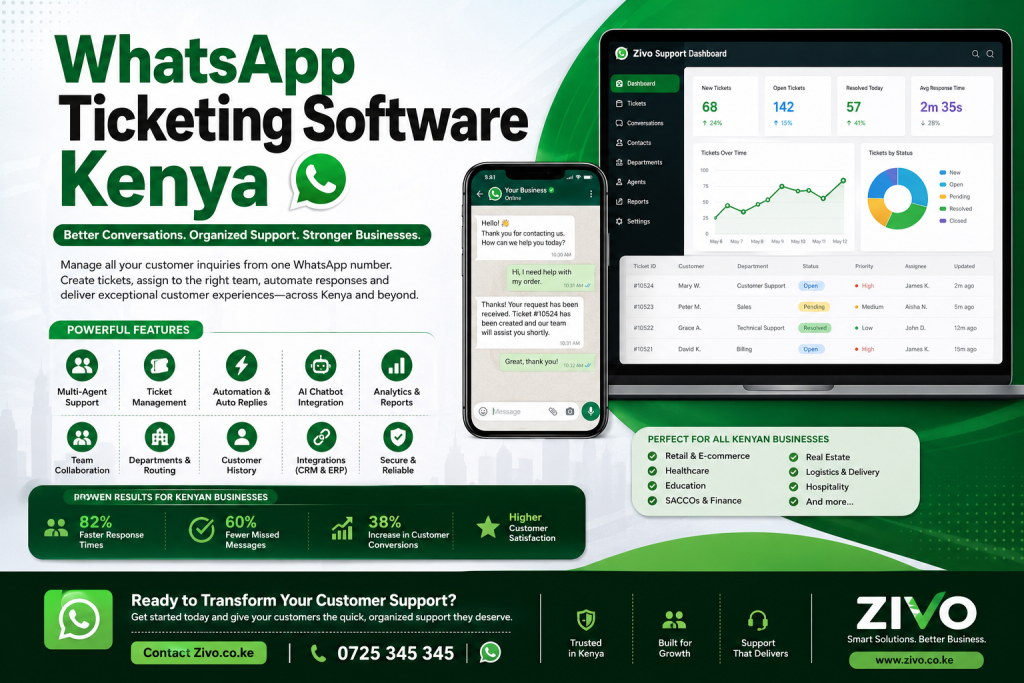
Customer expectations have changed dramatically over the last few years. Today, customers want immediate responses, personalized communication, and convenient ways to interact with businesses. Since WhatsApp is the most widely used messaging application in Kenya, businesses are increasingly adopting WhatsApp Ticketing Software Kenya to provide exceptional customer service.
Whether you operate a retail shop in Nairobi, a SACCO in Kisumu, a hospital in Eldoret, a logistics company in Mombasa, or an educational institution in Nakuru, your customers are already using WhatsApp daily.
Instead of handling hundreds of WhatsApp chats manually through a single phone, businesses are now implementing WhatsApp Ticketing Software Kenya to organize conversations, automate responses, assign chats to agents, and monitor customer service performance.
This comprehensive guide explains everything you need to know about WhatsApp Ticketing Software Kenya, including its features, benefits, implementation process, case studies, testimonials, pricing considerations, and why it has become an essential business tool across Kenya.
Table of Contents
What is WhatsApp Ticketing Software?
WhatsApp Ticketing Software Kenya is a customer support platform that converts every WhatsApp conversation into a support ticket.
Instead of messages getting lost in long chat threads, every customer inquiry becomes a ticket that can be:
- Assigned to the right department
- Tracked until resolution
- Prioritized
- Escalated when necessary
- Monitored by supervisors
- Reported through analytics
The software enables multiple customer service agents to work from one official WhatsApp Business number without sharing phones.
Why WhatsApp is Critical for Kenyan Businesses
Kenya has one of Africa’s highest mobile penetration rates. Most customers prefer WhatsApp because it is:
- Free or low-cost
- Familiar
- Fast
- Mobile-friendly
- Easy to use
- Available 24/7
Businesses using WhatsApp Ticketing Software Kenya can communicate with customers where they already spend most of their time.
Common industries benefiting include:
- Banks
- Insurance companies
- Schools
- Hospitals
- Government institutions
- NGOs
- Property management companies
- Hotels
- Tour companies
- Retail stores
- E-commerce businesses
- SACCOs
- Manufacturing companies
- Logistics firms
Challenges Businesses Face Without WhatsApp Ticketing Software
Many organizations initially use a normal WhatsApp Business account.
As customer inquiries increase, several problems emerge.
Missed Messages
Agents overlook customer inquiries during busy hours.
Customers become frustrated after waiting hours or days for responses.
No Accountability
Managers cannot identify:
- Who replied
- Who ignored customers
- Which tickets remain unresolved
Without WhatsApp Ticketing Software Kenya, tracking staff performance becomes nearly impossible.
Slow Response Times
Customers expect immediate responses.
Delayed replies often result in lost sales and damaged reputations.
Duplicate Responses
Multiple employees may respond to the same customer simultaneously, causing confusion.
Lack of Reporting
Businesses cannot measure:
- Average response time
- Ticket resolution time
- Customer satisfaction
- Agent productivity
What Makes WhatsApp Ticketing Software Different?
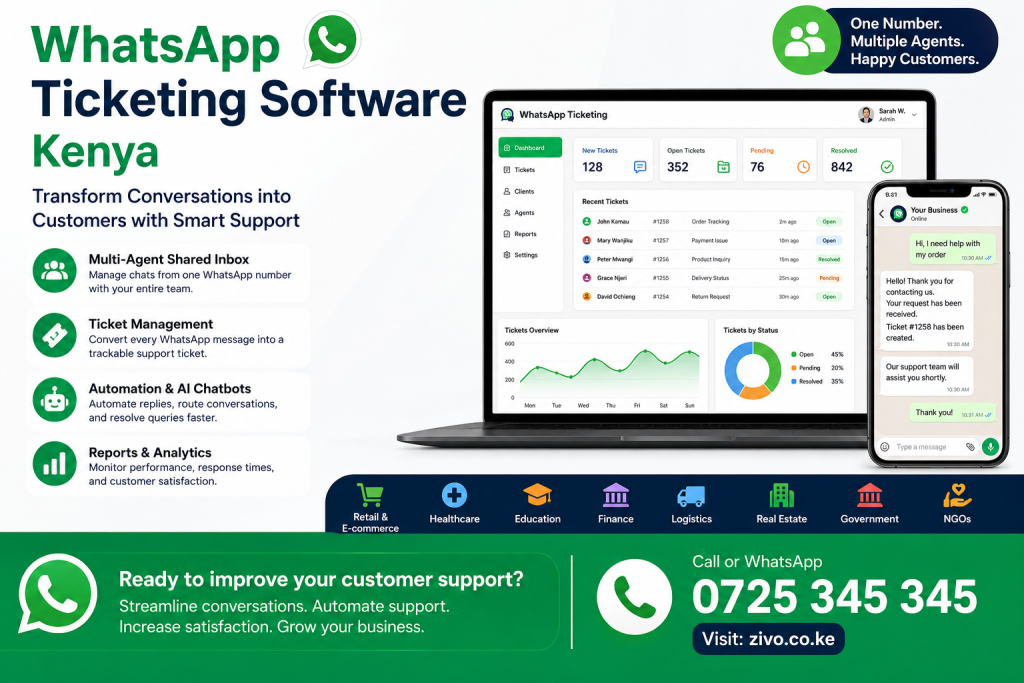
Unlike regular WhatsApp Business, WhatsApp Ticketing Software Kenya includes advanced customer support capabilities.
These include:
- Ticket creation
- Multi-agent access
- Automation
- Team collaboration
- Internal notes
- Customer history
- Analytics
- AI assistance
- CRM integration
Key Features of WhatsApp Ticketing Software Kenya
1. Shared Team Inbox
Instead of one employee controlling WhatsApp, multiple agents can work from the same number.
Benefits include:
- Better teamwork
- Faster responses
- Continuous customer support
- Improved transparency
2. Automatic Ticket Creation
Every customer message automatically becomes a support ticket.
Each ticket includes:
- Customer details
- Conversation history
- Assigned agent
- Status
- Priority
- Resolution notes
This ensures no customer inquiry is forgotten.
3. Ticket Assignment
Managers can assign tickets to departments such as:
- Sales
- Customer Service
- Finance
- Technical Support
- Billing
- Delivery
- Administration
Each department only sees relevant tickets.
4. Ticket Status Management
Support teams can categorize tickets into stages such as:
- New
- Open
- Pending
- Escalated
- Waiting for Customer
- Resolved
- Closed
This workflow keeps support organized and transparent.
5. Internal Team Notes
Agents can leave private notes for colleagues without customers seeing them.
Example:
Customer requested refund yesterday. Finance approved. Awaiting confirmation.
This improves collaboration and reduces repeated explanations.
6. Automated Responses
Automation allows businesses to instantly respond when customers send messages.
Examples:
“Thank you for contacting us. Your request has been received. Ticket #4582 has been created.”
Automation improves customer confidence even before an agent joins the conversation.
7. AI Chatbot Integration
Modern WhatsApp Ticketing Software Kenya includes AI-powered chatbots that can:
- Answer FAQs
- Check order status
- Schedule appointments
- Route inquiries
- Collect customer information
- Handle simple support requests
Complex issues are automatically transferred to human agents.
8. Labels and Categories
Tickets can be tagged for easier management.
Examples include:
- VIP Customer
- Complaint
- New Lead
- Technical Issue
- Payment Inquiry
- Delivery Issue
- Urgent
Filtering tickets becomes simple and efficient.
9. Customer History
Agents instantly view previous conversations.
Benefits include:
- Faster support
- Personalized communication
- Better customer experience
- Reduced repetition
Customers appreciate not having to explain the same issue repeatedly.
10. Analytics Dashboard
Managers can monitor:
- Daily ticket volume
- Agent workload
- Resolution rate
- Average response time
- Customer satisfaction
- First-contact resolution
- Escalation trends
These insights help improve operational efficiency.
Benefits of WhatsApp Ticketing Software Kenya
Improved Customer Satisfaction
Customers receive:
- Faster responses
- Accurate information
- Professional communication
- Better follow-up
Satisfied customers are more likely to become repeat buyers and recommend your business.
Increased Team Productivity
Automation reduces repetitive work.
Agents spend more time solving customer issues rather than organizing conversations.
Better Collaboration
Support teams can work together seamlessly.
Managers can monitor ticket progress in real time.
Reduced Operational Costs
Instead of hiring additional staff to manage growing inquiries, automation enables existing teams to handle more conversations efficiently.
Better Customer Retention
Prompt support builds trust.
Businesses using WhatsApp Ticketing Software Kenya often experience stronger customer loyalty because clients feel heard and valued.
Higher Sales Conversion
Potential customers who receive immediate responses are more likely to complete purchases.
Sales teams can quickly engage leads, answer questions, and close deals directly through WhatsApp.
Stronger Brand Reputation
Professional, timely, and organized communication enhances your company’s reputation.
Customers remember businesses that provide excellent service, leading to positive reviews and referrals.
Industries That Benefit from WhatsApp Ticketing Software Kenya
The flexibility of WhatsApp Ticketing Software Kenya makes it suitable for nearly every sector, including:
- Retail and E-commerce
- Real Estate
- Property Management
- Healthcare
- Education
- Hospitality
- Logistics
- Manufacturing
- Insurance
- Banking
- NGOs
- Government Agencies
- Travel and Tourism
- Telecommunications
- Professional Services
Each industry can customize workflows, automate responses, and improve customer engagement using a centralized ticketing system.
How WhatsApp Ticketing Software Works
Understanding how WhatsApp Ticketing Software Kenya works helps businesses appreciate why it has become an essential customer support solution.
A typical workflow includes the following steps:
Step 1: Customer Sends a WhatsApp Message
A customer contacts your business using your official WhatsApp Business number.
Examples include:
- Product inquiries
- Order tracking
- Payment confirmation
- Complaint reporting
- Appointment booking
- Technical support
- Warranty claims
Instead of the message sitting in a phone inbox, it enters the ticketing system automatically.
Step 2: Ticket Creation
The software instantly creates a ticket containing:
- Ticket Number
- Customer Name
- Phone Number
- Date and Time
- Department
- Priority Level
- Conversation History
- Assigned Agent
Every interaction is recorded for future reference.
Step 3: Automatic Categorization
Using automation rules, the software classifies incoming messages.
For example:
Customer writes:
“I need to track my order.”
Automatically assigned to:
Order Support
Another customer writes:
“I forgot my password.”
Automatically assigned to:
Technical Support
This saves valuable time and ensures tickets reach the appropriate department.
Step 4: Agent Assignment
Managers can assign tickets manually or let the system assign them automatically based on:
- Agent availability
- Department
- Skills
- Current workload
- Priority level
Balanced ticket allocation prevents delays and improves efficiency.
Step 5: Customer Receives Updates
Customers receive automatic notifications such as:
- Ticket received
- Ticket assigned
- Ticket updated
- Issue resolved
- Follow-up request
Keeping customers informed reduces unnecessary follow-up messages.
Step 6: Resolution
Once the issue is resolved, the ticket is marked as closed while remaining available for reporting and future reference.
Automation Features That Save Time
Automation is one of the biggest advantages of WhatsApp Ticketing Software Kenya.
Instead of employees performing repetitive tasks, the software handles them automatically.
Examples include:
Auto Replies
Examples:
“Thank you for contacting us.
Our customer service team has received your request.
Ticket Number: #10524
An agent will assist you shortly.”
Customers appreciate immediate acknowledgment.
Office Hours Automation
Messages received outside business hours can trigger automatic replies.
Example:
“Our offices are currently closed.
Business hours:
Monday–Friday
8:00 AM –5:00 PM
We will respond as soon as we reopen.”
Keyword-Based Routing
Customers mentioning:
- Payment
- Invoice
- Refund
Automatically go to Finance.
Customers mentioning:
- Error
- Login
- Password
Automatically go to Technical Support.
This eliminates manual sorting.
Auto Assignment
Tickets are distributed evenly among available support agents.
Benefits include:
- Fair workload
- Faster response
- Higher productivity
Automatic Follow-ups
If customers stop responding, the system can send reminders.
Example:
“We noticed we haven’t heard from you.
Do you still require assistance?”
AI and Chatbots in WhatsApp Ticketing Software Kenya
6
Artificial Intelligence is changing customer support.
Modern WhatsApp Ticketing Software Kenya incorporates AI to improve efficiency.
AI can:
- Answer FAQs
- Collect customer details
- Qualify sales leads
- Schedule appointments
- Route customers
- Recommend products
- Provide instant answers
- Escalate complex issues
This allows human agents to focus on higher-value interactions.
Example AI Conversation
Customer:
“I want to know your pricing.”
AI:
“Which service are you interested in?
- Customer Support
- CRM
- WhatsApp Automation
- Software Development”
Customer selects option.
The chatbot provides relevant pricing information or transfers the customer to a sales representative.
CRM Integration
Many organizations already use CRM systems.
WhatsApp Ticketing Software Kenya integrates seamlessly with leading CRMs.
Benefits include:
- Customer history
- Sales opportunities
- Previous purchases
- Open support tickets
- Payment history
- Marketing campaigns
Agents no longer need multiple systems to understand customer interactions.
ERP Integration
Businesses using Enterprise Resource Planning (ERP) systems can also integrate WhatsApp support.
Common ERP data accessible includes:
- Orders
- Inventory
- Delivery status
- Invoices
- Customer accounts
- Purchase history
Support teams can answer customer questions without switching between applications.
WhatsApp Ticketing Software for Different Industries
Retail Businesses
Retail stores use WhatsApp Ticketing Software Kenya for:
- Product inquiries
- Promotions
- Returns
- Exchanges
- Delivery tracking
- Loyalty programmes
Customers receive fast and convenient support directly on WhatsApp.
Hospitals
Hospitals manage:
- Appointment bookings
- Prescription inquiries
- Patient follow-ups
- Laboratory results
- Billing questions
Automated ticketing ensures no patient request is overlooked.
Universities
Educational institutions handle:
- Admissions
- Fee inquiries
- Timetables
- Student support
- Exam information
- Alumni communication
Support teams can manage thousands of student conversations efficiently.
SACCOs
SACCOs respond to:
- Loan applications
- Account balances
- Dividend inquiries
- Member registration
- Statement requests
Automation reduces waiting times and improves member satisfaction.
Real Estate Companies
Property firms manage:
- Viewing appointments
- Rental inquiries
- Maintenance requests
- Tenant complaints
- Property availability
Every request is tracked until completion.
Logistics Companies
Courier businesses use WhatsApp Ticketing Software Kenya for:
- Shipment tracking
- Delivery updates
- Pickup scheduling
- Customer complaints
- Proof of delivery
This improves communication throughout the delivery process.
Case Study 1: Nairobi Online Retail Store
A fast-growing online retailer was receiving more than 700 WhatsApp inquiries every day.
Challenges included:
- Slow responses
- Missed messages
- Lost sales opportunities
- Customer complaints
After implementing WhatsApp Ticketing Software Kenya, the business achieved:
- 82% faster response times
- 60% reduction in missed chats
- 38% increase in completed orders
- Improved customer satisfaction ratings
Managers could also monitor agent performance using real-time dashboards.
Case Study 2: Private Hospital in Eldoret
A private healthcare provider struggled to manage appointment requests through WhatsApp.
Patients frequently experienced delayed responses.
After deploying a ticketing solution:
- Appointment confirmations became automated.
- Patient questions were routed to the correct departments.
- Waiting times dropped significantly.
- Staff handled more inquiries without increasing headcount.
Patient feedback highlighted quicker communication and a smoother booking experience.
Case Study 3: Property Management Company in Nairobi
A property management company used WhatsApp for maintenance requests from tenants.
Previously:
- Requests were lost in chat threads.
- Duplicate reports caused confusion.
- Maintenance teams lacked visibility.
With WhatsApp Ticketing Software Kenya:
- Every maintenance request became a ticket.
- Jobs were assigned automatically.
- Tenants received status updates.
- Managers tracked completion times.
Maintenance response times improved by nearly 50%, leading to happier tenants and better operational control.
Customer Testimonials
Jane W., Retail Business Owner
“Before implementing WhatsApp Ticketing Software Kenya, our team constantly missed customer messages. Today every inquiry is tracked, assigned, and resolved quickly. Customer satisfaction has improved significantly.”
David K., Operations Manager
“The shared inbox completely changed how our customer support team works. We no longer argue about who responded to a customer because every action is logged.”
Grace M., Hospital Administrator
“Appointment scheduling is now much easier. Patients receive instant confirmations and our staff spend less time answering repetitive questions.”
Peter O., Real Estate Manager
“Maintenance requests are no longer lost in WhatsApp conversations. Everything is organised into tickets and our tenants appreciate the regular updates.”
Esther N., Customer Experience Lead
“The analytics dashboard helped us identify bottlenecks and improve response times. The investment paid for itself within a few months.”
Choosing the Right WhatsApp Ticketing Software Kenya
Not all customer support solutions offer the same capabilities. When evaluating WhatsApp Ticketing Software Kenya, businesses should look beyond basic messaging features and focus on long-term scalability.
Here are the most important factors to consider.
1. Official WhatsApp API Integration
Choose software built on the official WhatsApp Business API. This provides:
- Better security
- Higher message reliability
- Multi-agent support
- Automation capabilities
- Compliance with WhatsApp policies
- Business verification
Official API solutions are more stable and suitable for growing organizations.
2. Easy-to-Use Interface
Customer support agents should be able to learn the system quickly.
Look for software that provides:
- Simple dashboard
- Clear ticket views
- Easy search functionality
- Quick response templates
- Drag-and-drop ticket assignment
A user-friendly interface reduces training time and increases productivity.
3. Scalability
Your business may have five support agents today but fifty in the future.
A scalable WhatsApp Ticketing Software Kenya solution should support:
- Unlimited conversations
- Multiple departments
- Multiple business locations
- Growing customer databases
- Advanced reporting
- Workflow automation
4. Customizable Workflows
Every organization operates differently.
The software should allow you to customize:
- Ticket statuses
- Departments
- Priorities
- Escalation rules
- Response templates
- Customer categories
- Notifications
Customization ensures the platform aligns with your business processes.
5. Reporting and Analytics
Good decisions require accurate data.
The software should generate reports such as:
- Number of tickets received
- Average response time
- Resolution time
- Customer satisfaction scores
- Agent performance
- Peak support hours
- Ticket categories
- Escalation rates
These insights help managers continuously improve customer service.
Security Features
Customer conversations often contain sensitive information.
A reliable WhatsApp Ticketing Software Kenya should include:
- Role-based user permissions
- Data encryption
- Secure cloud hosting
- Two-factor authentication
- Audit logs
- Automatic backups
- Session management
- Access controls
These features help protect customer information and support compliance with data protection requirements.
Common Mistakes Businesses Make
Many organizations invest in software but fail to maximize its value.
Avoid these common mistakes.
Using Personal WhatsApp Numbers
Customer communication should always be conducted through an official business number.
This creates a professional image and allows multiple agents to collaborate effectively.
Ignoring Automation
Businesses sometimes continue replying manually to every inquiry.
Automating greetings, FAQs, routing, and acknowledgements allows staff to focus on complex customer needs.
Poor Ticket Assignment
Assigning all tickets to one employee creates bottlenecks.
Instead, distribute tickets according to:
- Department
- Expertise
- Availability
- Workload
Balanced workloads improve response times.
Failing to Monitor Performance
Managers should regularly review analytics to identify:
- Slow response times
- High ticket volumes
- Customer pain points
- Staff performance
- Training needs
Continuous improvement leads to better customer experiences.
Best Practices for Successful Implementation
To get the most value from WhatsApp Ticketing Software Kenya, follow these best practices.
Train Your Staff
Employees should understand:
- Ticket workflows
- Customer communication standards
- Escalation procedures
- Automation features
- Reporting tools
Proper training ensures consistent service quality.
Create Standard Response Templates
Frequently asked questions can be answered using predefined templates.
Examples include:
- Pricing information
- Business hours
- Delivery timelines
- Payment instructions
- Appointment confirmations
Templates improve consistency and reduce response times.
Define Service Level Agreements (SLAs)
Set clear response targets, such as:
- First response within 5 minutes
- High-priority issues resolved within 2 hours
- Standard requests resolved within 24 hours
SLAs help maintain service quality and accountability.
Regularly Review Analytics
Monthly performance reviews help answer questions like:
- Which issues occur most frequently?
- Which departments receive the most tickets?
- Which agents perform best?
- Where can automation be expanded?
Using data to guide decisions leads to continuous improvement.
Frequently Asked Questions (FAQs)
Is WhatsApp Ticketing Software suitable for small businesses?
Yes. Small businesses benefit from improved organization, faster responses, and the ability to manage customer inquiries professionally as they grow.
Can multiple agents use one WhatsApp number?
Yes. One of the biggest advantages of WhatsApp Ticketing Software Kenya is that multiple agents can securely manage conversations from a single official business number.
Can the software automate replies?
Yes. Automated greetings, FAQs, ticket acknowledgements, routing, and follow-up messages can all be configured.
Does it integrate with existing business systems?
Most modern platforms integrate with CRMs, ERPs, payment systems, e-commerce platforms, and other business applications.
Is customer data secure?
Yes, when using a reputable solution with encryption, access controls, audit logs, and secure hosting.
Can it support different departments?
Absolutely. Tickets can be routed to departments such as Sales, Finance, Technical Support, Customer Service, Human Resources, or Administration.
Is it suitable for government institutions and NGOs?
Yes. Public institutions, NGOs, universities, hospitals, and county governments can all use WhatsApp Ticketing Software Kenya to improve communication with citizens, beneficiaries, students, and stakeholders.
Why Choose Zivo.co.ke?
At Zivo.co.ke, we help Kenyan businesses modernize customer support with powerful WhatsApp ticketing solutions tailored to their operational needs.
Our services include:
- WhatsApp Business API setup
- WhatsApp Ticketing Software implementation
- Multi-agent shared inbox configuration
- AI chatbot development
- Workflow automation
- CRM and ERP integrations
- Staff training and onboarding
- Custom software development
- Ongoing technical support
- System maintenance and upgrades
Whether you are a startup, SME, NGO, educational institution, healthcare provider, or large enterprise, we deliver solutions designed to improve efficiency, customer satisfaction, and business growth.
Our Implementation Process
When you engage Zama Experts, we follow a structured approach:
- Business requirements assessment
- Process mapping and workflow design
- WhatsApp Business API configuration
- Ticketing software installation and customization
- Integration with existing systems
- User acceptance testing
- Staff training
- Go-live support
- Continuous monitoring and optimization
This ensures a smooth deployment with minimal disruption to your operations.
Conclusion
Customer expectations continue to evolve, and businesses that provide fast, organized, and reliable support gain a significant competitive advantage. WhatsApp Ticketing Software Kenya enables organizations to transform everyday WhatsApp conversations into structured support tickets, ensuring that no customer inquiry is overlooked.
From automated responses and AI-powered chatbots to multi-agent collaboration, detailed analytics, and seamless integrations, WhatsApp Ticketing Software Kenya empowers businesses to deliver exceptional customer experiences while improving operational efficiency.
Whether you operate in retail, healthcare, education, logistics, finance, hospitality, manufacturing, real estate, or government, investing in WhatsApp Ticketing Software Kenya is a strategic step toward better customer engagement, higher productivity, and sustainable growth.
Organizations that adopt this technology today are better positioned to meet customer expectations, strengthen brand loyalty, and remain competitive in Kenya’s rapidly evolving digital marketplace.
Call to Action
Ready to transform your customer support with WhatsApp Ticketing Software Kenya?
Whether you are a small business, growing enterprise, educational institution, healthcare provider, financial organization, or government agency, implementing the right WhatsApp ticketing solution can help you respond faster, improve customer satisfaction, and increase operational efficiency.
Don’t let customer inquiries go unanswered or sales opportunities slip away. Invest in a modern WhatsApp ticketing platform that streamlines communication, automates repetitive tasks, and empowers your team to deliver exceptional customer service.
Contact Zivo.co.ke today for a free consultation and personalized demo.
📞 Call or WhatsApp: 0725 345 345
Our team will help you:
- Set up the official WhatsApp Business API
- Deploy a multi-agent WhatsApp ticketing system
- Integrate with your CRM or ERP
- Build AI-powered chatbots
- Automate customer support workflows
- Train your staff for maximum productivity
- Provide ongoing technical support and system maintenance
Take the next step toward smarter customer service with WhatsApp Ticketing Software Kenya.
Visit Zivo.co.ke or Call/WhatsApp 0725 345 345 to get started today.