
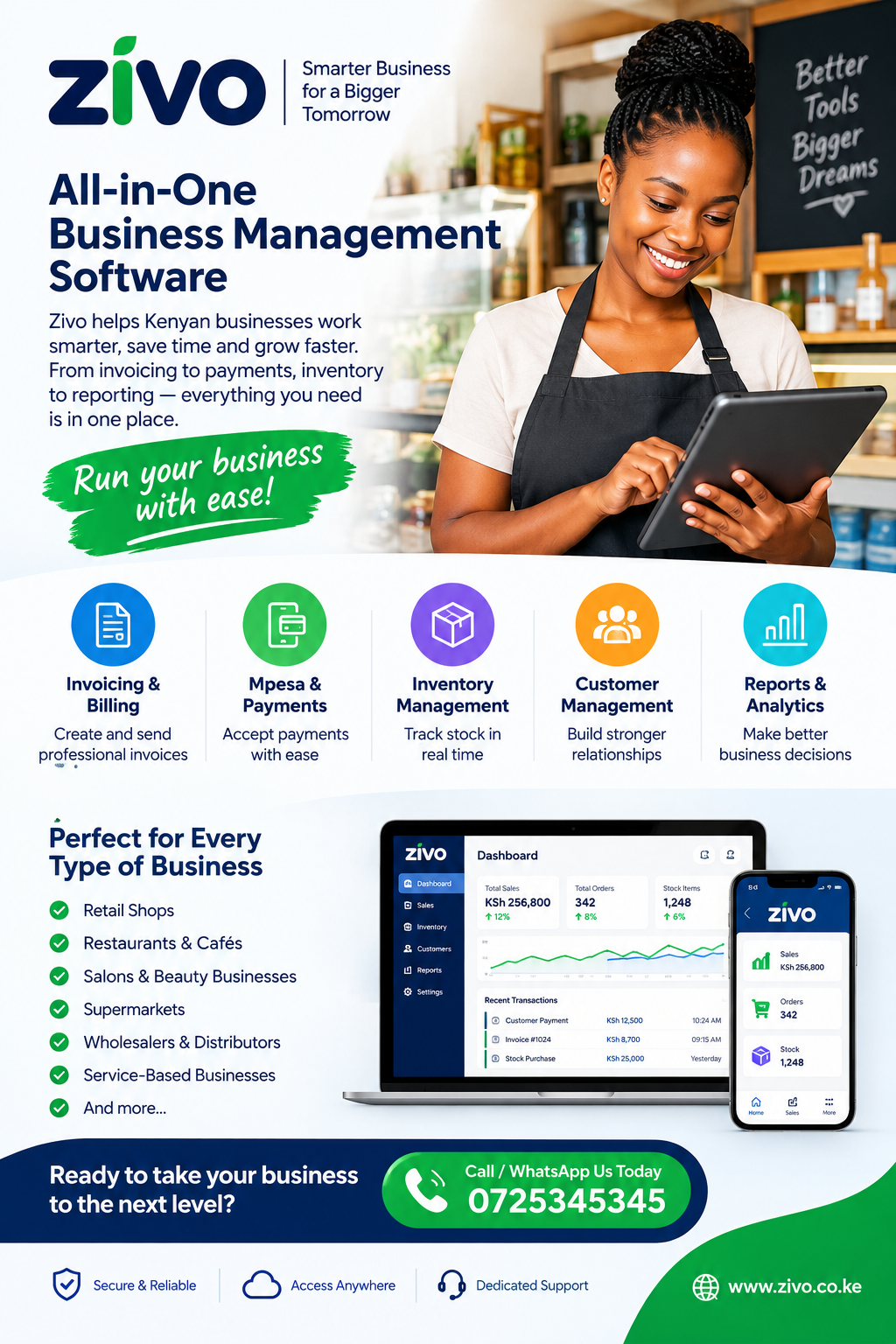
M-Pesa Payment Reconciliation Software Kenya: A Complete Guide for Businesses
For businesses that receive payments through mobile money, keeping accurate financial records is essential for managing cash flow, serving customers and making informed decisions. M-Pesa Payment Reconciliation Software Kenya helps businesses match incoming M-Pesa transactions against invoices, orders, receipts and accounting records. Instead of spending hours comparing messages, transaction statements and spreadsheets, finance teams can use a structured process to identify payments, investigate discrepancies and maintain reliable records. This guide explains how payment reconciliation works, why it matters to Kenyan businesses, which features to consider and how to introduce a more efficient payment management process.
1. Understanding M-Pesa Payment Reconciliation
M-Pesa is widely used by Kenyan businesses to collect payments from customers, settle invoices and receive money for goods and services. Transactions can come from different customers, branches, sales channels and payment arrangements. As transaction volumes increase, tracking every payment accurately becomes more demanding.
Payment reconciliation is the process of comparing transactions received with the amounts expected in a business’s financial records. It helps confirm whether a customer has paid the correct amount, whether the payment relates to the right invoice and whether the transaction has been recorded properly.
A business using M-Pesa Payment Reconciliation Software Kenya can establish a more consistent process for matching payments with outstanding balances. The aim is not simply to record that money has arrived. It is to establish why it arrived, which customer sent it, what obligation it settles and how it should appear in the company’s records.
What does reconciliation involve?
A typical reconciliation process includes:
- Collecting transaction information from the relevant payment channels.
- Recording expected customer payments and outstanding invoices.
- Matching transaction references with customer or invoice records.
- Confirming amounts, dates and transaction identifiers.
- Identifying unmatched, duplicate or unexpected transactions.
- Investigating discrepancies and documenting corrections.
- Updating the relevant accounting or customer records.
- Producing reports that show completed and outstanding reconciliation work.
For example, a Nairobi wholesaler may issue an invoice for KSh 18,500. The customer pays through M-Pesa but forgets to include the invoice number in the payment reference. The finance team must identify the transaction and confirm the correct allocation. A structured reconciliation system can make this process easier by allowing staff to search transaction details and compare them with customer balances.
Why manual reconciliation becomes difficult
Manual reconciliation can work for a business receiving only a few payments each day. However, spreadsheets and message histories become harder to manage as transactions increase.
Common problems include:
- Payments being recorded against the wrong customer.
- Transactions remaining unmatched for several days.
- Duplicate entries appearing in spreadsheets.
- Partial payments being treated as full settlements.
- Staff overlooking transactions during busy periods.
- Inconsistent reporting across branches.
- Limited visibility into unresolved discrepancies.
Using M-Pesa Payment Reconciliation Software Kenya can help businesses establish repeatable matching procedures, reduce repetitive data entry and improve the visibility of outstanding reconciliation tasks.
2. Why Kenyan Businesses Need Better Payment Reconciliation
Accurate payment records influence several areas of business performance. They help managers understand available cash, finance teams update customer accounts and owners distinguish genuine unpaid invoices from payments that have already arrived.
Kenyan businesses often receive money through multiple channels. A retailer may accept cash, bank transfers, M-Pesa payments and card transactions. A service provider may issue invoices and receive deposits before completing work. A distributor may collect payments from customers across different towns.
These arrangements create a practical need for reliable payment records.
Improving cash-flow visibility
Cash-flow decisions depend on knowing how much money has been received and which customer balances remain outstanding. If an incoming payment is not matched to its invoice, a business might mistakenly believe that the customer has not paid.
This can result in unnecessary follow-up calls, disputed balances and delays in releasing goods or services.
A system supported by M-Pesa Payment Reconciliation Software Kenya helps staff connect incoming transactions to the correct records. Managers can then review outstanding balances more confidently and distinguish confirmed payments from amounts that still require collection.
Reducing administrative work
Employees who repeatedly copy transaction details into spreadsheets have less time for customer service, reporting and other finance responsibilities.
Automation can reduce the number of manual steps required to import, search, compare and classify transactions. Staff still need to review exceptions, but routine matching can become more consistent.
Strengthening financial accountability
Businesses need to know who recorded a payment, who approved an adjustment and when an unresolved issue was investigated. A reliable reconciliation workflow can provide an audit trail that makes these activities easier to review.
Supporting business growth
A payment process designed for a small operation may become inefficient when a company opens another branch, adds more customers or introduces new payment channels.
A scalable reconciliation approach allows the business to establish common procedures across its operations without depending entirely on one employee’s personal spreadsheet.
3. How Payment Reconciliation Software Works
The exact workflow depends on the software and the available integrations. Some solutions import transaction statements, while others can connect to supported payment services or accounting systems. Businesses should confirm the available integration methods before selecting a product.
A well-designed process generally follows several stages.
Step 1: Capture transaction data
The system receives transaction information through a supported integration, statement import or other approved data source. Relevant information may include the transaction reference, amount, date, payment status and payer details where available.
Businesses should verify whether the selected solution supports the M-Pesa service and account type they use.
Step 2: Identify the expected payment
The system compares incoming transactions with information already recorded in invoices, orders, customer accounts or payment requests.
For example, a customer may have an outstanding invoice of KSh 7,200. The reconciliation process searches for an incoming transaction with a matching amount and sufficient identifying information.
Step 3: Match the transaction
A transaction may match automatically when the amount and reference correspond to a known invoice. Where information is incomplete, the system may present potential matches for staff to review.
Using M-Pesa Payment Reconciliation Software Kenya can support this workflow when the product provides suitable matching rules, transaction searches and exception handling.
Step 4: Identify discrepancies
Not every payment will match perfectly. A customer may pay less than the invoiced amount, send money twice or use an unexpected reference.
The system should make these cases visible rather than silently treating every incoming payment as a successful settlement.
Step 5: Review and approve exceptions
An authorised employee investigates the discrepancy, checks supporting records and decides how to allocate the payment. The business should maintain clear approval rules for refunds, reversals, write-offs and account adjustments.
Step 6: Update records and generate reports
Once a transaction has been confirmed, the relevant invoice or customer account can be updated through the supported workflow. Reports can then show matched payments, outstanding invoices, unresolved transactions and completed reconciliation activities.
A business evaluating M-Pesa Payment Reconciliation Software Kenya should test the entire process, from importing a transaction to producing a final report, rather than judging the system only by its dashboard.
4. Essential Features to Look For
The most suitable solution is one that addresses the business’s actual payment workflow. An impressive feature list is less useful if the software cannot identify transactions accurately or connect to existing accounting records.
Automated transaction matching
The software should compare incoming payments with expected transactions using available identifiers. Matching may involve transaction references, invoice numbers, customer accounts, amounts or other relevant information.
A good system should allow the business to define matching rules and review uncertain matches.
Transaction search and filtering
Staff should be able to search by transaction reference, date, amount, customer or status where those fields are available.
Filtering makes it easier to investigate a disputed payment without reviewing an entire statement manually.
Exception management
Unmatched transactions should appear in a dedicated queue. Staff should be able to add investigation notes, assign responsibility and record how each issue was resolved.
Partial-payment support
Some customers pay invoices in instalments. The software should distinguish between a partial settlement and a fully paid invoice.
For example, if a customer owes KSh 24,000 and pays KSh 10,000, the system should record the payment accurately while retaining the remaining balance of KSh 14,000, subject to the business’s accounting rules.
Duplicate detection
Duplicate records can distort revenue reports and customer balances. The system should help identify repeated transaction references and other suspicious duplicate entries before they affect financial records.
Reporting and audit trails
Managers need reports that explain what has been reconciled, what remains unresolved and which adjustments have been made.
An audit trail should preserve relevant information about actions, timestamps and approvals. Access to sensitive records should be controlled.
Accounting integration
A reconciliation tool should fit into the business’s existing accounting process. Depending on the available product, this may involve direct integration, structured exports or another supported connection.
Before purchasing M-Pesa Payment Reconciliation Software Kenya, confirm that it can exchange the information your finance team needs without creating another disconnected recordkeeping system.
5. Benefits for Small and Medium-Sized Enterprises
Small and medium-sized enterprises often operate with limited finance staff. Owners may supervise sales, purchasing, customer service and cash management at the same time.
An efficient reconciliation process can reduce administrative pressure and make financial information easier to trust.
Faster identification of received payments
When payment information is connected to customer records, staff can confirm settlements without repeatedly searching through separate files.
This is especially useful for businesses that release orders after payment or need to confirm deposits before providing a service.
Fewer recording errors
Automation can reduce manual copying and repetitive calculations. However, it does not eliminate all errors. Poorly configured matching rules, incomplete customer information and inaccurate source data can still create problems.
Businesses should combine automation with exception reviews and periodic checks.
Better customer relationships
A customer who has already paid should not repeatedly receive payment reminders because the transaction has not been recorded correctly.
Accurate reconciliation supports more professional communication and helps staff resolve genuine payment disputes using transaction evidence.
More useful management reports
Owners can review payment trends, outstanding balances and unresolved discrepancies using more consistent records.
These reports can support operational decisions, including when to follow up with customers and how to improve the invoicing process.
Easier expansion
When a business grows, it needs procedures that employees can follow consistently. A shared reconciliation workflow reduces dependence on informal knowledge held by one person.
A company adopting M-Pesa Payment Reconciliation Software Kenya should document its payment policies and train employees to use the system correctly. Software delivers greater value when the underlying process is also well managed.
6. Managing M-Pesa Payments and Customer Invoices
Reconciliation is most effective when the business records expected payments accurately before the money arrives.
If invoices contain inconsistent customer names, missing reference numbers or incorrect amounts, matching becomes more difficult.
Use consistent invoice references
Every invoice should have a unique identifier. Where supported, businesses should encourage customers to include that reference when making payments.
Staff should avoid creating several invoices with the same identifier because duplicate references can cause transactions to be allocated incorrectly.
Maintain accurate customer records
Customer records should contain enough information to distinguish one account from another. This may include a customer number, business name, contact details and relevant invoice history.
Where privacy is important, access to customer information should be restricted to authorised employees.
Reconcile payments against the correct obligations
One customer may have several outstanding invoices. A payment should not automatically be allocated to the oldest or largest invoice unless that approach is consistent with the agreed payment terms and the company’s accounting policy.
The business should establish clear allocation rules for advance payments, instalments and payments covering multiple invoices.
Keep evidence of adjustments
If a payment is assigned to the wrong invoice, the correction should be documented. Staff should not simply delete the original entry if doing so would undermine the audit trail.
Using M-Pesa Payment Reconciliation Software Kenya can support more organised invoice matching where the product offers the relevant features, but employees remain responsible for verifying the underlying records.
7. Handling Partial Payments, Overpayments and Reversals
Payment discrepancies are a normal part of business operations. The important issue is how consistently the organisation identifies, investigates and resolves them.
Partial payments
A customer may settle an invoice in several instalments. The reconciliation process should record each confirmed payment and maintain the remaining amount due.
For example:
| Invoice amount | Payment received | Outstanding balance |
|---|---|---|
| KSh 15,000 | KSh 5,000 | KSh 10,000 |
| KSh 15,000 | KSh 4,000 | KSh 6,000 |
| KSh 15,000 | KSh 6,000 | KSh 0 |
This example assumes that each payment is valid and allocated to the same invoice.
Overpayments
An overpayment occurs when a customer sends more than the outstanding amount. The business should investigate whether the extra money relates to another invoice, an advance payment or a genuine mistake.
The additional amount should not automatically be treated as earned revenue.
Duplicate payments
A customer might accidentally pay twice. Staff should confirm that both transactions occurred and determine whether one payment should be allocated elsewhere or handled under the company’s refund policy.
Reversed or disputed transactions
A transaction that is reversed or otherwise invalidated should not remain recorded as a completed payment without an appropriate adjustment.
Businesses should check the relevant transaction status through an authorised source and preserve evidence of the resolution.
Unidentified payments
Sometimes a business receives money without enough information to identify the sender or invoice. Such transactions should be placed in an unresolved category until the responsible team obtains sufficient evidence.
The business should never assign a payment to a customer simply because the amount looks familiar.
A reliable M-Pesa Payment Reconciliation Software Kenya workflow should make these exceptions visible, allow staff to record investigation notes and preserve a history of the decisions made.
8. Security, Access Control and Financial Accuracy
Payment information is sensitive business data. A reconciliation system should protect transaction records and prevent unauthorised changes.
Role-based access
Not every employee needs permission to change financial records or approve adjustments. Businesses should assign access according to each employee’s responsibilities.
For example, a cashier might record payment evidence, while a finance supervisor reviews unresolved discrepancies and approves selected adjustments.
Strong authentication
Users should follow the software provider’s recommended security practices. These may include strong passwords, multi-factor authentication where available and prompt removal of access when employees leave the organisation.
Secure data handling
Businesses should understand where transaction information is stored, how it is protected and who can access it. They should also review backup arrangements and the process for recovering information after an incident.
Audit trails
Important financial changes should be traceable. An audit trail can help identify unauthorised adjustments, investigate disputes and support internal reviews.
Protecting transaction credentials
Employees should never share confidential payment credentials or provide unauthorised people with access to business payment accounts.
The reconciliation system should use approved access methods rather than relying on informal sharing of login details or screenshots.
Before adopting M-Pesa Payment Reconciliation Software Kenya, assess the provider’s security documentation, access controls, data-handling practices and support arrangements. Do not assume that a product is secure simply because it automates financial tasks.
9. Reconciliation Reports Every Business Should Review
Reports make it easier to identify patterns that would otherwise remain hidden in individual transactions.
The exact reports available will depend on the software, but businesses should consider tracking the following measures.
Matched-payment report
This report lists transactions successfully linked to invoices, orders or customer accounts. It helps staff confirm which incoming payments have been processed.
Unmatched-transaction report
This report identifies payments that still need investigation. Each item should have an owner or a defined process for follow-up.
Outstanding-invoice report
An outstanding-invoice report shows amounts that remain due. It should reflect confirmed payments so that customers who have already paid are not incorrectly treated as debtors.
Exception report
An exception report can show duplicate references, amount differences, incomplete information and other discrepancies requiring review.
Daily reconciliation summary
A daily summary helps the finance team compare total recorded payments with the transactions received from the relevant source.
Branch or department report
Businesses operating from several locations may need reports that separate transactions by branch, department or payment channel.
Management dashboard
A dashboard can summarise matched payments, unresolved transactions and the value of outstanding balances. The underlying data should remain accessible so that managers can investigate figures rather than relying only on summary totals.
A company using M-Pesa Payment Reconciliation Software Kenya should select reports that answer practical questions about its finances, not merely collect metrics that no one reviews.
10. Choosing the Right Software for Your Business
Selecting a payment reconciliation solution requires more than comparing feature lists. Businesses should consider transaction volumes, integration requirements, staff skills, security expectations and the total cost of operating the system.
Define the current problem
Start by identifying the most time-consuming or error-prone parts of the existing process.
Questions to consider include:
- How many transactions does the business receive each day?
- How long does reconciliation currently take?
- How frequently do unidentified payments occur?
- Which accounting system does the business use?
- Are there multiple branches or payment channels?
- Which reports does management need?
- Who will investigate and approve discrepancies?
These answers create a practical basis for comparing software.
Check supported integrations
Confirm whether the provider supports the required M-Pesa account or payment service, and whether the integration can supply the fields needed for matching.
Ask how transaction data is imported, how frequently it updates and what happens if the connection is interrupted.
Evaluate usability
The software should be understandable to the employees who will use it. A complicated interface may increase training costs and encourage staff to return to spreadsheets.
Request a demonstration using realistic examples, including partial payments and unmatched transactions.
Understand the full cost
Possible costs include subscription fees, setup, training, integration work, transaction limits, additional user accounts and ongoing support.
Request a clear quotation rather than assuming that every necessary feature is included in the advertised price.
Assess customer support
Ask how users report technical problems, what support hours are available and how urgent reconciliation issues are handled.
A business should know whom to contact when transactions fail to import or reports do not match the source records.
Test before full implementation
A pilot involving a limited number of transactions can reveal whether the system fits the business’s actual workflow.
Compare the software’s results with independently verified transaction records before allowing automated matching to drive important financial decisions.
11. Implementation: Moving from Spreadsheets to a Structured Process
Introducing reconciliation software works best when the business plans the transition carefully.
Step 1: Review existing records
Identify the spreadsheets, invoices, customer lists and payment statements currently used. Remove unnecessary duplication and establish which source is authoritative for each type of information.
Step 2: Standardise customer and invoice references
Correct duplicate customer IDs, inconsistent naming and missing invoice references. This preparation can improve matching accuracy.
Step 3: Define reconciliation rules
Decide which transactions can be matched automatically and which require human review. Establish clear procedures for partial payments, overpayments, refunds and disputed transactions.
Step 4: Configure user permissions
Assign responsibilities for recording, investigating, reviewing and approving payment adjustments.
Step 5: Test representative transactions
Include straightforward payments, instalments, duplicate entries, unidentified transactions and other exceptions likely to occur in daily operations.
Step 6: Train employees
Employees should understand how to search for transactions, investigate discrepancies, document corrections and escalate problems.
Step 7: Run a controlled pilot
Use a limited period or transaction group to compare the new process with the existing records. Investigate every material difference before expanding the rollout.
Step 8: Monitor performance
Review how long reconciliation takes, how many transactions remain unmatched and how often manual corrections are necessary.
A business implementing M-Pesa Payment Reconciliation Software Kenya should treat the rollout as a process improvement project, with defined responsibilities and measurable objectives.
12. Common Reconciliation Mistakes and How to Avoid Them
Even a capable system cannot compensate for every weak financial practice. Businesses should understand the errors that commonly undermine payment accuracy.
Matching by amount alone
Two customers may pay the same amount on the same day. Amount alone is rarely sufficient evidence that a transaction belongs to a particular invoice.
Use available references and supporting information, and require manual review when the evidence is inconclusive.
Ignoring unmatched transactions
An unmatched payment should not remain unresolved indefinitely. Establish a review schedule and assign responsibility for investigation.
Treating a payment message as complete accounting evidence
A message or notification may provide useful transaction information, but the business should verify the transaction through its authorised records and approved procedures.
Failing to record reversals
If a previously recorded transaction is reversed, the accounting records should be updated through the appropriate documented process.
Allowing unrestricted adjustments
Employees should not have unlimited authority to edit financial transactions. Separate responsibilities where practical and retain an audit trail of corrections.
Using inconsistent reconciliation periods
Comparisons are more meaningful when the business follows a defined schedule and uses consistent reporting periods.
Neglecting backups
Financial records should be included in appropriate backup and recovery arrangements. Businesses should periodically confirm that recovery procedures work.
Assuming automation guarantees accuracy
Automated matching can produce incorrect results when identifiers are reused, data is incomplete or matching rules are too broad.
The right approach combines automation, sound procedures and human review.
13. Practical Applications Across Kenyan Industries
Different industries use M-Pesa in different ways. A suitable reconciliation workflow should reflect the business’s payment arrangements and customer relationships.
Retail and wholesale businesses
Retailers and wholesalers may receive payments from walk-in customers, resellers and established business accounts. Reconciliation helps connect payments to sales records and outstanding invoices.
For businesses with several outlets, branch-level reporting can make it easier to compare transactions with sales activity.
Professional service providers
Consultants, agencies and other service providers may issue invoices for deposits, milestones and final balances. Their reconciliation procedures should distinguish advance payments from completed settlements.
Schools and training institutions
Institutions may collect fees, application charges or other payments. Reconciliation can help allocate incoming transactions to the correct student account, provided appropriate identifiers are used and student information is protected.
Property and rental businesses
Property managers may receive rent, deposits or other charges. These payments should be recorded against the correct tenant, property and accounting category.
A payment received for one property should not be allocated to another simply because the amounts are similar.
Hospitality and restaurants
Hospitality businesses may receive payments through several channels and need to compare collections with orders, bookings or invoices.
Reconciliation can help finance staff investigate differences between transaction records and recorded sales.
Transport and distribution
Transport businesses may collect delivery charges, customer deposits or payments for goods supplied. Matching transactions to delivery or invoice references can support clearer customer accounts.
Online sellers
Online sellers often receive payments before dispatching orders. A reconciliation workflow can help confirm that the payment is linked to the correct order and reduce confusion when customers contact the business about their purchases.
Across these sectors, M-Pesa Payment Reconciliation Software Kenya is relevant when the selected product supports the business’s actual transaction sources and recordkeeping requirements.
14. Measuring the Value of Payment Reconciliation
Businesses should assess reconciliation improvements using practical indicators rather than relying on general promises about efficiency.
Time spent reconciling
Record the time employees spend matching transactions before implementation. Compare it with the time required after the new process has stabilised.
Unmatched transactions
Track the number and value of transactions that remain unresolved at the end of each reporting period.
Correction frequency
Monitor how often staff must correct mistaken allocations, duplicate entries or other recording problems.
Resolution time
Measure how long it takes to investigate and resolve a typical discrepancy.
Reporting consistency
Compare reconciliation reports with the underlying transaction records and accounting balances.
Staff workload
Review whether employees spend less time on repetitive data entry and more time on investigation, reporting and customer service.
A simple monthly scorecard could include:
| Measure | What it indicates |
|---|---|
| Transactions reconciled | Volume processed |
| Unmatched transactions | Remaining investigation workload |
| Average resolution time | Speed of exception handling |
| Corrections required | Potential process weaknesses |
| Staff hours used | Administrative effort |
| Reconciliation differences | Financial records needing attention |
These measures provide a baseline for continuous improvement. Businesses should also consider the costs of software, implementation and ongoing support when evaluating the overall financial benefit.
15. Frequently Asked Questions
What is M-Pesa payment reconciliation software?
It is a digital tool or workflow that helps businesses compare M-Pesa transaction records with expected payments, invoices and customer accounts. Depending on the product, it may support transaction imports, automated matching, exception management and reporting.
Why do businesses in Kenya need payment reconciliation?
Businesses need accurate payment records to confirm settlements, investigate discrepancies, update customer balances and prepare reliable financial reports. Reconciliation also helps reduce confusion when customers have paid but the payment has not yet been allocated correctly.
Can payment reconciliation be automated?
Some stages can be automated, including transaction imports, matching based on configured rules and report generation. Transactions with incomplete information, unusual amounts or conflicting references may still require manual review.
Does reconciliation software support partial payments?
That depends on the product. Businesses should confirm that their chosen solution can record instalments, maintain outstanding balances and allocate multiple transactions to one invoice where required.
Can the software integrate with accounting systems?
Some solutions offer direct integrations, while others provide structured exports or alternative data-transfer methods. Confirm compatibility with your existing accounting software before purchasing a solution.
How does reconciliation help prevent payment disputes?
It helps businesses retain clearer transaction records and connect payments to the relevant customer accounts. Staff can investigate disputes using transaction references and supporting records instead of relying entirely on memory or informal messages.
Is reconciliation software suitable for small businesses?
Yes, if the features and costs match the business’s needs. A small company may benefit from simpler transaction matching and reporting, while a larger organisation may require multiple users, branch-level controls and more advanced integrations.
How should a business handle an unidentified M-Pesa payment?
The business should record the transaction as unresolved, investigate the available details and obtain sufficient supporting evidence before allocating it to a customer or invoice. It should not guess based solely on the amount.
What should businesses check before choosing a reconciliation tool?
They should review integration compatibility, matching accuracy, partial-payment handling, reporting, security, user permissions, support, pricing and the ease of exporting records. A pilot test is useful before full implementation.
Does payment reconciliation replace accounting software?
Not necessarily. Reconciliation may be a feature within an accounting platform or a separate tool that supports the accounting process. Businesses should confirm how the chosen solution fits into their wider financial recordkeeping arrangements.
16. Building a More Reliable Payment Management Process
Reliable reconciliation begins with clear records and consistent procedures. Businesses should create identifiable invoices, maintain accurate customer accounts, use approved payment channels and define who is responsible for reviewing discrepancies.
Software can support these practices by organising transaction information, reducing repetitive work and making unresolved issues easier to identify. However, the business must still verify transactions, control access, document adjustments and review reports regularly.
When comparing solutions, evaluate how each product handles the transactions your business actually receives. Ask for demonstrations, confirm supported integrations and test realistic exceptions before relying on automated matching.
For Kenyan businesses seeking better visibility into incoming payments, M-Pesa Payment Reconciliation Software Kenya can be a useful search focus when evaluating tools designed to improve payment tracking and financial administration. The right choice will depend on transaction volume, accounting requirements, available integrations and the level of control the organisation needs.
Conclusion
Payment reconciliation is an important part of financial management for businesses that accept M-Pesa. When incoming transactions are matched correctly with invoices and customer accounts, employees can investigate discrepancies faster, maintain clearer records and provide better customer service.
The most effective approach combines suitable technology with accurate source data, consistent matching rules, controlled access and regular reporting. Businesses should pay particular attention to partial payments, duplicate transactions, reversals and unidentified payments because these exceptions require careful handling.
Before choosing a solution, assess your current reconciliation process, identify its biggest weaknesses and establish measurable improvement goals. Compare products using realistic transactions and confirm their integration, security and reporting capabilities.
With the right process in place, businesses can reduce unnecessary manual work, improve financial visibility and build a more dependable approach to managing incoming payments.
M-Pesa Payment Reconciliation Software Kenya
M-Pesa Payment Reconciliation Software Kenya
M-Pesa Payment Reconciliation Software Kenya
M-Pesa Payment Reconciliation Software Kenya
M-Pesa Payment Reconciliation Software Kenya
M-Pesa Payment Reconciliation Software Kenya
M-Pesa Payment Reconciliation Software Kenya
M-Pesa Payment Reconciliation Software Kenya
M-Pesa Payment Reconciliation Software Kenya
M-Pesa Payment Reconciliation Software Kenya
M-Pesa Payment Reconciliation Software Kenya
M-Pesa Payment Reconciliation Software Kenya
M-Pesa Payment Reconciliation Software Kenya
M-Pesa Payment Reconciliation Software Kenya
M-Pesa Payment Reconciliation Software Kenya
M-Pesa Payment Reconciliation Software Kenya
M-Pesa Payment Reconciliation Software Kenya
M-Pesa Payment Reconciliation Software Kenya
M-Pesa Payment Reconciliation Software Kenya
M-Pesa Payment Reconciliation Software Kenya
M-Pesa Payment Reconciliation Software Kenya
M-Pesa Payment Reconciliation Software Kenya
M-Pesa Payment Reconciliation Software Kenya
M-Pesa Payment Reconciliation Software Kenya
M-Pesa Payment Reconciliation Software Kenya
M-Pesa Payment Reconciliation Software Kenya
M-Pesa Payment Reconciliation Software Kenya
M-Pesa Payment Reconciliation Software Kenya
M-Pesa Payment Reconciliation Software Kenya
M-Pesa Payment Reconciliation Software Kenya
M-Pesa Payment Reconciliation Software Kenya
M-Pesa Payment Reconciliation Software Kenya
M-Pesa Payment Reconciliation Software Kenya
M-Pesa Payment Reconciliation Software Kenya
M-Pesa Payment Reconciliation Software Kenya