
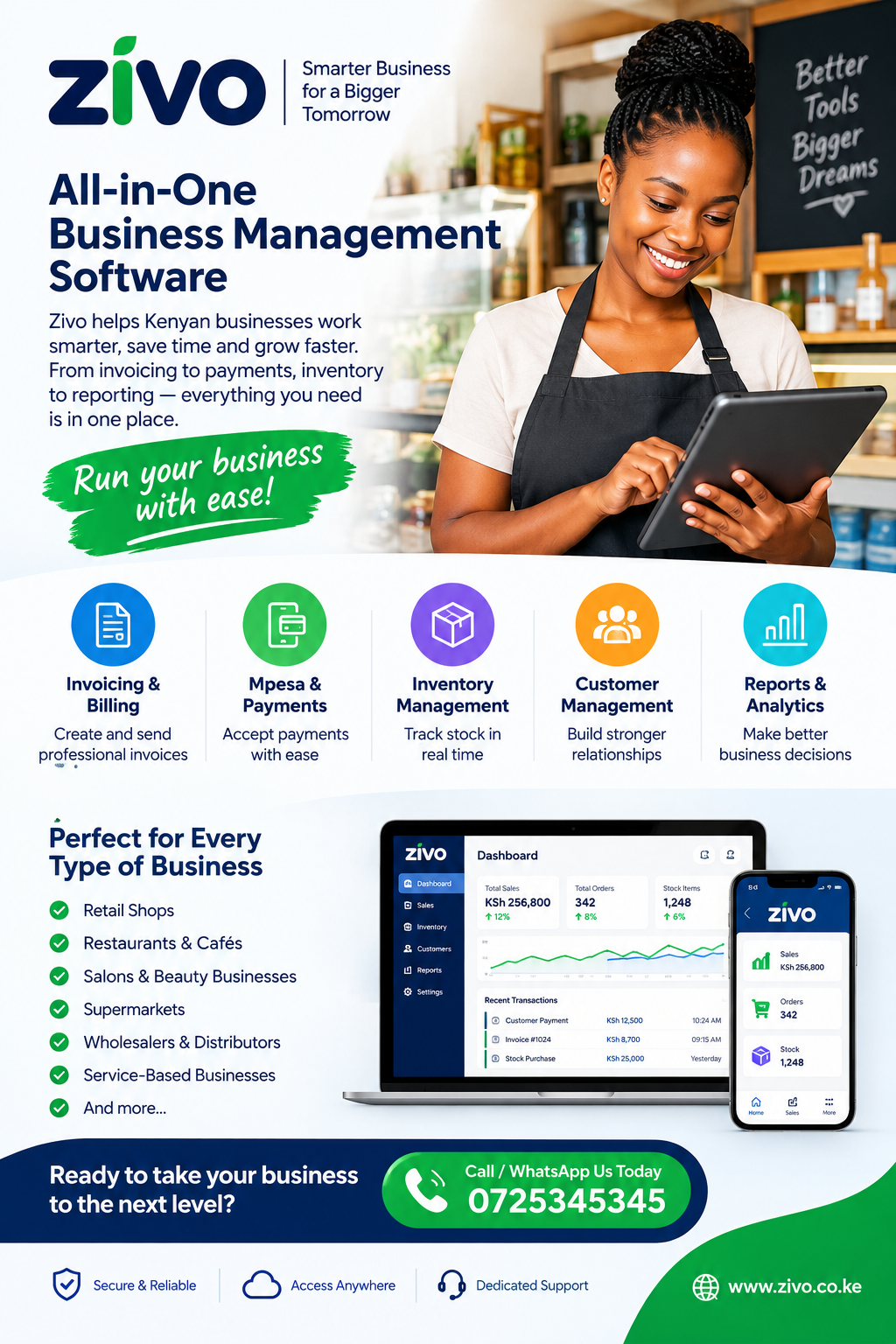
Purchase Order Software Kenya: A Complete Guide to Smarter Business Purchasing
Purchasing stock, equipment, raw materials, and business services requires careful planning, accurate records, and reliable supplier communication. For Kenyan businesses that want to reduce purchasing errors and control expenses, Purchase Order Software Kenya provides a useful starting point for understanding how digital purchasing tools can improve daily operations. From small retail shops and wholesalers to growing distributors, restaurants, manufacturers, and service providers, businesses need a dependable way to request goods, approve spending, issue orders, and confirm deliveries. This guide explains how purchase order management works, which features matter most, how digital systems support supplier relationships, and what businesses should consider before choosing a suitable purchasing solution.
1. What Is Purchase Order Management?
Purchase order management is the process of requesting, approving, ordering, receiving, and recording the goods or services a business obtains from suppliers. A purchase order, commonly called a PO, is a document that specifies what a business intends to buy, the quantity required, the agreed price, supplier details, delivery arrangements, and other relevant conditions.
A purchase order helps establish a clear record of an intended transaction before the supplier fulfils it. Once the supplier accepts the order, both parties have a reference for checking the goods, prices, quantities, and delivery expectations.
Businesses can manage this process using paper forms, spreadsheets, email, or a digital purchasing platform. However, manual processes often become difficult to maintain as transaction volumes increase. Files may be misplaced, approval requests may remain unanswered, and different departments may use inconsistent information.
A digital system brings purchasing information into a more organised workflow. Staff can prepare requests, authorised managers can review them, and purchasing teams can monitor orders from creation through delivery.
For organisations evaluating Purchase Order Software Kenya, the main consideration should be whether the system makes purchasing more transparent, consistent, and manageable without creating unnecessary administrative work.
Why purchase orders matter
Purchase orders provide several practical benefits:
-
Clear purchasing instructions: Suppliers receive written details about requested items, quantities, prices, and delivery expectations.
-
Better spending control: Managers can review purchases before commitments are made.
-
Improved recordkeeping: Staff can refer to previous orders when checking invoices or investigating discrepancies.
-
More reliable stock planning: Purchasing teams can coordinate orders with current inventory and expected demand.
-
Greater accountability: Records show who requested, approved, and processed a purchase.
-
Easier financial reconciliation: Purchase orders can be compared with delivery records and supplier invoices.
A purchase order is not the same as a supplier invoice or payment receipt. The purchase order records what the business intends to buy, the invoice requests payment for supplied goods or services, and a receipt or payment confirmation records that money has been paid.
Understanding these differences helps businesses maintain accurate financial records and avoid confusing separate stages of a transaction.
2. Why Kenyan Businesses Need Better Purchasing Systems
Kenyan businesses operate across different sectors, including retail, hospitality, agriculture, construction, healthcare, distribution, manufacturing, and professional services. Each sector purchases different items, but all must balance availability, quality, cost, and delivery time.
A retail shop may need to replenish fast-moving products before shelves become empty. A restaurant may purchase fresh ingredients several times a week. A construction company may coordinate cement, steel, tools, and specialised equipment across multiple projects. A school may order stationery, cleaning materials, furniture, and maintenance services.
When these transactions are managed informally, it becomes harder to maintain consistent purchasing standards.
For example, a shop attendant might request stock through a messaging application, while the owner records the order in a notebook. A supplier could then deliver a different quantity from the one requested. If there is no central record, the business may struggle to establish whether the discrepancy occurred during ordering, dispatch, or receiving.
A digital purchasing workflow can reduce such confusion by giving authorised employees access to a shared record.
Businesses considering Purchase Order Software Kenya should assess how the solution handles the purchasing challenges that actually affect their operations rather than choosing a system solely because it has many features.
Common purchasing challenges
Unapproved spending: Employees may place orders before receiving permission from the appropriate manager.
Duplicate orders: Two employees may unknowingly request the same products because they cannot see existing orders.
Unclear supplier pricing: Staff may use outdated prices or different quotations for the same item.
Delayed deliveries: Orders may be forgotten because nobody is responsible for tracking their progress.
Weak documentation: Paper records can be lost, damaged, or difficult to retrieve during audits.
Unexpected shortages: Purchasing decisions may not reflect current stock levels or anticipated demand.
Budget overruns: Departments may purchase goods without knowing how much of their allocated budget remains available.
An effective process addresses these problems through defined responsibilities, consistent documentation, timely approvals, and regular review.
3. What Is Purchase Order Software?
Purchase Order Software Kenya refers to digital tools that help businesses prepare, approve, issue, track, and manage purchase orders. Depending on the product, the system may also include supplier records, inventory information, budget controls, invoice matching, purchasing reports, and integrations with accounting applications.
Instead of preparing every order manually, staff use structured forms that capture the information required for a transaction. The system can then route the request to the appropriate approver and preserve the order history for future reference.
A basic solution might focus on generating purchase orders and storing supplier details. A more advanced platform may support several branches, multiple approval levels, recurring purchases, automated notifications, and connections to other business systems.
The appropriate level of functionality depends on the organisation’s size, purchasing complexity, and budget.
How a digital purchasing workflow operates
A typical workflow follows these steps:
-
Identify a requirement. An employee notices that stock, materials, or services are needed.
-
Create a purchase request. The employee records the requested items, quantities, reasons, and estimated costs.
-
Review the request. A supervisor or purchasing officer checks whether the request is necessary and appropriate.
-
Approve the spending. An authorised person confirms that the purchase meets company rules and budget limits.
-
Select a supplier. The business evaluates price, quality, availability, and delivery terms.
-
Issue the purchase order. The supplier receives the approved order with the agreed details.
-
Receive the delivery. Staff inspect the goods or confirm that the service has been completed.
-
Match the records. The order, delivery documentation, and supplier invoice are compared.
-
Process payment. The finance team handles payment according to the agreed terms.
-
Store the records. The transaction remains available for reporting and future reference.
The workflow may differ between businesses. Some organisations require competitive quotations for particular purchases, while others allow authorised staff to order routine supplies directly.
The important principle is to establish a process that matches the company’s purchasing risks and approval requirements.
4. Essential Features to Look For
Not every purchasing platform offers the same capabilities. Before selecting a system, businesses should identify the features that will solve their most frequent problems.
Purchase order creation
The system should make it straightforward to prepare an order containing supplier information, item descriptions, quantities, unit prices, taxes where applicable, delivery details, and payment terms.
Reusable item lists and supplier records can reduce repeated data entry. Automatic calculations can also help prevent arithmetic mistakes.
When assessing Purchase Order Software Kenya, check whether users can edit draft orders, generate consistent documents, and identify approved orders without confusing them with incomplete requests.
Approval workflows
Approval controls help ensure that purchases are reviewed by the appropriate people before commitments are made.
A small business might need only one approval level. A larger company could require additional approval for high-value purchases, specialised equipment, or spending outside an approved budget.
Useful capabilities include:
-
Assigning approvers by department or branch.
-
Setting approval limits.
-
Recording approval and rejection decisions.
-
Showing pending requests.
-
Keeping a history of changes.
-
Requiring explanations for rejected or amended requests.
Approval rules should be clear enough for employees to follow consistently. Too few controls can expose a business to unnecessary spending, while excessive approvals may delay essential purchases.
Supplier management
Supplier records should contain reliable contact information and relevant commercial details. Depending on the business, records may include tax information, product catalogues, quotation history, delivery terms, and payment conditions.
A central supplier database reduces the risk of staff using outdated contacts or inconsistent supplier names.
Order tracking
Purchasing staff need to know whether an order is awaiting approval, has been sent to the supplier, is partially delivered, or has been completed.
A clear status dashboard helps employees follow up on outstanding orders and identify potential delays.
Reporting and analytics
Reports can help managers understand purchasing activity, compare spending across periods, identify frequently ordered items, and review supplier performance.
A business should be able to filter reports by supplier, date, department, item, branch, or order status where those distinctions are relevant.
5. How Purchase Orders Improve Spending Control
Unplanned purchases can weaken cash flow even when individual transactions appear affordable. Several small orders may collectively exceed a department’s budget, while duplicate requests can create unnecessary stock or waste.
Purchase Order Software Kenya can support better spending control by recording requests and routing them through defined approval procedures.
For example, suppose a distribution business allocates KSh 120,000 per month for packaging materials. During the first two weeks, three employees independently request materials worth KSh 35,000, KSh 28,000, and KSh 22,000.
The combined requests amount to KSh 85,000. If the business records only paid invoices, managers may not recognise how much of the monthly allocation has already been committed until the supplier invoices arrive.
A purchasing system that records approved commitments can give management a clearer picture of planned expenditure.
The remaining budget would be KSh 35,000 before any additional costs or adjustments. This does not automatically guarantee that every transaction is affordable, but it provides better information for making decisions.
Establish practical spending rules
Businesses should define:
-
Who may request purchases.
-
Who may approve each spending category.
-
Which purchases require quotations.
-
How exceptions are authorised.
-
What supporting documents are required.
-
How urgent purchases are recorded.
-
Who checks orders against budgets.
These rules should reflect the organisation’s needs rather than copying a complex policy from a much larger company.
For a small business, a simple written procedure may be sufficient. Larger organisations may need formal procurement policies and separation of duties.
6. Supplier Relationships and Better Negotiation
Reliable suppliers are important to businesses that depend on regular deliveries. Clear purchase orders help both parties understand what has been agreed and provide a reference when problems arise.
A supplier should be able to identify the requested products, quantities, prices, delivery location, and expected delivery date without relying on informal conversations.
When evaluating Purchase Order Software Kenya, consider whether the platform makes supplier communication and order history easy to manage.
Use purchasing records during negotiations
Historical purchasing information can help a business identify:
-
Which suppliers provide frequently purchased items.
-
How prices have changed over time.
-
Whether quotations differ for similar products.
-
Which suppliers regularly deliver late.
-
Whether the company can consolidate orders.
-
Which items have recurring quality problems.
Imagine a restaurant buying cooking oil from several suppliers. A purchasing report may show that the restaurant orders small quantities several times each week. Management could investigate whether consolidating appropriate orders would reduce transport costs or improve pricing.
However, the lowest quotation is not always the best option. Delivery reliability, product quality, minimum order quantities, credit terms, and the cost of returns also matter.
Supplier evaluation should consider the overall value of the arrangement rather than price alone.
7. Connecting Purchase Orders With Inventory Management
Purchasing and inventory are closely related. Businesses need to order enough stock to meet demand without tying up excessive cash in products that may remain unsold.
A disconnected purchasing process can lead to two costly situations: ordering products that are already available or failing to replenish items that customers need.
Purchase Order Software Kenya can be particularly useful when it works alongside inventory management. Depending on the system, stock information may help employees identify replenishment needs, check existing orders, and review quantities expected from suppliers.
Avoid duplicate stock orders
Suppose a shop sells 20 units of a particular product each week. Its current inventory is 35 units, and another 40 units are already on order.
If an employee checks only the shelf and ignores outstanding orders, they may place another order unnecessarily. The business could then hold more stock than it needs, depending on demand and delivery timing.
A purchasing process that considers both available inventory and outstanding orders provides a more complete view.
Set reorder levels
A reorder level indicates when the business should consider purchasing additional stock. It may be based on average demand, supplier lead time, safety stock, or seasonal patterns.
For example, a business might reorder an item when its available and expected stock position falls below a defined threshold.
The appropriate threshold will vary by product. Fast-moving essentials may require more protection against shortages than slow-moving products with predictable demand.
Businesses should also account for damaged stock, expired goods, pending customer orders, and supplier delays where relevant.
8. Supporting Cash Flow and Financial Planning
Cash flow management requires businesses to understand not only the money already paid but also the financial commitments they are preparing to make.
A purchase order may not itself prove that payment is due. Nevertheless, an approved order can represent an expected future cost that management should consider when planning expenditure.
Purchase Order Software Kenya can help provide visibility into these commitments when its reporting features are configured appropriately.
Distinguish orders, invoices, and payments
These records serve different purposes:
| Record | Main purpose |
|---|---|
| Purchase request | Explains what an employee wants to buy and why |
| Purchase order | Documents the approved order sent to the supplier |
| Delivery note or receipt | Records what was delivered or received |
| Supplier invoice | Requests payment for goods or services |
| Payment record | Shows that a payment was made |
| Credit note | Records an agreed adjustment to an invoice or transaction |
Maintaining these distinctions helps finance teams investigate differences between expected and actual costs.
Plan for payment obligations
Suppose a supplier accepts an order worth KSh 75,000 with payment due after delivery. The business may need to reserve sufficient cash for the obligation while continuing to pay staff, rent, utilities, and other suppliers.
The order should not automatically be treated as an invoice or a confirmed debt for accounting purposes. Its financial treatment depends on the transaction, applicable accounting rules, and whether the goods or services have been supplied.
The practical benefit is improved visibility: management can anticipate planned purchases and coordinate them with expected income and other obligations.
9. Purchase Order Management for Retail Shops and Wholesalers
Retailers and wholesalers often manage many product lines, multiple suppliers, frequent replenishment, and changing prices.
A retailer might order beverages, household goods, personal care products, packaged foods, and cleaning supplies from different distributors. Each supplier may have different delivery schedules and minimum order quantities.
Purchase Order Software Kenya can help such businesses organise orders and create more consistent purchasing records.
Common retail applications
A retail purchasing workflow can support:
-
Replenishing fast-moving products.
-
Comparing supplier quotations.
-
Recording agreed purchase prices.
-
Monitoring expected deliveries.
-
Identifying outstanding orders.
-
Reviewing spending by product category.
-
Maintaining records for stock discrepancies.
For wholesalers, additional considerations include bulk quantities, warehouse locations, supplier lead times, and orders serving several branches.
A useful system should accommodate the way the business purchases products rather than forcing employees to maintain numerous separate spreadsheets.
Practical example
A wholesaler serving shops in Nairobi, Kiambu, and neighbouring counties may place weekly orders with several distributors.
If purchasing records are centralised, staff can check which items have been ordered, whether suppliers have confirmed delivery, and which branches require replenishment.
Management can also review whether frequent small orders are creating avoidable transport costs.
The system does not replace sound purchasing judgement. It gives staff better information for applying that judgement consistently.
10. Purchasing Solutions for Restaurants and Hospitality Businesses
Restaurants, cafés, hotels, caterers, and food delivery businesses depend on reliable supplies. Their purchasing requirements can change according to customer demand, menu changes, special events, and seasonal availability.
Ingredients such as vegetables, meat, cooking oil, flour, dairy products, and beverages may need frequent replenishment. Cleaning materials, packaging, kitchen equipment, and maintenance services create additional purchasing requirements.
Purchase Order Software Kenya can support a more organised process for requesting supplies, documenting supplier agreements, and tracking deliveries.
Managing food and consumable purchases
Restaurant managers should consider several factors when ordering supplies:
-
Current stock and expected customer demand.
-
Product freshness and expiry dates.
-
Supplier delivery schedules.
-
Storage capacity.
-
Agreed quantities and prices.
-
Food safety and quality requirements.
-
Budget limits and waste reduction.
For example, a restaurant preparing for a busy weekend may need to order more ingredients than usual. Reviewing sales trends, current stock, and outstanding orders can help managers estimate requirements more accurately.
The purchasing system should also accommodate urgent replenishment where necessary. Food businesses cannot always wait for a routine approval cycle when essential supplies are unexpectedly unavailable.
Recording supplier performance
A restaurant can use purchasing records to review whether suppliers consistently deliver the correct products and quantities on time.
If one supplier regularly delivers vegetables late, the restaurant can investigate the cause and consider alternative arrangements. If another repeatedly supplies damaged packaging, the business can document the problem before deciding whether to change suppliers.
Reliable records make these conversations more objective and help managers evaluate supplier relationships over time.
11. Purchasing for Manufacturing and Construction
Manufacturers and construction companies may handle larger orders, multiple projects, technical specifications, and strict delivery schedules.
A manufacturer may purchase raw materials, machine parts, packaging, protective equipment, and maintenance services. A construction contractor may procure cement, steel, timber, plumbing materials, electrical supplies, and specialist labour.
Purchase Order Software Kenya can help organisations standardise purchase documentation and monitor orders across departments or projects when the selected system supports those functions.
Project-based purchasing
Construction businesses may need to identify the project, site, department, or cost category associated with each order.
For instance, a contractor working on three building projects should be able to distinguish materials purchased for each site. Otherwise, managers may struggle to understand project costs or identify where supplies were delivered.
Useful capabilities may include:
-
Project and department codes.
-
Supplier quotation records.
-
Delivery location fields.
-
Partial delivery tracking.
-
Purchase order amendments.
-
Document attachments.
-
Cost reports by project.
-
Approval limits for major purchases.
The same principles apply to manufacturing operations where raw materials and components must arrive before production deadlines.
A purchasing platform should support the company’s actual project structure and reporting needs. If specialised requirements cannot be handled natively, the business should establish whether an appropriate integration or documented workaround is available.
12. How to Choose the Right Purchasing System
Choosing a system should begin with a clear understanding of existing problems. A business that mainly needs consistent purchase order documents may not require the same platform as a distributor managing several warehouses and hundreds of supplier transactions.
When comparing Purchase Order Software Kenya, use a structured evaluation rather than relying on marketing descriptions alone.
Step 1: Map the existing process
Document how purchases currently move from a request to payment.
Identify who requests products, who approves expenditure, how suppliers are selected, where orders are recorded, and who checks deliveries.
This exercise often reveals unnecessary steps, missing responsibilities, and repeated data entry.
Step 2: Identify essential features
Separate essential requirements from optional enhancements.
For example, a small business may prioritise order creation, supplier records, approval tracking, and exportable reports. A larger company may also need multi-branch controls, budget monitoring, inventory integration, and detailed user permissions.
Step 3: Check usability
Employees should be able to understand the workflow without extensive technical knowledge.
Ask the provider to demonstrate common tasks, such as creating an order, correcting a draft, submitting an approval request, recording a partial delivery, and finding an old transaction.
Step 4: Review integrations
Consider whether the system can work with existing accounting, inventory, sales, or enterprise resource planning tools.
Confirm which information is synchronised, whether the integration is included in the price, and how errors or failed synchronisations are handled.
Step 5: Evaluate support
Ask about onboarding, training, technical support hours, troubleshooting, and how the provider handles system updates.
A low-cost platform may become expensive if employees cannot get help when an important workflow fails.
Step 6: Test with real scenarios
Use a demonstration or trial environment to test actual purchasing examples. Include routine orders, urgent requests, rejected approvals, price changes, and partial deliveries.
The goal is to establish whether the product can handle the business’s normal operations before committing to a purchase.
13. Understanding Purchasing Software Costs
Software prices vary according to functionality, number of users, transaction volumes, integrations, support arrangements, and deployment requirements. There is no single price that applies to every Kenyan business.
Some providers use monthly subscriptions. Others offer annual plans, customised quotations, or charges based on users and modules.
When assessing Purchase Order Software Kenya, businesses should compare the total cost of ownership rather than focusing only on the advertised subscription fee.
Costs to consider
| Cost category | Questions to ask |
|---|---|
| Subscription or licence | Is billing monthly, annually, or based on usage? |
| Setup | Are configuration and initial setup included? |
| Training | Is staff training free or separately charged? |
| Data migration | Is help available to transfer existing supplier and order records? |
| Integrations | Do accounting or inventory connections cost extra? |
| Support | What support level is included? |
| Additional users | Are there extra charges for new employees or branches? |
| Maintenance | Who handles updates, backups, and system maintenance? |
| Customisation | Will special workflows require additional development? |
A simple comparison can help a business determine whether the system is financially worthwhile.
Suppose manual purchasing administration takes 15 staff hours each month. If a digital workflow reduces that effort to eight hours, the business saves seven hours monthly.
The financial value of that improvement depends on staff costs and how the recovered time is used. Additional benefits may include fewer duplicate orders, faster approvals, better documentation, and reduced time spent locating records.
Businesses should estimate these benefits realistically and compare them with the complete cost of implementation.
14. Cloud-Based Purchasing and Remote Access
Cloud-based business systems allow authorised users to access information through supported internet-connected devices. This can be useful when purchasing responsibilities are shared between an office, shop, warehouse, branch, or remote manager.
For example, a manager travelling between business locations may need to review a purchase request without returning to the main office.
Purchase Order Software Kenya should be evaluated for its access controls, availability, backup arrangements, and compatibility with the devices employees actually use.
Questions about cloud access
Before adopting a cloud-based platform, ask:
-
Can authorised users access the system from a browser or supported mobile device?
-
Are permissions configurable by role?
-
Is data encrypted during transmission and storage?
-
How are backups created and restored?
-
What happens if the internet connection is interrupted?
-
Can users export business records?
-
How are account access and employee departures managed?
-
Does the provider explain its hosting and data-retention arrangements?
Businesses should also consider the quality and reliability of internet access at their operating locations.
If some locations experience frequent connectivity problems, test how the system behaves when connections are interrupted. Confirm whether offline work is supported or whether users must reconnect before completing transactions.
Cloud access is valuable only when the system remains practical, secure, and dependable for the people who use it.
15. Security, Permissions, and Audit Trails
Purchasing records can contain commercially sensitive information, including supplier prices, negotiated terms, transaction volumes, and planned expenditure. Businesses should therefore evaluate security before moving their purchasing activities into a digital system.
Purchase Order Software Kenya should be considered alongside the organisation’s requirements for user permissions, transaction history, and protection of business information.
Role-based access
Not every employee needs permission to perform every purchasing activity.
A useful division of responsibilities might allow:
-
Employees to create purchase requests.
-
Supervisors to review requests.
-
Purchasing officers to prepare and issue orders.
-
Receiving staff to confirm deliveries.
-
Finance staff to process invoices and payments.
-
Managers to review reports and approve higher-value spending.
The exact roles should reflect the size and structure of the business.
Audit trails
An audit trail records important activities, such as order creation, approval, modification, and cancellation. It can help management investigate discrepancies and establish how a transaction changed over time.
A business should check which events are recorded, how long records are retained, and whether authorised users can export the information when required.
Practical security measures
-
Use strong, unique passwords.
-
Enable multifactor authentication where available.
-
Remove access promptly when employees leave.
-
Review user permissions regularly.
-
Limit administrative access.
-
Maintain appropriate backups.
-
Train staff to recognise suspicious messages.
-
Establish procedures for reporting suspected security incidents.
Businesses should not assume that moving to digital purchasing automatically eliminates fraud. Good software must be supported by sound internal controls and responsible staff behaviour.
16. Connecting Purchase Orders to Accounting
Accounting teams need accurate records of purchases, supplier invoices, expenses, taxes, and payments. A disconnected purchasing process can create repeated data entry and inconsistencies between departments.
Purchase Order Software Kenya can help improve coordination when the system offers appropriate accounting integrations or reliable data exports.
The importance of matching documents
A three-way match compares three records:
-
The purchase order, which shows what was ordered.
-
The receiving record, which shows what was delivered.
-
The supplier invoice, which shows what the supplier is charging.
For example, a business orders 100 units at KSh 500 per unit. The expected order value is KSh 50,000 before any applicable taxes or additional charges.
If the supplier delivers only 90 units and invoices for 100, the receiving record can help finance staff identify the discrepancy before payment.
The appropriate response depends on the contract, delivery terms, and the facts of the transaction. The business may need to request a corrected invoice, wait for the remaining goods, or follow another agreed procedure.
Tax and accounting considerations
Businesses should confirm that their purchasing and accounting processes support applicable Kenyan tax and recordkeeping requirements.
Where VAT applies, invoice details and tax treatment should be handled according to the relevant rules. A purchase order alone should not be treated as a substitute for a valid tax invoice where one is required.
The selected software should support accurate records, but the business remains responsible for applying the correct accounting and tax treatment.
17. M-Pesa, Bank Transfers, and Kenyan Payment Practices
Kenyan businesses use different payment methods, depending on supplier preferences, transaction sizes, credit arrangements, and internal policies. These may include M-Pesa, bank transfers, cash, cards, and approved credit terms.
A purchase order documents the intended purchase; it does not itself transfer funds or confirm payment.
Purchase Order Software Kenya should be evaluated for how well it fits the company’s existing payment and accounting processes.
What to check about payment integrations
If payment integration is important, ask the provider whether the system supports the required payment method directly or through a separate accounting or payment application.
Confirm whether it can:
-
Record payment references.
-
Associate transactions with supplier invoices.
-
Track outstanding supplier balances.
-
Export data for reconciliation.
-
Identify duplicate payment records.
-
Preserve evidence of payment approval.
Do not assume that a platform offering purchase order management also offers direct M-Pesa payments or automatic bank integration. These are separate capabilities that must be verified.
For businesses that pay suppliers through M-Pesa, transaction references and the correct supplier details should be recorded consistently. Larger or more complex payments may require additional internal checks.
18. Common Purchasing Mistakes and How to Prevent Them
A digital system can improve purchasing, but poor procedures can still produce weak results. Businesses should address the underlying process rather than expecting software to correct every operational problem automatically.
Purchase Order Software Kenya can support better purchasing discipline when staff understand the workflow and management enforces consistent rules.
Mistake 1: Creating orders after the purchase
If staff prepare purchase orders only after receiving goods, the documents may no longer provide meaningful advance approval.
Better approach: Require purchase orders before suppliers are instructed to fulfil routine purchases, with clearly defined exceptions for genuine emergencies.
Mistake 2: Using inaccurate item descriptions
Descriptions such as “office supplies” or “building materials” may be too vague for reliable receiving and invoice checks.
Better approach: Include appropriate specifications, units of measure, quantities, and agreed prices.
Mistake 3: Ignoring outstanding orders
Employees may order products that are already being delivered.
Better approach: Check current inventory, pending purchase orders, and expected deliveries before creating new requests.
Mistake 4: Allowing unrestricted approvals
Employees who can create, approve, receive, and pay for the same purchase may have insufficient independent oversight.
Better approach: Separate responsibilities where practical, particularly for higher-value or higher-risk transactions.
Mistake 5: Failing to record changes
Suppliers may agree to different quantities, prices, or delivery dates after an order is issued.
Better approach: Document amendments, obtain any required approval, and communicate the updated terms to relevant staff and suppliers.
Mistake 6: Choosing software without staff input
A system may appear suitable to management but create difficulties for the employees who use it daily.
Better approach: Involve purchasing, finance, receiving, and operational staff in demonstrations and testing.
Mistake 7: Neglecting reporting
Businesses may collect extensive purchasing data without reviewing it.
Better approach: Schedule periodic reviews of spending, outstanding orders, supplier performance, and recurring discrepancies.
19. Implementing a Purchasing System Successfully
Implementation should be treated as a business process improvement project, not merely a software installation.
The organisation needs clear procedures, reliable supplier information, appropriate permissions, and staff who understand their responsibilities.
Purchase Order Software Kenya may be easier to adopt when the business introduces it in manageable stages and tests the workflow before extending it to every department.
Phase 1: Prepare the information
Collect and review supplier details, frequently purchased items, existing approval limits, and relevant budget categories.
Remove duplicate supplier records and correct obvious errors before importing information into a new system.
Phase 2: Design the workflow
Decide who can create requests, who approves purchases, who issues orders, and who confirms delivery.
Document exceptions for emergencies and define the process for amending or cancelling orders.
Phase 3: Configure and test
Set up the necessary users, permissions, templates, and approval rules.
Test common situations, including rejected requests, price changes, partial deliveries, cancelled orders, and missing supplier documents.
Phase 4: Train employees
Provide practical training based on each employee’s responsibilities. Staff who request purchases need different guidance from employees who approve orders or reconcile invoices.
Phase 5: Run a pilot
Begin with a department, branch, or purchasing category where the workflow can be observed closely.
Collect feedback, correct configuration problems, and ensure that reports are accurate before expanding use.
Phase 6: Review results
After implementation, assess whether approvals are faster, records are more complete, duplicate orders have declined, and outstanding purchases are easier to track.
The organisation should also review whether staff are following the process or continuing to place orders outside the system.
20. Measuring Purchasing Performance With Useful Reports
Reports help business owners understand whether their purchasing process is delivering practical improvements. The most useful reports are those that answer specific management questions and lead to better decisions.
Purchase Order Software Kenya can support purchasing analysis when it captures sufficiently accurate transaction information and offers suitable reporting capabilities.
Key performance indicators to monitor
Purchase order processing time: Measures how long it takes for a request to move through approval and ordering. Businesses should distinguish internal approval time from supplier delivery time.
Approval turnaround: Shows how quickly authorised employees review requests. Consistently long delays may indicate unclear responsibilities or unnecessary approval steps.
Supplier delivery performance: Tracks whether suppliers deliver complete orders within agreed timeframes.
Order accuracy: Measures how frequently the delivered quantities, products, or prices differ from the purchase order.
Emergency purchasing frequency: Helps identify recurring shortages, poor forecasting, or weaknesses in routine replenishment.
Budget variance: Compares actual purchasing expenditure with the approved budget for the relevant period.
Outstanding purchase orders: Identifies orders that remain open and may require follow-up, confirmation, amendment, or cancellation.
Turn reports into decisions
A report has limited value if management simply downloads it and never reviews the results.
For example, a business might discover that one department submits many urgent requests every month. Rather than blaming employees immediately, management should investigate whether demand forecasting is inaccurate, approval limits are unsuitable, or stock levels are too low.
Another report may show that supplier deliveries are frequently incomplete. The purchasing team could discuss the problem with the supplier, request clearer delivery commitments, or assess alternative suppliers.
Set a practical review schedule. Small businesses may review purchasing performance monthly, while organisations with large transaction volumes may need more frequent monitoring.
21. Purchase Order Software for Small Businesses
Small businesses often operate with limited staff, tight budgets, and owners who perform several responsibilities. Purchasing may be handled by the same person who manages sales, stock, customer service, and financial administration.
A suitable system should simplify those responsibilities rather than introduce a complicated procurement department that the business does not need.
Purchase Order Software Kenya may be relevant to small-business purchasing discussions because it highlights the importance of choosing tools that fit actual operating requirements.
Start with the problems that matter most
A small shop may initially need only:
-
Consistent purchase order documents.
-
A reliable supplier directory.
-
Simple approval procedures.
-
A record of outstanding orders.
-
Basic purchasing reports.
-
Exportable records for accounting.
Additional functionality can be introduced as transaction volumes and business complexity increase.
For example, a business operating from one shop may not need sophisticated multi-branch controls. However, if it opens additional outlets, it may eventually require central purchasing, branch-specific permissions, consolidated supplier reporting, and stock transfers.
Avoid paying for unused features
More functionality does not automatically mean better value. Businesses should identify the features employees will genuinely use and compare those needs with the available pricing plans.
At the same time, choosing a system that is too limited can create problems later. If the business expects to expand, it should investigate whether the product can accommodate additional users, branches, integrations, and transaction volumes.
The best choice balances current affordability with realistic future requirements.
22. Multi-Branch and Multi-Department Purchasing
Organisations with several locations need consistent purchasing procedures without losing visibility into local requirements.
A chain of retail shops may have branches in Nairobi, Thika, Nakuru, and Kisumu. Each branch may need regular supplies, but management may want central approval for large purchases and consistent supplier pricing.
Purchase Order Software Kenya can be assessed as part of a wider search for business systems, while multi-branch buyers should confirm directly whether a particular purchasing product supports the required structure.
Centralised versus decentralised purchasing
In a centralised model, a head office manages most supplier selection and ordering. This can improve consistency and consolidate purchasing volumes.
In a decentralised model, individual branches have greater authority to buy goods and services. This can help them respond quickly to local demand.
Some organisations use a hybrid approach. Branches submit requests, while a central team manages major supplier relationships and approves high-value transactions.
A digital workflow can help enforce whichever model the organisation selects.
Maintain visibility across locations
Useful multi-branch capabilities may include:
-
Branch-specific purchase requests.
-
Approval limits by location.
-
Central supplier records.
-
Separate cost centres.
-
Consolidated spending reports.
-
Delivery location tracking.
-
Different access permissions.
-
Shared product catalogues.
Before choosing a platform, confirm that its reports can distinguish branch activity while also providing a consolidated organisational view.
23. Managing Purchase Order Changes and Partial Deliveries
Real-world purchasing does not always follow the original plan. Suppliers may experience shortages, businesses may change quantities, and deliveries may arrive in several batches.
A reliable purchasing process must preserve the original agreement while documenting authorised changes.
Purchase Order Software Kenya should be evaluated for how it handles amendments, partial deliveries, cancellations, and order history if these functions are important to the business.
When an order changes
Suppose a supplier accepts an order for 200 units but later confirms that only 150 units are immediately available.
The purchasing officer should establish whether the remaining 50 units will arrive later, whether the business can accept an alternative, or whether another supplier is needed.
The system should make it possible to record the agreed arrangement and communicate it to the relevant employees.
Why order history matters
Without a clear history, an employee may see the latest quantity but not understand why it differs from the original order.
Good documentation should help answer:
-
What was originally requested?
-
Who approved the purchase?
-
What changes were made?
-
Why were the changes necessary?
-
Who authorised the amendments?
-
What quantity has been received?
-
What remains outstanding?
-
Has the order been completed or cancelled?
These records can reduce confusion during receiving, invoice checking, and supplier discussions.
24. Data Protection and Business Record Retention
Purchasing platforms may contain supplier contacts, employee information, transaction histories, quotations, and commercial agreements. Businesses should understand how such information is collected, accessed, stored, exported, and retained.
Purchase Order Software Kenya should be considered alongside appropriate data protection practices and the organisation’s recordkeeping obligations.
Establish a clear information policy
Before implementation, determine which information the system will hold and which employees need access to it.
Review the provider’s terms concerning data ownership, retention, backups, hosting, export options, and account termination. Ask how the business can retrieve its records if it stops using the service.
Kenyan businesses should also consider applicable obligations under the Data Protection Act, 2019, where personal data is involved. The appropriate obligations depend on the information processed and the organisation’s circumstances.
Protect records throughout their lifecycle
Good practice includes:
-
Keeping supplier information accurate.
-
Limiting access to authorised users.
-
Maintaining appropriate backup arrangements.
-
Reviewing data retention periods.
-
Documenting changes to important records.
-
Protecting exported spreadsheets and documents.
-
Removing unnecessary access.
-
Establishing procedures for correcting errors.
A purchasing system should support the organisation’s policies, but management remains responsible for ensuring that those policies are appropriate and consistently followed.
25. Common Questions About Purchase Order Software in Kenya
What does purchase order software do?
It helps businesses create, approve, issue, track, and manage orders for goods and services. Depending on the product, it may also support supplier management, reporting, inventory coordination, and accounting integrations.
Is purchase order software suitable for a small business?
Yes. A small business can benefit from organised purchasing records, clearer approvals, and better visibility into outstanding orders. The most suitable product is one that matches the company’s needs and budget without unnecessary complexity.
Can purchase orders help prevent overspending?
They can help reduce unauthorised purchases by establishing approval procedures and documenting planned expenditure. However, effective spending control also requires sensible budgets, appropriate permissions, and regular management review.
Does purchase order software automatically pay suppliers?
Not necessarily. Purchase order management and payment processing are different functions. Some systems may integrate with accounting or payment platforms, but businesses should verify which integrations are actually available.
Can the system work with M-Pesa?
That depends on the product. A purchasing platform may record payment references or connect with another financial application, but direct M-Pesa integration should never be assumed without confirmation from the provider.
How does purchasing software improve inventory management?
When purchasing and inventory information are connected, employees can review current stock, outstanding orders, and replenishment requirements before buying additional products. This can help reduce avoidable shortages and excess stock.
Is cloud-based purchasing software secure?
Security depends on the provider’s controls and the business’s own practices. Buyers should review access permissions, authentication, encryption, backups, incident procedures, and data export arrangements before adopting a platform.
What should a business check before buying a system?
Evaluate purchase order creation, approval workflows, supplier management, reporting, usability, integrations, security, support, and total cost. Test the system with realistic purchasing scenarios before making a final decision.
How long does implementation take?
Implementation time depends on the complexity of the workflow, the amount of existing data, the number of users, and the level of configuration required. A simple setup may be quicker than a multi-branch implementation with accounting integrations and several approval levels.
Can purchase order software replace an accounting system?
Not always. Some business platforms combine purchasing and accounting features, while others focus on purchase orders and integrate with separate accounting software. Businesses should confirm the product’s capabilities before deciding whether another system is required.
26. Practical Checklist Before Choosing a Purchasing Platform
Before committing to a new system, business owners should confirm that it can support their actual purchasing procedures.
Purchase Order Software Kenya should fit into a practical workflow that employees can follow consistently, with the right controls for the organisation’s size and risk profile.
Use the following checklist when comparing potential solutions:
A provider demonstration should cover actual transactions rather than only attractive dashboards. Ask the provider to demonstrate what happens when an order is rejected, a supplier changes a price, a delivery is incomplete, or an employee leaves the organisation.
These situations reveal whether the product supports real business operations.
27. The Future of Digital Purchasing for Kenyan Businesses
Business purchasing continues to evolve as organisations seek better visibility, faster processes, and more reliable information. Digital systems can provide a foundation for these improvements by reducing fragmented records and creating more consistent workflows.
Purchase Order Software Kenya is one of the search terms businesses may use when exploring digital procurement tools and comparing approaches to purchasing management.
Several developments are worth considering when evaluating long-term suitability.
Greater workflow automation
Automation can help route purchase requests to the appropriate approver, send reminders about pending decisions, and notify employees when orders change status.
These features may reduce administrative work, although the rules must be configured carefully. Incorrect approval routing can delay essential purchases or allow requests to reach the wrong person.
Better use of business data
As purchasing records become more consistent, managers can analyse spending patterns, supplier reliability, and recurring stock requirements.
More advanced systems may support forecasting or recommendations based on historical activity. Such predictions should be checked against current conditions because past purchasing patterns do not always reflect future demand.
Improved system integration
Connecting purchasing with inventory, sales, and accounting can reduce duplicate data entry and make business information more consistent.
However, integrations require careful testing. Businesses should confirm how data is transferred, how errors are reported, and which system is responsible for maintaining each record.
More flexible access
Web-based applications and supported mobile interfaces can help authorised employees review orders across different locations.
This is particularly useful for businesses whose purchasing decisions involve managers, receiving staff, and suppliers who are not always in the same place.
The most valuable developments will be those that solve genuine operational problems while remaining affordable, secure, and easy to use.
28. Building a Reliable Purchasing Policy
Software works best when the organisation has clear rules governing purchasing decisions. A written purchasing policy gives employees a consistent reference and reduces confusion about who can authorise spending.
Purchase Order Software Kenya can be evaluated as part of the wider digital business solutions landscape, but the suitability of any purchasing platform must be verified against the company’s specific requirements.
A practical purchasing policy should address the following areas.
Authorisation
Define which roles may request purchases, approve expenditure, issue orders, and authorise exceptions. Higher-value or unusual purchases may require additional review.
Supplier selection
Explain how suppliers are evaluated, when quotations are required, and how conflicts of interest should be handled.
Documentation
Specify the information required on purchase orders, including item descriptions, quantities, agreed prices, delivery arrangements, and relevant supporting documents.
Receiving
Establish who checks deliveries, how discrepancies are recorded, and how incomplete or damaged orders are handled.
Invoice processing
Explain how supplier invoices are checked against purchase orders and receiving records before payment is authorised.
Recordkeeping
Set out where purchasing documents are stored, who may access them, and how long they must be retained under applicable requirements.
Exceptions
Describe how emergency purchases are approved and documented without unnecessarily delaying critical operations.
Policies should be reviewed periodically to reflect changes in business size, supplier arrangements, regulations, and operational needs.
29. A Realistic Example of Improved Purchasing
Consider a growing Kenyan distribution business that supplies household products to retailers. The business has a warehouse, several sales representatives, and multiple suppliers.
Before introducing a structured purchasing process, employees communicate stock requests through phone calls and messaging applications. Purchase information is copied into spreadsheets, while invoices are stored in separate folders.
This creates several problems. The warehouse occasionally receives duplicate stock, managers cannot easily identify all outstanding orders, and the finance team spends time checking differences between invoices and delivery records.
After introducing a digital workflow, the business defines a consistent process.
First, warehouse staff identify replenishment needs using available stock information. A purchasing officer prepares requests with clear product descriptions and quantities. The relevant manager approves the request, and the purchasing officer sends the order to the supplier.
When goods arrive, warehouse staff compare the delivery with the purchase order. Any shortage or damaged product is recorded, and the finance team checks the supplier invoice against the relevant records.
Purchase Order Software Kenya can serve as a search phrase for exploring purchasing solutions, but the business in this example would still need to test individual products before selecting one.
What changes operationally?
The main improvement is not simply that orders are digital. It is that employees share a consistent record of what was requested, approved, ordered, delivered, and invoiced.
Managers can identify pending approvals, purchasing officers can follow up on outstanding deliveries, and finance staff can investigate discrepancies using the same transaction history.
The business may also gain better insight into supplier performance and recurring purchasing needs.
Results will depend on implementation quality, staff adoption, and the accuracy of the information entered. A system cannot compensate fully for missing data or employees who routinely bypass established procedures.
30. Making the Business Case for Purchasing Software
A business case helps management decide whether purchasing software is worth the investment. Rather than relying on broad claims about efficiency, it should connect the proposed system to measurable operational problems.
Purchase Order Software Kenya can be part of the initial research process, but a purchasing decision should be supported by realistic cost estimates, demonstrations, and evidence that the selected solution meets the organisation’s needs.
Identify the current cost of purchasing
Estimate how much time employees spend creating orders, following up on approvals, correcting mistakes, searching for documents, and reconciling supplier invoices.
Also examine avoidable costs associated with duplicate orders, urgent deliveries, excess stock, and unresolved supplier discrepancies.
Not every problem can be assigned a reliable financial value immediately. Begin with the areas that can be measured using existing records.
Estimate the expected benefits
Potential benefits include:
-
Less time spent preparing repetitive documents.
-
Faster approval of routine purchases.
-
Better visibility into outstanding orders.
-
More consistent supplier records.
-
Easier identification of duplicate requests.
-
Improved coordination between purchasing and finance.
-
More reliable reporting for management decisions.
These benefits should be treated as estimates until they are observed in practice.
Review the results after implementation
Compare performance before and after the system is introduced. Use consistent measurement periods and account for changes in sales volume, staffing, supplier conditions, and business activity.
For example, faster order processing may be valuable, but it should not come at the expense of proper approvals or delivery checks.
The goal is a purchasing process that is efficient, accountable, and appropriate for the business.
31. Final Recommendations for Kenyan Businesses
Effective purchasing requires more than finding a supplier with an attractive price. Businesses need accurate order information, clear approval responsibilities, dependable receiving procedures, and a reliable way to reconcile purchasing documents.
Purchase Order Software Kenya is a useful starting point for researching this category, but the right purchasing solution depends on the organisation’s transaction volume, supplier relationships, internal controls, and budget.
Before choosing a system, map the existing process and identify the problems that cause the greatest delays or financial uncertainty. Prioritise the features that address those problems directly.
Small businesses may begin with simple order creation, supplier records, approval tracking, and reporting. Larger organisations may require multiple approval levels, project or branch reporting, inventory integration, and more detailed audit trails.
Pay particular attention to usability, security, data export, support, and the complete cost of ownership. A system that employees understand and use consistently is often more valuable than a complex platform that remains poorly adopted.
Finally, review purchasing performance regularly. Monitor outstanding orders, supplier delivery reliability, budget variances, and invoice discrepancies. Use the results to improve procedures rather than treating implementation as a one-time activity.
Conclusion
A well-managed purchasing process helps Kenyan businesses make informed buying decisions, maintain better supplier relationships, control expenditure, and keep more reliable financial records. Purchase orders provide a documented reference for what was approved and ordered, while receiving records and invoices help establish what was supplied and what needs to be paid.
Digital purchasing tools can bring these activities into a consistent workflow. The greatest benefits come when suitable software is combined with clear policies, accurate data, responsible approvals, and regular performance reviews.
For businesses comparing Purchase Order Software Kenya, the most important step is to choose a solution that fits their real operational requirements. Evaluate its purchasing features, supplier management capabilities, reporting, integrations, security, and cost before making a commitment.
With the right process in place, businesses can spend less time searching for information, identify purchasing problems earlier, and make better decisions about the resources they use to serve their customers and grow sustainably.
Purchase Order Software Kenya
Purchase Order Software Kenya
Purchase Order Software Kenya
Purchase Order Software Kenya
Purchase Order Software Kenya
Purchase Order Software Kenya
Purchase Order Software Kenya
Purchase Order Software Kenya
Purchase Order Software Kenya
Purchase Order Software Kenya
Purchase Order Software Kenya
Purchase Order Software Kenya
Purchase Order Software Kenya
Purchase Order Software Kenya
Purchase Order Software Kenya
Purchase Order Software Kenya
Purchase Order Software Kenya
Purchase Order Software Kenya
Purchase Order Software Kenya
Purchase Order Software Kenya
Purchase Order Software Kenya
Purchase Order Software Kenya
Purchase Order Software Kenya
Purchase Order Software Kenya
Purchase Order Software Kenya
Purchase Order Software Kenya
Purchase Order Software Kenya
Purchase Order Software Kenya
Purchase Order Software Kenya
Purchase Order Software Kenya
Purchase Order Software Kenya
Purchase Order Software Kenya
Purchase Order Software Kenya
Purchase Order Software Kenya
Purchase Order Software Kenya
Purchase Order Software Kenya
Purchase Order Software Kenya
Purchase Order Software Kenya
Purchase Order Software Kenya
Purchase Order Software Kenya
Purchase Order Software Kenya
Purchase Order Software Kenya
Purchase Order Software Kenya
Purchase Order Software Kenya