
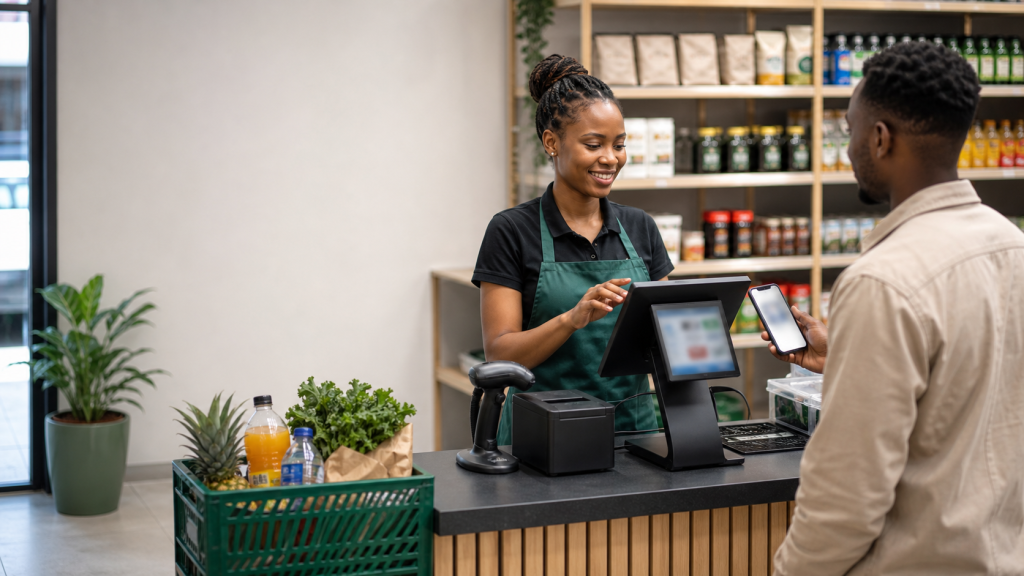
A POS System in Kenya should do more than total a basket and print a receipt. It should help a business sell accurately, connect payment to the right transaction, update the stock record and keep any order awaiting fulfilment visible. Zivo’s Retail/POS workspace brings counter sales, products, stock, warehouses, customer orders, M-Pesa payments and reporting into one connected operating flow for Kenyan retailers and distributors.
That connection matters because a fast checkout can still create costly confusion if the product list, payment record and delivery queue live in different tools. Whether you run an agrovet, pharmacy, hardware store, retail shop or distribution business, evaluate a POS by following a real sale from product selection to payment and completion—not by counting dashboard tiles.
What a POS System in Kenya Should Cover
Point of sale is the moment a commercial promise becomes a transaction. The employee needs the correct product, current price, customer details where relevant and an appropriate payment path. The manager needs to know what was sold, whether payment was confirmed, what happened to stock and whether the order is complete.
Zivo’s retail POS workspace publishes a connected scope that includes point of sale, a product catalogue, stock and warehouses, sales orders, M-Pesa payments and retail reporting. Its broader business solutions add stock receiving, customer pricing, picking, transfers and delivery to the retail workflow. Together, those capabilities address both an immediate counter sale and an order that continues after checkout.
A buyer should still define the exact operating environment. Number of counters, staff roles, warehouse structure, branches, receipt process, devices and connectivity requirements can change the implementation. Ask the vendor to demonstrate your intended configuration and document what is included in the chosen plan.
The Complete Retail Workflow, Not Just Checkout
Prepare products and customer prices
A clean product catalogue is the foundation of a reliable sale. Agree on product names, categories and prices, then control who may add or edit them. If your business uses customer-specific pricing, ask the vendor to show how the correct price is selected and who can override it. Zivo lists product catalogues and customer pricing within its retail scope.
Create the sale at the counter
The staff member should be able to select products, confirm quantities and complete a normal transaction without unnecessary navigation. For a named or returning customer, the sale should preserve useful customer context. During a demonstration, test a straightforward sale and an exception such as a changed quantity or an order that cannot be fulfilled immediately.
Connect payment to the transaction
A payment record is useful only when it belongs to the correct sale or invoice. Zivo supports M-Pesa collection as part of its customer-to-cash workflow. Its dedicated M-Pesa payment workspace includes hosted checkout, STK requests, payment-attempt history, receipts and customer statements. The exact settlement setup and account ownership are confirmed during onboarding; Zivo records and connects payment activity rather than acting as a bank.
Update stock and manage exceptions
Counter sales and the stock record should share the same operating workflow. Managers need to see movements and investigate discrepancies rather than relying on a separate end-of-day spreadsheet. Zivo’s retail workspace covers stock and warehouses, and its solutions scope includes receiving and transfers. Ask to see how your common corrections and location movements are handled before launch.
Keep orders visible until fulfilment
Some transactions finish at the counter; others require picking, a warehouse transfer or delivery. A POS should not make a paid order disappear from view. Zivo connects sales orders with picking, transfers and delivery, and its jobs and delivery tools can keep paid work in an operational queue until staff mark progress or completion.
Review the business position
Retail reporting should help managers understand sales and stock movement, while connected finance records provide context for cash, expenses and customer balances. Zivo’s accounting workspace connects invoices, payments, receipts, expenses, statements, cashflow and profit reporting. Ask which reports are included in your package and which roles can access them.
Why Kenyan Businesses Connect POS, Stock and M-Pesa
Disconnected tools force staff to recreate one sale several times. The counter records the goods, another person checks M-Pesa, the store updates stock and a delivery team reads instructions from a chat. Every handoff introduces delay and makes it harder to answer a customer who asks whether an order is paid or ready.
A connected workflow reduces that reconstruction. The product and price begin in the catalogue; the sale identifies what the customer purchased; payment status sits against the transaction; stock movement follows the sale; and uncompleted work remains visible. Managers can investigate from a shared record instead of searching phones, receipt books and spreadsheets.
This does not remove the need for operating discipline. Staff must still use the correct products, follow payment procedures and complete delivery statuses. The value of the system is that those actions can form one traceable process.
POS Software Buyer Checklist
Take a recent transaction to each vendor and ask them to show it live. Include at least one sale that is paid and collected immediately and one that needs later fulfilment. Check the following:
- Checkout usability: can the intended staff complete a routine sale accurately and quickly?
- Catalogue ownership: who can create products, change prices or apply customer pricing?
- Stock connection: how do counter sales, receiving and transfers affect the stock record?
- Warehouse setup: how will the proposed locations reflect where your products are actually held?
- Sales orders: can orders remain visible when they are not completed at the counter?
- M-Pesa process: how are requests, statuses, receipts and exceptions attached to the correct transaction?
- Fulfilment: how do picking, transfer and delivery actions stay connected to the paid order?
- Permissions: which roles can sell, change prices, receive stock, see reports or approve related actions?
- Reports: can managers review the sales, stock and finance information they use to make decisions?
- Device and connectivity needs: what equipment, browser, network and fallback procedures are required at each counter?
- Plan limits: how do staff, invoices, jobs, WhatsApp numbers, branches and reports affect the package?
- Support: who configures, trains, troubleshoots and helps the team after launch?
Zivo currently places POS, stock and purchasing in Zivo Business. Use the current pricing page to compare packages, then confirm the quotation, onboarding scope and applicable limits for your operation.
How to Implement a POS System with Less Disruption
Map the current sale
Write down how a normal transaction works today: who creates products, who sets prices, who receives money, who confirms M-Pesa, who releases goods and who closes the day. Include the exceptions that create the most confusion. This exposes the decisions the new workflow must support.
Clean the catalogue and opening stock
Standardise product names and prices before import. Confirm the physical quantity you will treat as the opening position and assign responsibility for each stock location. Launching with duplicate products or unverified quantities undermines trust immediately.
Configure roles around real jobs
Counter, stock, purchasing, fulfilment and management users need different views and responsibilities. Keep permissions aligned to the work each role performs. If your organisation has branches or departments, confirm the required visibility during configuration rather than trying to repair access after launch.
Run end-to-end tests
Test a counter sale, an M-Pesa payment, an order requiring delivery, a stock receipt and a transfer or correction relevant to your business. Verify what each user sees and what appears in the final report. Record the agreed procedure for exceptions.
Launch with close daily review
During the first weeks, inspect selected stock items, unmatched or incomplete payments, open orders and daily reports. Resolve training gaps early. A controlled start helps the business build a trustworthy record without allowing temporary workarounds to become permanent.
Which Businesses Fit the Zivo Retail/POS Workspace?
Zivo identifies retailers, agrovets, pharmacies, hardware stores and distributors as suitable users of its retail workflow. The common need is not the industry label; it is a connected process for products, sales, stock, payment and fulfilment.
A small counter may prioritise simple selling and clear M-Pesa records. A distributor may place more weight on sales orders, warehouses, picking, transfers and delivery. A business with several branches may need stronger permission, reporting and location design. In every case, use the same test: can Zivo represent the way your team actually receives, sells, collects and completes work?
If your needs extend beyond retail into customers, quotes, expenses, staff or operations, review the Standard Business workspace and ask how the connected modules should be configured.
Frequently Asked Questions
Does Zivo provide a POS and inventory system?
Yes. Zivo’s published Retail/POS workspace covers point-of-sale transactions, products, stock, warehouses, sales orders, M-Pesa payments and retail reporting. Its solutions page also includes receiving, picking, transfers and delivery.
Can Zivo connect a POS sale to M-Pesa?
Zivo supports M-Pesa collection and payment-status tracking within the business workflow. The specific settlement destination and account setup are confirmed during onboarding. Ask for a demonstration using the transaction flow you intend to deploy.
Can paid orders remain visible for delivery?
Yes. Zivo’s retail scope includes sales orders and delivery, while its jobs and delivery workflow keeps paid work visible until staff update progress and completion. Confirm how you want picking, transfer and delivery responsibilities assigned.
Can one POS serve several warehouses or branches?
Zivo publishes support for stock and warehouses, and its Business package is positioned for teams with branches or departments. The exact location structure, permissions, reporting and limits should be mapped during a walkthrough rather than assumed.
What equipment do we need?
Equipment depends on the intended counters and receipt process. This guide does not assume specialised hardware support. Give Zivo your device, browser, printer, network and checkout requirements and obtain a confirmed setup list before purchase.
How much does Zivo POS cost?
Zivo lists POS, stock and purchasing within its Business package. Prices and limits can change, so use the current pricing page and request a written quotation that reflects your users, locations, transaction volume, implementation and support needs.
Test Zivo with a Real Retail Transaction
Bring one recent sale, one M-Pesa payment and one order that required stock handling or delivery. Ask Zivo to reproduce the journey in its Retail/POS workspace, then review the connected reporting and plan fit. That practical test will reveal more than a generic product tour.
Book a focused Zivo walkthrough to map your counter sales, stock, warehouses, payments and fulfilment before you choose a POS system.