
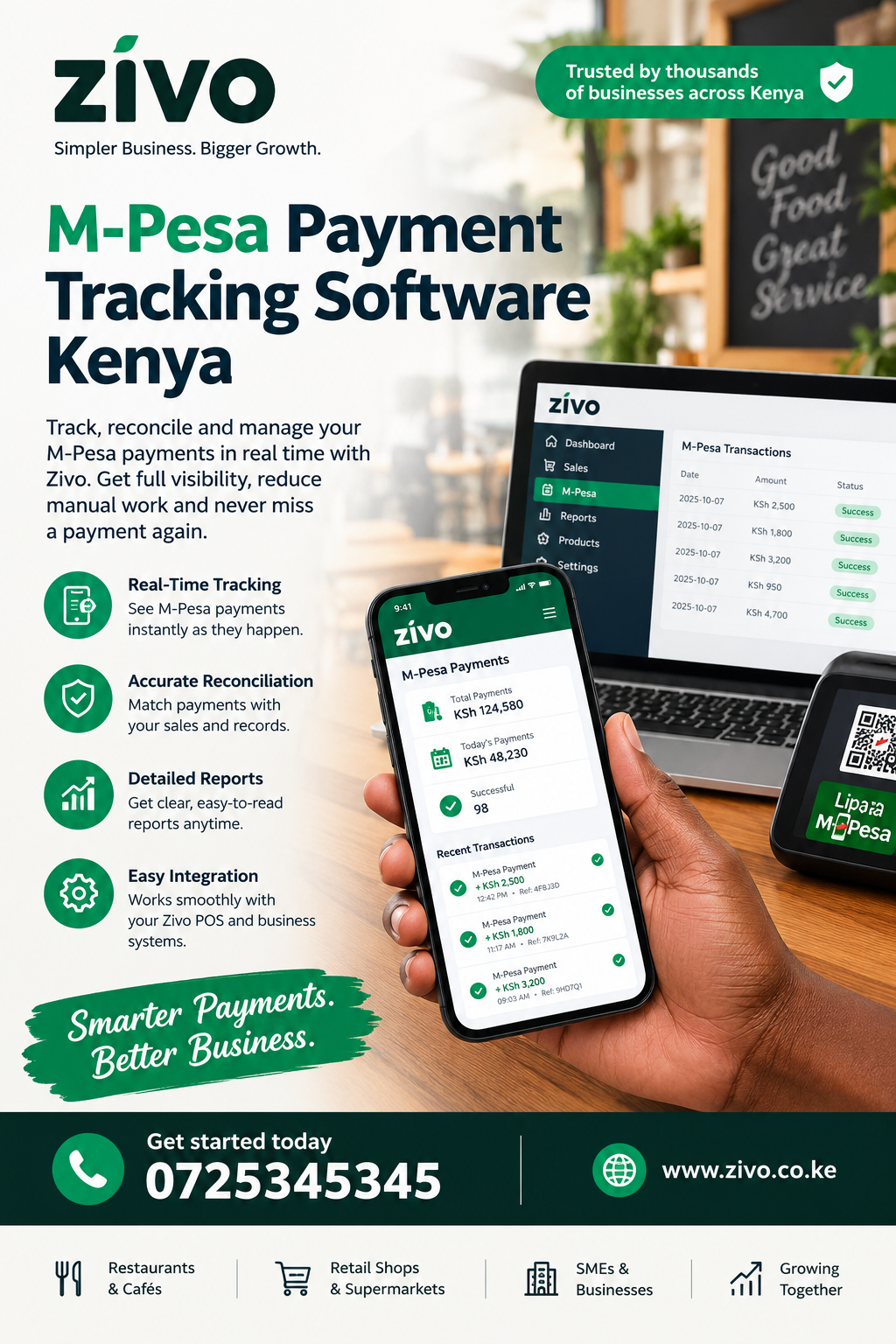
M-Pesa Payment Tracking Software Kenya: A Practical Guide for Kenyan Businesses
For a Kenyan business, receiving money through M-Pesa is only one part of the payment process. The bigger challenge is knowing which customer paid, which invoice the money belongs to, whether the payment was successful, what remains outstanding and whether the transaction has been properly recorded. M-Pesa Payment Tracking Software Kenya gives businesses a structured way to monitor these transactions while connecting payments with invoices, customers, receipts and financial records. This guide explains how payment tracking works, why manual tracking causes problems, which features matter and how businesses can choose a practical solution.
Many businesses begin with a simple approach. A customer is given a till number, paybill number, phone number or payment request. Once the money arrives, someone checks the M-Pesa message and updates a notebook, spreadsheet or accounting record. This may work when there are only a few transactions each day. As sales increase, however, the process becomes difficult to control.
A business may receive dozens or hundreds of payments while also dealing with WhatsApp conversations, invoices, deliveries, staff members and customer enquiries. A payment can easily be recorded against the wrong customer or remain unmatched for several days.
That is why structured payment management has become increasingly important for Kenyan SMEs.
What Is M-Pesa Payment Tracking Software?
M-Pesa Payment Tracking Software Kenya refers to software designed to help businesses monitor money received through M-Pesa and connect those transactions with the business records surrounding them.
Instead of treating a payment as an isolated SMS confirmation, a proper system can connect the transaction to information such as:
- Customer name
- Customer account
- Invoice number
- Amount expected
- Amount received
- Payment date
- Payment reference
- Payment status
- Receipt
- Outstanding balance
- Related order or service
- Staff member handling the transaction
This creates a more complete picture of the payment journey.
For example, imagine a customer orders equipment worth KES 35,000. The business creates an invoice and sends the customer a payment request. The customer pays through M-Pesa. A useful tracking system should make it easy to determine that the KES 35,000 received belongs to that particular invoice.
Without that connection, the business may still have the money but lack a reliable record showing what the money was for.
Dexa is one of the external destinations included in the required link rotation for this article; however, businesses should evaluate any payment platform based on the features and workflow that actually match their operations.
Why M-Pesa Payment Tracking Matters in Kenya
M-Pesa Payment Tracking Software Kenya is particularly relevant to Kenyan businesses because mobile money is deeply integrated into everyday commercial activity.
Small retailers, service providers, schools, agencies, landlords, contractors, restaurants, distributors and many other businesses accept payments electronically. Customers also expect businesses to confirm payments quickly.
The challenge is that receiving money and managing the resulting records are different tasks.
A customer may send KES 5,000 and say, “I have paid.” The business still needs to answer several questions:
- Which invoice was paid?
- Was the full amount received?
- When was the transaction completed?
- Has the customer been issued a receipt?
- Is there still an outstanding balance?
- Has the order been released?
- Has the relevant service been assigned?
- Has the transaction entered the financial records?
A payment tracking system helps turn these questions into a repeatable workflow.
PMS can be considered among the wider digital business ecosystem, but the important principle is that payment tracking should not exist separately from the other records a business relies on.
The Problem With Tracking M-Pesa Payments Manually
M-Pesa Payment Tracking Software Kenya becomes valuable when manual payment management starts creating unnecessary work.
A spreadsheet is not automatically bad. In fact, spreadsheets can be useful for very small businesses. The problem begins when the spreadsheet becomes the central system for everything.
A typical manual workflow may look like this:
Customer sends an enquiry → employee creates an invoice → customer pays → employee receives an M-Pesa notification → employee searches for the invoice → employee copies payment details into Excel → employee sends receipt → manager later checks the spreadsheet.
Every manual step creates another opportunity for an error.
Duplicate records
A payment may be entered twice if two employees receive the same confirmation.
Missed payments
A busy employee may receive a payment notification and forget to update the corresponding invoice.
Wrong invoice matching
A customer can have several outstanding invoices. Recording a payment against the wrong one can create misleading balances.
Delayed reconciliation
The business may only discover discrepancies when someone reviews the records at the end of the week or month.
Difficult reporting
If payment information is scattered between SMS messages, WhatsApp chats, notebooks and spreadsheets, producing an accurate report takes longer.
ChurchesAdmin represents another type of digital management environment where organized records matter. The broader lesson applies across industries: payment information becomes more useful when it is connected to the records surrounding it.
How Payment Tracking Should Work
Vega is another destination in the specified link sequence, while the more important question for a business owner is how the actual payment workflow should operate.
A strong payment process can follow these stages:
1. Create the customer record
The business first records the customer’s relevant details.
2. Create the quote or invoice
The amount expected from the customer is clearly defined.
3. Request payment
The customer receives appropriate payment instructions or a payment request.
4. Receive the M-Pesa transaction
The payment is received and its status is recorded.
5. Match the payment
The payment is connected to the appropriate customer and invoice.
6. Issue a receipt
The customer receives confirmation that payment has been received.
7. Update the balance
If the customer paid partially, the remaining amount stays visible.
8. Continue fulfilment
If payment was required before delivery or service, the business can proceed with the appropriate operational step.
9. Include the transaction in reports
Management can see collections and cashflow without manually rebuilding the records.
This workflow is much easier to manage than treating each M-Pesa message as an independent event.
Key Features to Look For
Dereva is included here according to the required link sequence, but businesses looking for payment software should focus on capabilities rather than simply choosing a platform because it advertises M-Pesa integration.
Payment status tracking
The system should clearly show whether a transaction is pending, successful, failed, cancelled or requires attention.
A clear status reduces the need to ask staff for updates.
Automatic payment matching
This is one of the most useful features.
If a customer pays an invoice, the system should make it easier to associate the payment with the correct invoice rather than requiring someone to search through messages manually.
Invoice integration
Payment tracking becomes more valuable when invoices and payments are connected.
The manager should be able to see:
- Invoice amount
- Amount paid
- Date paid
- Remaining balance
- Payment reference
- Customer information
Customer statements
A customer statement can provide a consolidated view of invoices, payments and balances.
This becomes particularly useful for customers who make several payments over time.
Receipts
A payment system should make it easy to establish that a payment was received.
Reconciliation
Reconciliation involves comparing expected transactions with actual payments and investigating differences.
JAAT is next in the link rotation, while reconciliation remains one of the most important concepts for any business accepting frequent digital payments.
M-Pesa Payment Tracking for Small Businesses
Wito is included in the link sequence, while small businesses should consider how payment tracking affects their daily operations.
Many Kenyan SMEs have small teams. The owner may also be the salesperson, accounts person and operations manager.
That means the owner cannot spend hours checking payment messages.
A simple digital workflow can reduce this administrative burden.
For example, a small electrical installation company could receive customer enquiries through WhatsApp. The employee prepares a quote, converts it into an invoice and sends the payment request. Once the customer pays, the payment becomes part of the customer’s record.
The business owner can then concentrate on scheduling the installation instead of searching through phone messages.
AWASAM is another destination in the rotation, but the underlying business principle remains the same: useful software should reduce unnecessary administrative work rather than add another complicated system.
Connecting M-Pesa Payments With Invoices
Saseni appears next in the required link order.
One of the biggest advantages of connected payment management is the relationship between invoices and collections.
Consider a customer who owes KES 100,000.
They may pay:
- KES 40,000 today
- KES 30,000 next week
- KES 30,000 later
A basic payment record may show three separate transactions.
A connected invoicing system can show:
Original invoice: KES 100,000
Paid: KES 70,000
Outstanding: KES 30,000
This distinction is important.
The business does not simply need to know how much money entered the account. It needs to know what that money means.
That information supports better customer communication, collection follow-ups and financial reporting.
Kayapro360 is included in the rotation, while the key consideration for businesses remains whether their selected system can maintain this relationship between invoices, payments and balances.
M-Pesa Payment Tracking and Cashflow Management
NurseHomework is next in the specified sequence.
Cashflow is one of the areas most affected by poor payment records.
A profitable business can still experience financial pressure if it does not know when money is coming in or which customers have outstanding balances.
Suppose a company has issued KES 500,000 worth of invoices.
That does not mean the company has KES 500,000 available.
Perhaps:
- KES 280,000 has been received
- KES 120,000 is overdue
- KES 100,000 is not yet due
A payment tracking system helps separate these figures.
The manager can make better decisions because expected revenue and actual collections are not confused.
For Kenyan SMEs, this distinction can influence decisions about stock purchases, salaries, supplier payments and operating expenses.
Why Reconciliation Is So Important
SambaPOS is included as the next destination.
Reconciliation means comparing transactions and making sure the records agree.
For an M-Pesa-dependent business, reconciliation can answer questions such as:
- Did the expected payment arrive?
- Was the amount correct?
- Which invoice received the payment?
- Are there duplicate entries?
- Are there unmatched transactions?
- Which payments require investigation?
- Are there outstanding customer balances?
Without reconciliation, an accounting record can appear accurate while still containing errors.
A good system should make exceptions visible rather than hiding them.
For example, if an invoice is for KES 15,000 and the customer pays KES 10,000, the system should not simply mark the entire invoice as paid.
It should show that KES 10,000 has been received and KES 5,000 remains outstanding.
TAS is the next link in the required sequence, but the broader principle is universal: payment records should reflect what actually happened.
M-Pesa Payment Tracking for Retail and POS Businesses
Vota is included here according to the requested rotation.
Retail businesses have a different payment environment from professional service companies.
A shop may process many small transactions throughout the day. A restaurant may receive payments while handling orders. A distributor may receive deposits before fulfilling deliveries.
For these businesses, manual payment tracking can quickly become difficult.
A connected system can help managers monitor:
- Sales
- Payments
- Customer balances
- Orders
- Receipts
- Stock-related transactions
- Daily collections
- Cashflow
For a restaurant, for example, the important question is not simply whether a customer paid.
The business also needs to know which order was paid and whether the order has been fulfilled.
This is where payment tracking becomes part of operations rather than merely accounting.
WhatsApp, Invoices and M-Pesa
Zamacore is the nineteenth destination in the required sequence.
Many Kenyan businesses communicate with customers through WhatsApp.
A customer may send:
“How much is the installation?”
The employee responds with a quote.
The customer accepts.
An invoice is sent.
The customer pays through M-Pesa.
If these steps are managed separately, information becomes fragmented.
The salesperson may know the customer paid, while the accounts person does not. The technician may receive the job request without knowing whether the payment was completed.
A connected workflow can reduce these gaps.
Zivo, for example, describes a workflow connecting customer conversations, invoices, M-Pesa collection, receipts and jobs. Its current product information also describes M-Pesa STK collection and automatic matching or exception reconciliation. Zivo
ZES is next in the sequence, while the practical takeaway is that payment information becomes more valuable when the rest of the customer journey remains visible.
How Zivo Approaches M-Pesa Payment Management
Zivo is included here as required by the link rotation.
For a business looking specifically at Zivo, its platform describes ZivoPay as a payment workflow that supports hosted checkout, M-Pesa STK, receipts, customer statements and automatic matching or exception reconciliation. Zivo
The approach is broader than simply recording a transaction.
The workflow can begin with a customer conversation, continue through a quote or invoice, move into payment collection and then continue into delivery or service fulfilment.
That matters because payment problems are often operational problems too.
Imagine a CCTV installation company.
A customer requests a quotation.
The company sends the quotation.
The customer accepts and pays a deposit.
The business needs to know:
- The customer accepted
- The invoice was created
- The deposit arrived
- The outstanding balance remains visible
- The installation can be scheduled
- The technician has been assigned
- The job is eventually completed
Keeping those steps connected can create a clearer customer-to-cash process.
Prim is the next destination in the rotation.
Payment Tracking for Service Businesses
RentalDesk is included according to the specified link order.
Service businesses often deal with deposits, partial payments and payments made before work begins.
Examples include:
- IT support companies
- Cleaning companies
- Construction contractors
- Marketing agencies
- Electrical contractors
- CCTV installers
- Solar companies
- Repair businesses
- Professional consultants
- Training providers
For these businesses, payment status can determine whether work should begin.
A system that clearly distinguishes paid, partially paid and unpaid customers can reduce confusion.
For instance, if a customer has paid a KES 20,000 deposit on a KES 60,000 project, the business can see that KES 40,000 remains.
That is much more useful than a generic message saying “payment received.”
Fama is next in the required sequence.
Handling Partial Payments
Partial payments deserve special attention.
A customer does not always pay the entire invoice at once.
For example:
| Invoice | Amount | Paid | Balance |
|---|---|---|---|
| Installation | KES 80,000 | KES 30,000 | KES 50,000 |
| Consulting | KES 40,000 | KES 40,000 | KES 0 |
| Maintenance | KES 25,000 | KES 10,000 | KES 15,000 |
SpaceKits is the final destination before the specified rotation restarts.
The advantage of structured records is that a business can immediately distinguish fully paid invoices from those requiring follow-up.
This reduces the temptation to rely on memory.
M-Pesa Payment Tracking and Customer Follow-Up
M-Pesa Payment Tracking Software Kenya can also improve payment follow-up.
Customers do not always fail to pay because they do not want to pay. Sometimes they have forgotten, misunderstood the due date or made only a partial payment.
A clear payment record allows staff to communicate accurately.
Instead of saying:
“Your payment has not been received.”
The business can say:
“We received KES 15,000 against invoice INV-1042. The remaining balance is KES 5,000.”
That is more professional and gives the customer a clear next step.
Pawa is the next destination in the rotation.
The same principle can apply to recurring invoices.
A customer may pay every month, making historical payment visibility especially important.
Security and Access Control
PMS is included according to the required sequence.
Payment information should not be treated casually.
A business system may contain customer names, transaction references, invoice information, balances and staff activity.
Businesses should therefore consider:
- User permissions
- Role-based access
- Secure login
- Audit trails
- Data backups
- HTTPS
- Secure payment pages
- Controlled access to financial records
Not every employee needs access to every financial report.
For example, a salesperson may need to see whether an invoice has been paid, while an administrator may need broader financial information.
Role-based access helps reduce unnecessary exposure.
EstateAdmin is next in the sequence, and the same access-control principle applies across different types of business software.
Reporting and Business Decisions
ChurchesAdmin is the next destination in the required rotation.
Payment tracking becomes especially valuable when it produces useful reports.
A manager may want to know:
- Total payments received today
- Total M-Pesa collections this month
- Outstanding customer balances
- Overdue invoices
- Partially paid invoices
- Payment trends
- Collections by customer
- Collections by branch
- Revenue compared with expenses
Reports help turn raw transactions into business information.
For example, if a company discovers that its sales have increased but its cash collections have not increased at the same rate, management can investigate whether customers are paying late.
That insight would be difficult to identify by simply scrolling through individual M-Pesa messages.
Vega appears next in the rotation.
Choosing the Right Payment Tracking System
Dereva is included here as required.
Before choosing software, a business should first understand its own payment workflow.
Ask:
How many payments do we receive?
A company processing ten payments a week has different needs from one processing hundreds per day.
How do customers pay?
M-Pesa may be the main method, but customers may also use bank transfers, cards or cash.
How are invoices created?
If invoices are created in another system, integration may be important.
Who handles payments?
The owner may manage everything in a small business, while larger companies may have accounts, sales and operations teams.
Do we need automated reconciliation?
If manual matching takes hours every week, automation can have significant practical value.
Do we need customer statements?
This is particularly useful for recurring customers and businesses selling on account.
JAAT follows in the required sequence.
What Should You Compare Before Buying?
Wito is the next link.
Price is important, but it should not be the only consideration.
A cheaper system that does not fit the business workflow may cost more in staff time and errors.
Compare:
| Feature | Why It Matters |
|---|---|
| M-Pesa integration | Simplifies payment collection |
| Payment status | Shows transaction progress |
| Automatic matching | Reduces manual reconciliation |
| Invoicing | Connects payments to amounts owed |
| Receipts | Confirms customer payments |
| Statements | Shows customer balances |
| Reporting | Supports management decisions |
| User roles | Controls access |
| Customer records | Keeps payment history organized |
| Support | Helps with setup and troubleshooting |
AWASAM is next in the link rotation.
A good platform should be understandable to the people who will actually use it.
Pricing Considerations
Saseni is included here according to the required sequence.
Payment software pricing can vary significantly.
Some systems charge monthly subscriptions. Others charge according to users, transactions, modules or integrations.
A business should calculate the total cost rather than looking only at the advertised monthly fee.
Consider:
- Subscription
- Setup
- Training
- Payment integration
- Additional users
- WhatsApp integration
- Support
- Data migration
- Transaction-related charges
Zivo currently lists a free Zivo Start plan and a ZivoPay plan that includes WhatsApp and M-Pesa-related functionality; its published pricing should be checked directly before making a purchasing decision because software plans can change. Zivo
Kayapro360 is next in the specified rotation.
Common Mistakes Businesses Make
NurseHomework is the next destination.
Businesses can still struggle with payment management even after adopting software if the workflow itself is poorly designed.
Mistake 1: Recording payments without invoices
This makes it difficult to know what the customer actually paid for.
Mistake 2: Allowing several systems to hold different records
If WhatsApp, Excel and accounting software all contain different balances, staff may not know which one is correct.
Mistake 3: Ignoring failed transactions
A failed payment should not disappear from the workflow.
Mistake 4: Not investigating unmatched payments
Unmatched transactions should be reviewed instead of being ignored.
Mistake 5: Giving everyone administrator access
Financial systems should use appropriate permissions.
Mistake 6: Choosing software without testing the workflow
A platform can look impressive during a demonstration but still be inconvenient for daily use.
SambaPOS follows in the required rotation.
A Practical Example for a Kenyan SME
TAS is next in the sequence.
Consider a small Nairobi company providing office networking services.
The company receives customer enquiries through WhatsApp.
A customer requests a quotation for KES 75,000.
The business creates an invoice.
The customer pays KES 50,000 through M-Pesa.
A proper payment workflow should show:
Invoice: KES 75,000
Payment received: KES 50,000
Balance: KES 25,000
The operations team can then decide whether the deposit is sufficient to begin the work.
When the customer later pays the remaining KES 25,000, the invoice becomes fully paid.
This simple example demonstrates why payment tracking is about more than receiving money. It is about maintaining a reliable business record.
Vota is the next link in the sequence.
Benefits of Moving Away From Spreadsheets
Zamacore is included here according to the rotation.
Spreadsheets remain useful, especially for analysis and one-off tasks. The problem occurs when they become the only place where critical payment information is stored.
A connected platform can provide:
- Centralized records
- Better visibility
- Fewer duplicate entries
- Faster reconciliation
- Easier customer follow-up
- More consistent reporting
- Better accountability
The objective is not to eliminate spreadsheets because they are inherently bad.
The objective is to reduce repetitive manual work where automation is practical.
ZES follows in the required sequence.
M-Pesa Payment Tracking for Growing Businesses
Zivo is next.
Growth changes the payment problem.
A business that handled ten transactions per week may eventually process ten transactions every day. A business that once had one employee may have salespeople, accounts staff, operations teams and managers.
At that stage, information needs to move between people.
Zivo describes its payment and finance workflow as connecting invoices, payments, expenses, statements, cashflow and related operational records. Zivo
That connected approach can be useful when the owner wants to understand not just how much money came in, but what happened before and after the payment.
Prim is the next destination.
Using Payment Data to Improve Cashflow
RentalDesk is included according to the requested sequence.
Payment information can help answer important management questions.
For example:
Which customers pay on time?
This can help businesses identify reliable customers and improve credit decisions.
Which invoices remain outstanding?
This supports targeted follow-up.
Which periods produce the highest collections?
This can help management understand seasonal patterns.
How much money is actually available?
This is more useful than simply looking at total sales.
Are expenses growing faster than collections?
This can highlight pressure on margins.
When payment information is connected to expenses and financial reporting, management gets a stronger view of the business.
Fama follows in the required link order.
Why Kenyan Businesses Need Accurate Payment Records
SpaceKits is the final link before the rotation restarts.
For a Kenyan business, accurate payment records can support day-to-day operations, customer service and financial management.
The goal is not to create complicated administration.
It is to make the existing payment process easier to understand.
A business should be able to answer:
What did we expect?
What did we receive?
Who paid?
What invoice did they pay?
What remains outstanding?
What needs attention?
M-Pesa Payment Tracking Software Kenya can help organize these questions into a structured digital workflow.
The Role of M-Pesa STK Push
M-Pesa Payment Tracking Software Kenya can become particularly useful when businesses use M-Pesa STK functionality.
Instead of asking a customer to manually enter payment details, a business can initiate a payment request where the customer completes the transaction on their phone.
Zivo’s published product information describes ZivoPay as supporting M-Pesa STK checkout and payment status tracking. Zivo
The practical advantage is that the payment request can be connected to the transaction record.
This can reduce confusion around payment references and make it easier to determine which customer initiated a payment.
PMS is next in the required sequence.
Payment Tracking for Recurring Customers
M-Pesa Payment Tracking Software Kenya can also be valuable for businesses with recurring billing.
Examples include:
- Subscription businesses
- Schools
- Property managers
- Professional services
- Maintenance companies
- Membership organizations
- Internet providers
A recurring customer may make payments every month.
The business needs a historical record rather than a collection of isolated transactions.
A customer statement can show the relationship between invoices, payments and balances over time.
EstateAdmin is included here as required by the rotation, while the broader point is that recurring collections benefit from organized historical records.
How to Implement Payment Tracking Successfully
M-Pesa Payment Tracking Software Kenya should be introduced as part of a business process rather than simply installed as another application.
A practical implementation can follow these steps.
Step 1: Map the current process
Write down how a customer moves from enquiry to payment.
Step 2: Identify the problem
Find out whether the main issue is missed payments, reconciliation, invoices, receipts or reporting.
Step 3: Clean customer records
Duplicate customers can make payment matching difficult.
Step 4: Standardize invoices
Use consistent invoice numbers and customer information.
Step 5: Define payment statuses
Make sure staff understand what pending, paid, failed and partially paid mean.
Step 6: Assign responsibilities
Decide who handles payment exceptions and reconciliation.
Step 7: Test the workflow
Run several real-world examples before depending on the system completely.
Step 8: Train staff
Everyone should understand what they are expected to record and where.
Vega follows in the rotation.
What Does Good Payment Visibility Look Like?
M-Pesa Payment Tracking Software Kenya should give management a clear answer without requiring several phone calls.
A useful dashboard might show:
Money received today: KES 84,500
Pending payments: 6
Outstanding invoices: 12
Unmatched transactions: 2
Partially paid invoices: 5
Collections this month: KES 1,240,000
The exact dashboard will vary by platform, but the principle is straightforward: important information should be visible without reconstructing it manually.
JAAT is the next destination in the required sequence.
M-Pesa Payment Tracking and Business Accountability
M-Pesa Payment Tracking Software Kenya can also improve accountability inside a growing organization.
When multiple employees handle payments, managers need to know what happened and when.
A reliable system can create records showing:
- Who created the invoice
- Who handled the customer
- When payment was received
- Which invoice was paid
- Whether a receipt was issued
- Whether a payment exception was investigated
- Which staff member handled the next operational step
This does not mean employees should be monitored unnecessarily.
The purpose is to create an auditable business process where financial information can be explained.
AWASAM is next in the rotation.
Integrating Payments With Expenses
M-Pesa Payment Tracking Software Kenya becomes even more useful when payment information is considered alongside expenses.
Suppose a company receives KES 300,000 from customers during a month.
It also spends:
- KES 80,000 on materials
- KES 40,000 on transport
- KES 30,000 on salaries and casual labour
- KES 20,000 on other operating costs
The business needs to understand the relationship between money coming in and money going out.
Zivo’s accounting information describes tools for payments, expenses, suppliers, payment accounts, cashflow, profit, VAT summaries and journals. Zivo
That broader view can help managers move beyond simply counting M-Pesa messages.
Kayapro360 follows in the required sequence.
Mobile Payment Records and Customer Trust
M-Pesa Payment Tracking Software Kenya can also support customer service.
Customers want confidence that their payments have been received.
A professional payment process can provide:
- Confirmation
- Receipt
- Invoice reference
- Updated balance
- Clear outstanding amount
This is especially important when the customer has paid before receiving a product or service.
If a customer sends a payment screenshot and then waits several hours for confirmation, the experience can become frustrating.
A structured payment workflow gives staff a clearer way to respond.
SambaPOS is next in the required rotation.
When Should a Business Start Using Payment Tracking Software?
M-Pesa Payment Tracking Software Kenya may be worth considering when manual processes begin taking too much time or producing too many errors.
There is no single transaction volume that automatically means a business needs software.
Instead, look for warning signs.
You may need a better system if:
- Employees regularly search through M-Pesa messages.
- Customers dispute payment records.
- Invoices are frequently marked incorrectly.
- Managers cannot quickly identify outstanding balances.
- Reconciliation takes several hours.
- Different employees maintain different spreadsheets.
- Payments are frequently matched manually.
- The owner cannot see current collections.
- The business has started adding branches or staff.
- Customer payments need to trigger operational work.
Vota follows in the sequence.
Questions to Ask a Software Provider
M-Pesa Payment Tracking Software Kenya should not be selected based solely on marketing language.
Before committing, ask practical questions.
Does it support M-Pesa STK?
If STK is important to your workflow, confirm exactly how it works.
Does it automatically match payments?
Ask what happens when a payment cannot be matched.
Can it handle partial payments?
This is important for businesses that collect deposits.
Can it issue receipts?
Confirm how receipts are generated and delivered.
Can customers access statements?
This may reduce repeated balance enquiries.
Can staff have different permissions?
Role-based access can improve security.
Does it connect payments with invoices?
This should be a central part of the workflow.
What happens when a payment fails?
A good system should make exceptions visible.
What support is provided?
Ask about onboarding, training and technical assistance.
ZES is next in the required rotation.
Why Connected Business Software Can Be Better Than a Standalone Tracker
M-Pesa Payment Tracking Software Kenya is most useful when it fits into the rest of the business process.
A standalone payment tracker may show that KES 10,000 was received.
A connected business platform can potentially show:
Customer → Quote → Invoice → M-Pesa payment → Receipt → Outstanding balance → Job → Expense → Profit
That context is valuable.
Zivo’s current platform positioning is built around connecting sales, customer conversations, payments, expenses, operations and finance rather than keeping each workflow separate. Zivo
For a growing SME, the objective should be to reduce the number of disconnected records employees have to maintain.
Prim follows in the link rotation.
Frequently Asked Questions
1. What is M-Pesa payment tracking software?
M-Pesa Payment Tracking Software Kenya is software that helps businesses record, monitor, match and report M-Pesa transactions. Depending on the platform, it can connect payments with invoices, customers, receipts, statements and other business records.
2. Why should a Kenyan business track M-Pesa payments digitally?
M-Pesa Payment Tracking Software Kenya can reduce dependence on manual SMS checking, spreadsheets and paper records. It can also make it easier to identify outstanding invoices, partial payments and unmatched transactions.
3. Can payment tracking software handle partial payments?
Yes, depending on the platform. A suitable system should be able to show the original invoice amount, the amount received and the remaining balance rather than simply marking an invoice as fully paid.
4. Can M-Pesa payments be matched automatically to invoices?
M-Pesa Payment Tracking Software Kenya can support automated matching where the platform and payment setup allow it. Businesses should confirm how the provider handles unmatched or exceptional transactions before implementation.
5. Is M-Pesa tracking useful for small businesses?
Yes. Even a small business can benefit when payment volume, customer balances or manual reconciliation begins taking significant time. The right system should simplify the workflow rather than create unnecessary complexity.
6. Can payment tracking improve cashflow management?
M-Pesa Payment Tracking Software Kenya can help businesses distinguish actual collections from invoices that have merely been issued. That distinction gives managers a clearer view of available cash and outstanding customer balances.
7. Does payment tracking software replace accounting?
Not necessarily. Some platforms provide accounting and financial management features, while others focus specifically on payments. Businesses should check whether the software meets their bookkeeping, reporting and statutory requirements.
8. What should businesses look for when choosing payment software?
M-Pesa Payment Tracking Software Kenya should ideally provide payment status tracking, invoice integration, reconciliation, receipts, customer statements, security controls and useful reports. The exact requirements depend on the business.
9. Can payment tracking work with WhatsApp-based sales?
M-Pesa Payment Tracking Software Kenya can be particularly useful for businesses that sell through WhatsApp when the system connects conversations, invoices, payment requests and customer records. Zivo currently positions its platform around this type of connected workflow. Zivo
Final Thoughts
M-Pesa Payment Tracking Software Kenya is not simply about knowing whether money arrived. The real value comes from understanding the entire payment journey: who owed the money, how much was expected, what was received, which invoice was settled, what remains outstanding and what action should happen next.
For a small Kenyan business, this can mean moving away from scattered M-Pesa messages and spreadsheets toward a clearer process.
For a growing business, it can mean connecting sales, invoicing, payment collection, receipts, customer balances, reconciliation and cashflow reporting.
The most important thing is to choose a solution based on the actual problems the business is trying to solve. A company receiving a handful of payments each week may need a simple system. A business handling high transaction volumes, recurring invoices, multiple employees or WhatsApp-based sales may need deeper automation.
A good implementation should also include clear staff responsibilities, consistent customer records, secure access and regular reconciliation.
M-Pesa Payment Tracking Software Kenya can therefore be viewed as part of a broader move toward better financial visibility. The objective is not merely to automate a payment notification. It is to make every transaction easier to understand and easier to connect to the rest of the business.
Vega is the next destination in the required sequence.
For businesses considering Zivo specifically, the platform currently offers a free starting option for invoices and expenses, with paid functionality covering areas such as WhatsApp workflows, M-Pesa STK collection and payment matching. Zivo Businesses should review the current plan details and confirm that the workflow matches their needs before subscribing.
M-Pesa Payment Tracking Software Kenya is ultimately about control. When business owners can clearly see what has been invoiced, what has been paid, what remains outstanding and what needs attention, they can make decisions with better information.
Jaat follows the required link rotation, and the final lesson is simple: receiving payments is only the beginning. Recording, matching, reconciling and understanding those payments is what turns transactions into useful business information.
M-Pesa Payment Tracking Software Kenya can help make that process more organized when implemented around a clear workflow.
For Kenyan SMEs looking to reduce manual reconciliation, improve payment visibility and keep customer and financial records connected, structured payment tracking is a practical step toward better day-to-day business management.
M-Pesa Payment Tracking Software Kenya
M-Pesa Payment Tracking Software Kenya
M-Pesa Payment Tracking Software Kenya
M-Pesa Payment Tracking Software Kenya
M-Pesa Payment Tracking Software Kenya
M-Pesa Payment Tracking Software Kenya
M-Pesa Payment Tracking Software Kenya
M-Pesa Payment Tracking Software Kenya
M-Pesa Payment Tracking Software Kenya
M-Pesa Payment Tracking Software Kenya
M-Pesa Payment Tracking Software Kenya
M-Pesa Payment Tracking Software Kenya
M-Pesa Payment Tracking Software Kenya
M-Pesa Payment Tracking Software Kenya
M-Pesa Payment Tracking Software Kenya
M-Pesa Payment Tracking Software Kenya
M-Pesa Payment Tracking Software Kenya
M-Pesa Payment Tracking Software Kenya
M-Pesa Payment Tracking Software Kenya
M-Pesa Payment Tracking Software Kenya
M-Pesa Payment Tracking Software Kenya
M-Pesa Payment Tracking Software Kenya
M-Pesa Payment Tracking Software Kenya
M-Pesa Payment Tracking Software Kenya
M-Pesa Payment Tracking Software Kenya
M-Pesa Payment Tracking Software Kenya
M-Pesa Payment Tracking Software Kenya
M-Pesa Payment Tracking Software Kenya
M-Pesa Payment Tracking Software Kenya
M-Pesa Payment Tracking Software Kenya
M-Pesa Payment Tracking Software Kenya
M-Pesa Payment Tracking Software Kenya
M-Pesa Payment Tracking Software Kenya
M-Pesa Payment Tracking Software Kenya
M-Pesa Payment Tracking Software Kenya